TradingView Plans Explained: Which One Fits Your Trading?
On this page
Why TradingView’s Plan Choice Actually Matters
Most traders get their TradingView plan wrong in one of two directions. They either pay for Premium features they never touch, or they run a free account until an alert cap fails them mid-trade.
Both mistakes cost money.
The first drains $300 to $600 a year in unused subscription fees. The second is worse… a missed technical alert on a live position can cost more than a decade of subscriptions.
This guide maps each plan to actual trading workflows: charting, indicators per chart, alert capacity, historical data for backtesting, and real-time market data. Not just a feature checklist copied from a pricing page.
One housekeeping note before we start.
This comparison was last verified in early 2026. TradingView adjusts plan names, limits, and prices periodically, so treat the live pricing page as the final word on exact numbers.
And a reality check worth stating upfront: upgrading your plan expands your research capacity.
It does not, in any way, guarantee profitable trades.
A Premium subscription with poor risk management loses money faster than a free account with discipline.
The Five TradingView Plans, Compared
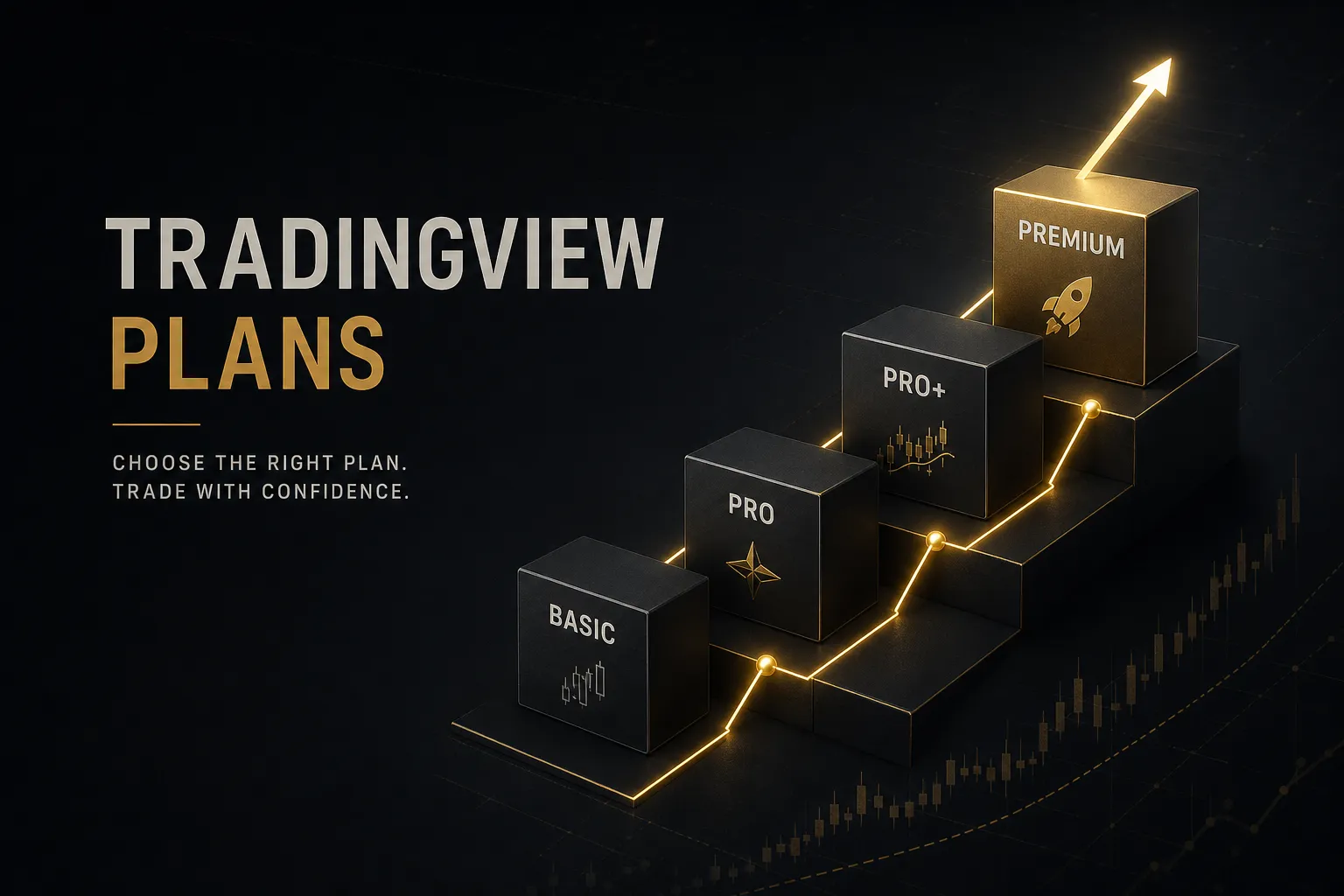
TradingView runs five tiers as of 2026: Basic (free), Essential, Plus, Premium, and Ultimate.
The jumps between them are not linear. Some upgrades double a limit, others multiply it by five.
Here is how the plans stack up on the numbers that actually shape a trading day. Figures reflect early 2026 limits and may shift, so verify before purchase.
| Feature | Basic (Free) | Essential | Plus | Premium | Ultimate |
|---|---|---|---|---|---|
| Indicators per chart | 2 | 5 | 10 | 25 | 25 |
| Charts per layout | 1 | 2 | 4 | 8 | 10 |
| Saved chart layouts | 1 | 5 | 10 | 25 | Unlimited |
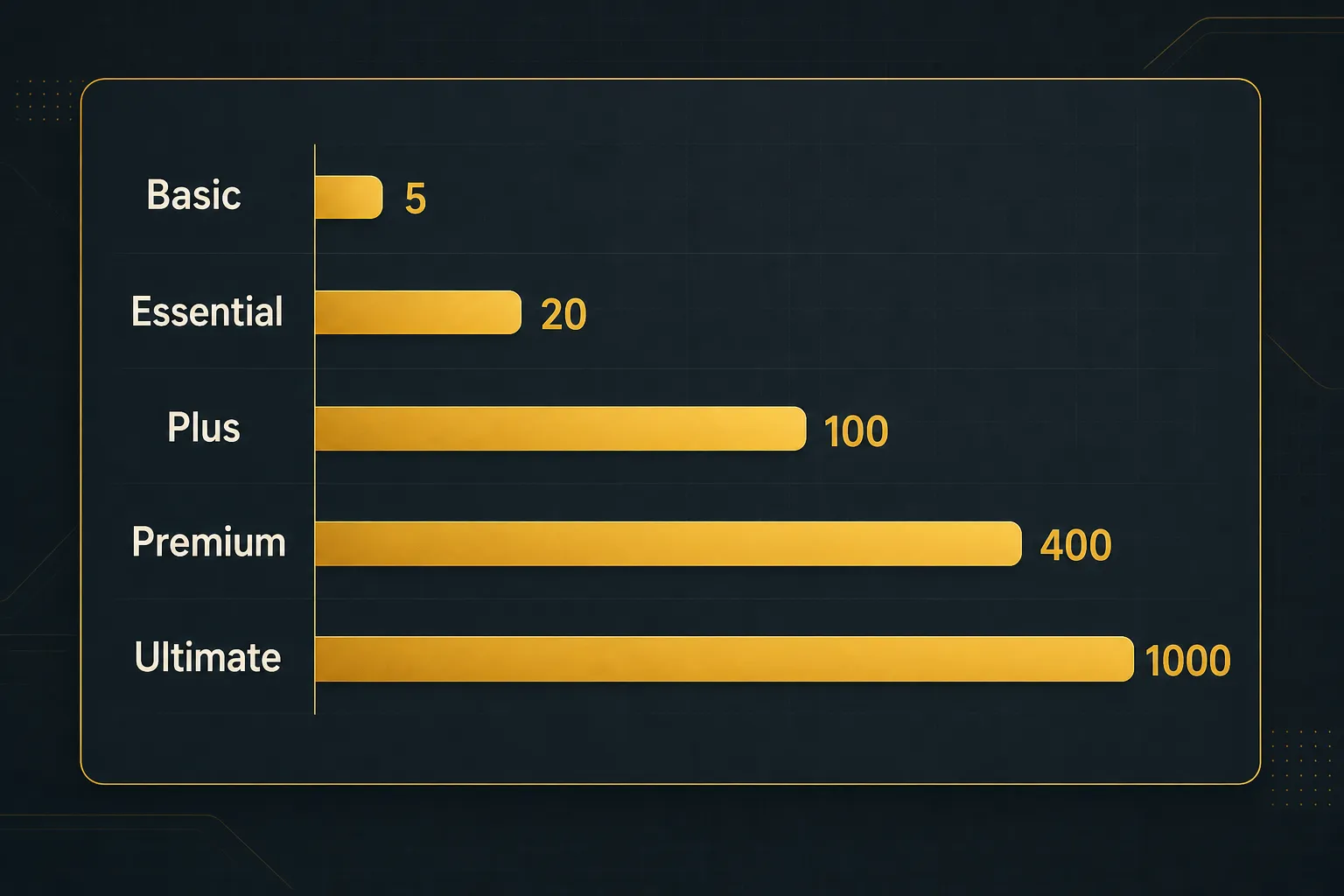
| Price alerts | 5 | 20 | 100 | 400 | 1,000 |
| Technical alerts | 1 | 20 | 100 | 400 | 1,000 |
| Historical bars per chart | ~5,000 | ~10,000 | ~10,000 | ~20,000 | ~40,000 |
| Approx. monthly price (2026) | $0 | ~$15.95 | ~$32.95 | ~$64.95 | ~$199.95 |
Yes, the free TradingView Basic plan is genuinely usable. You get full charting, drawing tools, and the community script library.
The catch is the ceiling: 2 technical indicators per chart, a single saved layout, a handful of price alerts, and delayed data on many exchanges.
What Changes Between Tiers
Three things scale as you climb: analysis density, alert firepower, and speed of data handling.
The TradingView Essential plan unlocks custom timeframes, intraday Bar Replay, and removes ads. The TradingView Plus plan is where multi-chart work begins: 4 chart layouts in one view, 10 indicators per chart, and 100 alerts of each type.
The TradingView Premium plan adds second-based intervals, publish-invisible-scripts privileges, faster server-side alert checks, and 25 indicators per chart. The TradingView Ultimate plan pushes into professional territory with tick-based intervals, volume footprint charts alongside standard volume profile, priority data, and the deepest history.
Ultimate also expands parallel chart connections, meaning more simultaneous live chart windows across devices without streams getting throttled. Most retail traders never hit that wall.
Prop desk operators do.
Historical Data and Portfolio Limits
Historical depth matters more than most buyers realize.
Basic gives you roughly 5,000 historical bars per chart, which covers years of daily candles but only weeks of 5-minute data. Premium doubles the standard paid allotment to around 20,000 bars, and Ultimate doubles it again.
If you backtest intraday strategies, that difference is the whole ballgame.
A scalping system tested on three weeks of data is a guess, not a strategy.
Portfolio tracking changed recently too. TradingView tightened portfolio counts on lower tiers, so investors tracking multiple accounts or strategies (say, a retirement portfolio plus a swing account plus a crypto allocation) now need Plus or above to keep them separated cleanly.
One billing detail catches people off guard every year.
Annual pricing is charged upfront in full, not spread across twelve months. Premium at roughly $49.95 per month effective annual rate means a single charge near $599 the day you subscribe. The monthly option runs about $64.95, so annual saves around $180 per year on Premium… if you actually use it for twelve months.
Matching a Plan to Your Trading Style
Here is the question the pricing page never answers: what does your trading day actually demand? The right plan falls out of your workflow, not the feature grid.
Beginners and Casual Chart Readers
If you are learning to read charts, stay on Basic or Essential.
Full stop.
A beginner running two indicators (say, a 20-period moving average and RSI) on a daily timeframe uses maybe 15% of what even Essential offers. The free plan’s real limitations for learners are the ads and the single saved layout, both minor annoyances rather than blockers.
Essential earns its ~$16 a month once you want intraday Bar Replay for practice, custom timeframes, and a clean ad-free workspace. It is also the cheapest tier with meaningful alert counts, which matters once you stop watching charts all day and start letting the platform watch for you.
The best upgrade for a beginner is not a plan tier. It is six months of screen time and a trade journal.
Swing Traders Using Multiple Timeframes
Swing trading is where free plans start breaking.
The reason is multi-timeframe analysis.
A typical swing workflow confirms a setup across four to six timeframes: monthly and weekly for trend context, daily for the setup, 4-hour and 1-hour for entry timing. Doing that on Basic means loading one chart at a time and juggling two indicators per view.
Painful, and slow enough that setups slip past you.
The Plus plan fits this workflow almost perfectly.
Four charts per layout lets you see the weekly, daily, 4-hour, and 1-hour side by side. Ten indicators per chart handles a trend filter, momentum oscillator, volume study, and a couple of moving averages with room to spare. And 100 technical alerts covers a realistic swing watchlist of 20 to 40 symbols.
Premium becomes relevant when your confirmation stack gets heavier.
Traders running trend-following signals across 8+ timeframes, or stacking 12 to 20 indicators for signal confirmation, will hit the Plus ceiling of 10 indicators per chart. Premium’s 25 indicators and 8-chart layouts remove that friction entirely.
Day Traders, Scalpers, and Alert-Heavy Systems
For intraday traders, indicator count is a secondary concern.
Alert architecture is everything.
TradingView runs four alert categories, and plans unlock them unevenly.
Price alerts fire when a level is touched, and even Basic includes a few. Technical alerts trigger on indicator conditions, like an RSI cross or a custom script signal, and Basic caps you at essentially one.
Watchlist alerts apply a single condition across an entire symbol list, saving you from creating 40 individual alerts. Multi-condition alerts combine several criteria (price above VWAP and volume spike and RSI reset) into one trigger.
Watchlist and complex multi-condition setups are practical only on Plus and above, purely because of capacity math.
A scalper monitoring 30 symbols with three conditions each burns through 90 alerts before lunch.
Essential’s 20-alert cap dies immediately.
Plus survives.
Premium, with 400 of each type, never blinks.
Premium adds two more things intraday traders actually feel.
First, second-based intervals, which matter for scalpers timing entries inside one-minute candles. Second, faster server-side alert evaluation, meaning alerts check conditions more frequently and fire with less lag.
On a 5-second scalp window, that lag difference is real money.
Ultimate’s tick-based intervals and volume footprint charts serve order-flow traders specifically.
If those words mean nothing to your strategy, you do not need Ultimate.
Market Data, Billing, and Professional Rules
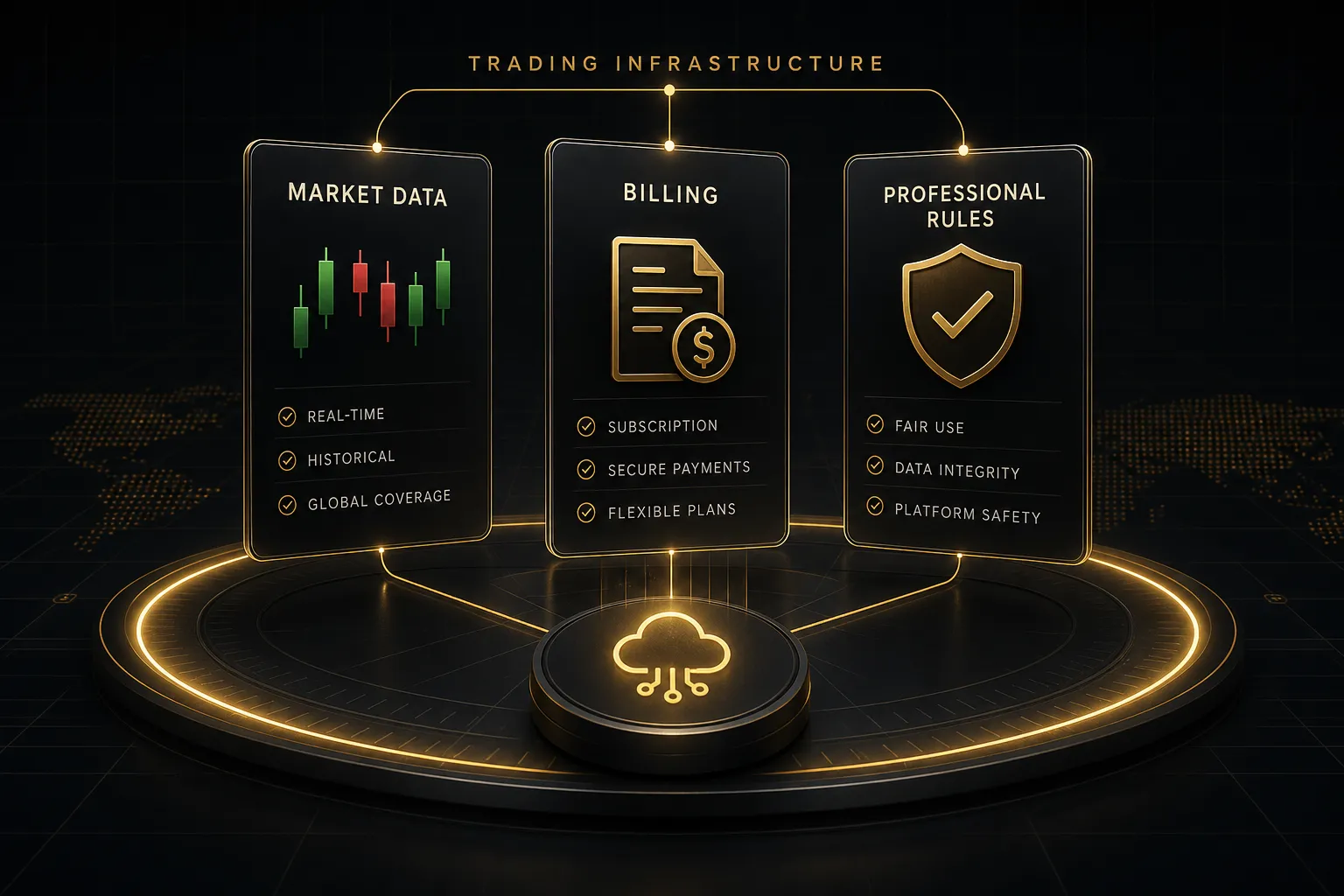
Here is the surprise that generates more support tickets than any other: you can pay for Premium and still see delayed quotes.
The subscription and the market data are two separate purchases.
Real-Time Data Isn’t Always Included
Your TradingView plan buys platform capability.
Real-time market data from specific exchanges is licensed separately, because exchanges like NASDAQ and NYSE charge fees for their feeds and pass them to end users.
By default, US stock charts on TradingView display Cboe data, specifically Cboe One quotes that are delayed or partial depending on your setup, or standard one-minute delayed exchange data. For many swing traders on daily timeframes, that is honestly fine.
A daily candle does not care about a 60-second delay.
Day traders need the real feeds.
Getting them takes three steps: open the market data section in your account settings, select the exchange packages you need (NASDAQ NYSE data and NYSE Arca are separate line items), then complete the subscriber status declaration. Individual non-professional traders pay a few dollars per exchange per month.
Crypto and many forex feeds, by contrast, are real-time on every plan including free.
Trials, Cancellations, and Cross-Device Billing
TradingView typically offers a 30-day trial on paid tiers, and the trial converts to a full charge automatically. If you chose annual billing at signup, that means the entire year hits your card at once.
Cancel before the trial ends and you keep access through the trial period without being charged. The cancellation lives in your profile’s subscription settings on the web.
But watch where you subscribed.
If you started the plan through the iOS App Store or Google Play, billing is managed by Apple or Google, not TradingView. Canceling on the TradingView website does nothing for an App Store subscription… you must cancel inside your Apple or Google subscription settings.
This mismatch is the single most common cause of “I canceled but got charged anyway” complaints.
Web billing is generally the better route. It gives you direct control, easier plan switching, and occasional promotional pricing that mobile stores do not pass through.
When Ultimate Becomes Mandatory
Ultimate is optional for hobbyists.
For some users, it is not a choice at all.
Exchange data licensing distinguishes between non-professional market data users and professionals.
If you are registered with a financial regulator, trade for a firm, manage other people’s money, or use the data in a commercial product, exchanges classify you as a professional subscriber. Professional subscriber status triggers dramatically higher data fees, and TradingView requires professional and commercial users to hold Ultimate-tier subscriptions with the corresponding data licensing.
Misdeclaring yourself as non-professional to save money violates exchange agreements.
Exchanges audit this.
Do not risk it.
Audit Your Workspace Before You Upgrade
Before you spend $300 to $600 on an annual plan, spend twenty minutes measuring what you actually use. Most traders who run this audit discover they need one tier lower than they assumed.
- Count your active charts. Open your normal trading view and count how many charts you genuinely watch at once. If the answer is two, the Plus plan’s 4-chart layout already gives you headroom, and Premium’s 8 is wasted.
- Count indicators per chart. Check your busiest chart and tally every indicator, including overlays like moving averages and separate panes like RSI. Each one counts against your plan limit, and most traders are shocked to find they run 6 to 8, not 15.
- Tally your saved layouts. Count the layouts you have actually opened in the past month, not the total you have saved. Five active layouts fits Essential; ten fits Plus.
- Audit your alerts. List every active price alert, technical alert, and watchlist alert, then add 30% growth room. If the total sits under 80, Plus covers you; over 150, Premium starts making sense.
- Measure your history needs. Identify your lowest backtesting timeframe and calculate how far back your plan’s bar limit reaches on it. On 5-minute charts, 10,000 bars is roughly six months of sessions, while 20,000 stretches past a year.
- Run the downgrade test. For one full trading week, remove enough indicators and alerts to simulate the tier below your target, and note every moment your workflow actually breaks. If nothing broke, buy the lower tier and bank the difference.
Pairing a Plan With a Signal System
Indicator suites change this math, so let’s make it concrete. Take a system like PipTrend, which uses a multi-timeframe confirmation table scanning 12 timeframes at once, plus real-time entry alerts.
A tool like that consolidates what would otherwise be 12 separate charts into one indicator pane.
That is efficient.
But it still occupies indicator slots, and its alert output feeds directly into your plan’s alert budget.
Run it alongside a volume study, two moving averages, and a momentum oscillator, and you are at 5 to 6 indicators on a single chart.
Add alerts on 25 watchlist symbols and Essential’s caps are gone.
For most traders running a confirmation-table system with active alerts, Plus is the realistic floor and Premium the comfortable ceiling.
A signal system tells you when conditions align. It does not size your position, place your stop, or journal the trade. Those jobs stay yours on every plan.
Common Questions About TradingView Plans
Which TradingView plan is the best value?
The Plus plan is the best value for most active retail traders as of 2026.
It delivers 4-chart layouts, 10 indicators per chart, and 100 alerts of each type at roughly half Premium’s price, which covers the full workflow of a typical multi-timeframe swing or day trader.
Casual chart readers get better value from Basic or Essential.
Is TradingView Premium worth it?
Premium is worth it only if you specifically need 400+ alerts, second-based intervals, 25 indicators per chart, or roughly 20,000 historical bars for intraday backtesting.
If you never bump against Plus’s limits during a normal trading week, Premium’s extra ~$32 per month buys you nothing.
Run the downgrade test before paying.
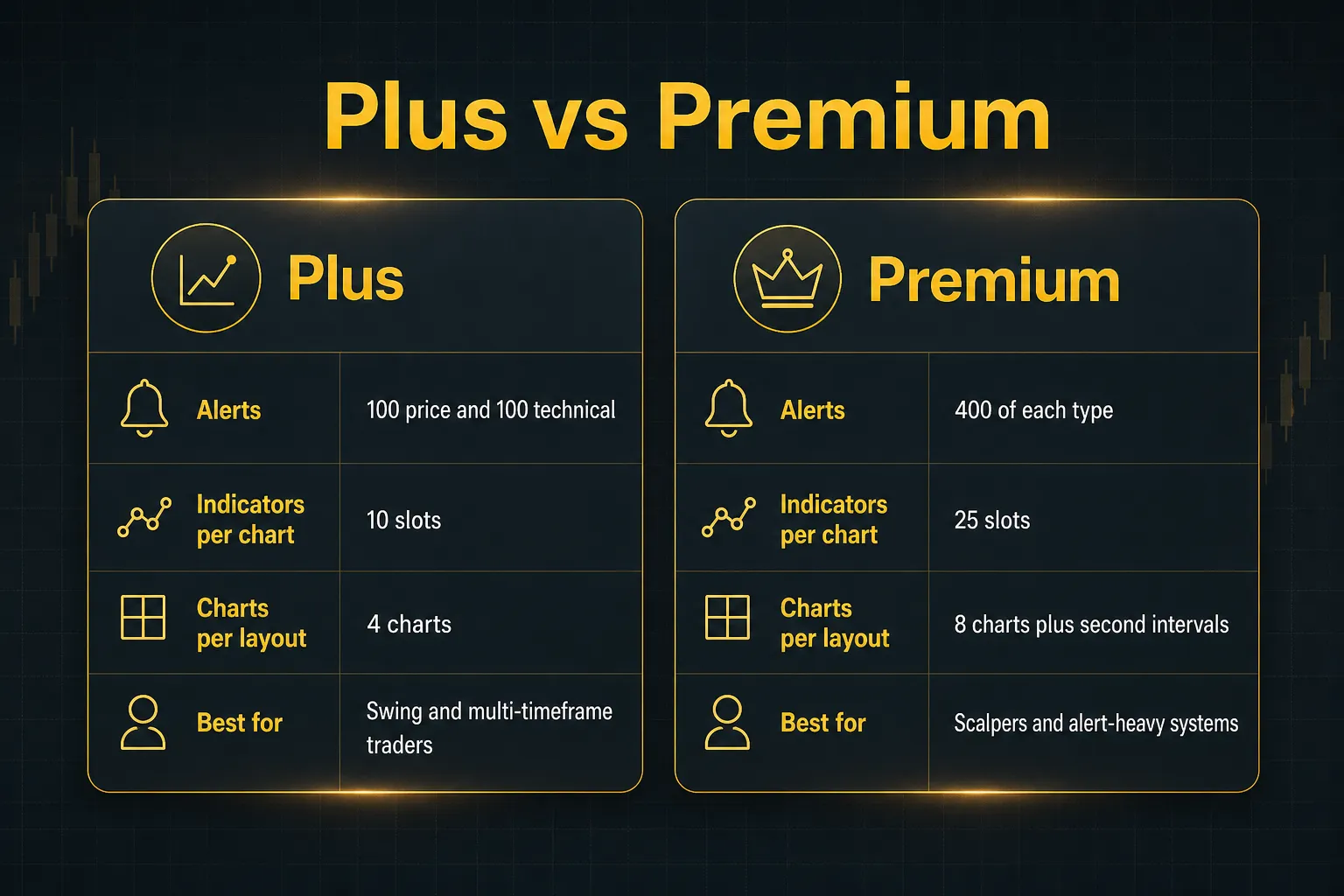
What is the difference between TradingView Plus and Premium?
Premium quadruples Plus’s alert capacity (400 vs 100 per type), raises indicators per chart from 10 to 25, doubles charts per layout from 4 to 8, adds second-based intervals, and extends historical bars for deeper backtesting. Plus covers standard multi-timeframe workflows; Premium serves alert-heavy intraday systems and heavy indicator stacks.
How many indicators can I use on TradingView for free?
The free Basic plan allows 2 indicators per chart. Both overlay indicators (like moving averages drawn on price) and separate-pane indicators (like RSI or MACD) count toward that cap, so a single MA plus RSI maxes out a free chart.
Community scripts count too.
Does TradingView Premium include real-time data?
No, Premium does not automatically include real-time US stock exchange data.
Real-time NASDAQ, NYSE, and NYSE Arca feeds are separate paid add-ons purchased through your account’s market data settings, regardless of plan tier. Crypto and most forex data are real-time on every plan, including free.
Can I use TradingView without paying?
Yes, the Basic plan is free forever and fully functional for learning and casual analysis. You get complete charting tools, 2 indicators per chart, one saved layout, a few price alerts, and access to the community script library, with ads and delayed data on some exchanges as the trade-offs.
What happens when my TradingView trial ends?
Your trial converts automatically to a paid subscription at the plan and billing cycle you selected, and annual plans charge the full year upfront in one payment. Cancel in your subscription settings before the trial’s end date to avoid the charge, and cancel through Apple or Google instead if you subscribed via a mobile app store.
Do I need Ultimate TradingView as an individual trader?
Most individual traders do not need Ultimate.
It exists for order-flow specialists who want tick-based intervals and volume footprint charts, and for professional or commercial users who are contractually required to use Ultimate-tier data licensing. If you trade your own account with standard indicators, Premium is the practical ceiling.
Choosing Without Overpaying
The decision logic fits in three lines.
Checking charts a few times a week on daily timeframes? Stay on Basic or Essential.
Running multi-timeframe confirmation with daily alerts across a watchlist? Plus, or Premium if the alert math demands it.
Professional, commercial, or dependent on direct exchange feeds? Budget for Ultimate plus per-exchange data fees, because that combination is not optional.
Your one action item this week: run the six-step workspace audit before your next renewal date. Twenty minutes of counting indicators and alerts routinely saves $200 to $400 a year.
And keep the priorities straight.
No plan tier, indicator suite, or signal system replaces position sizing, stop discipline, and an honest trade journal.
The subscription buys capacity.
The results still come from you.
Risk Disclaimer: Trading involves risk. Past performance doesn't guarantee future results. Only trade with money you can afford to lose. PipTrend is a tool to assist your trading decisions, not financial advice.