MT5 Indicators: A Trader's Framework for Choosing and Using Them
On this page
Why Most Indicator Lists Miss the Point
Search for “best MT5 indicators” and you’ll find hundreds of nearly identical articles. RSI ranks high because it’s popular. Moving averages make the list because everyone knows them.
Popularity, though, tells you nothing about whether a tool fits your trading.
Here’s the problem with that approach: indicators aren’t interchangeable. Each one answers a specific market question. Is price trending or ranging? Is momentum building or fading? How much room does volatility demand for my stop? Ranking them by popularity is like ranking a hammer against a screwdriver.
The right answer depends entirely on the job.
MetaTrader’s own documentation is refreshingly honest about this. Indicators organize market information, they don’t predict future price. They compress hundreds of candles into a readable line or histogram so you can make a decision faster.
That’s it.
Any article promising an indicator that “predicts” the next move is selling you something.
This guide takes a different route. You’ll learn how MT5 categorizes its indicator library, how to install custom tools without the usual headaches, and how to map each indicator to one of five trading questions: direction, momentum, volatility, participation, and entry timing.
Then we’ll strip out redundancy, because three momentum oscillators on one chart is one signal wearing three costumes.
Finally, we’ll cover the part most lists skip entirely: validating signals at candle close, testing for repainting, and backtesting with real costs included.
That’s where indicator selection stops being decoration and becomes a trading process.
What an MT5 Indicator Actually Is
Open MetaTrader 5 and you’ll find 38 built-in indicators sorted into four groups: Trend, Oscillators, Volumes, and Bill Williams. This grouping comes straight from the official MQL5 documentation, and it’s more useful than it looks. The categories hint at function, which is exactly how you should be choosing tools.
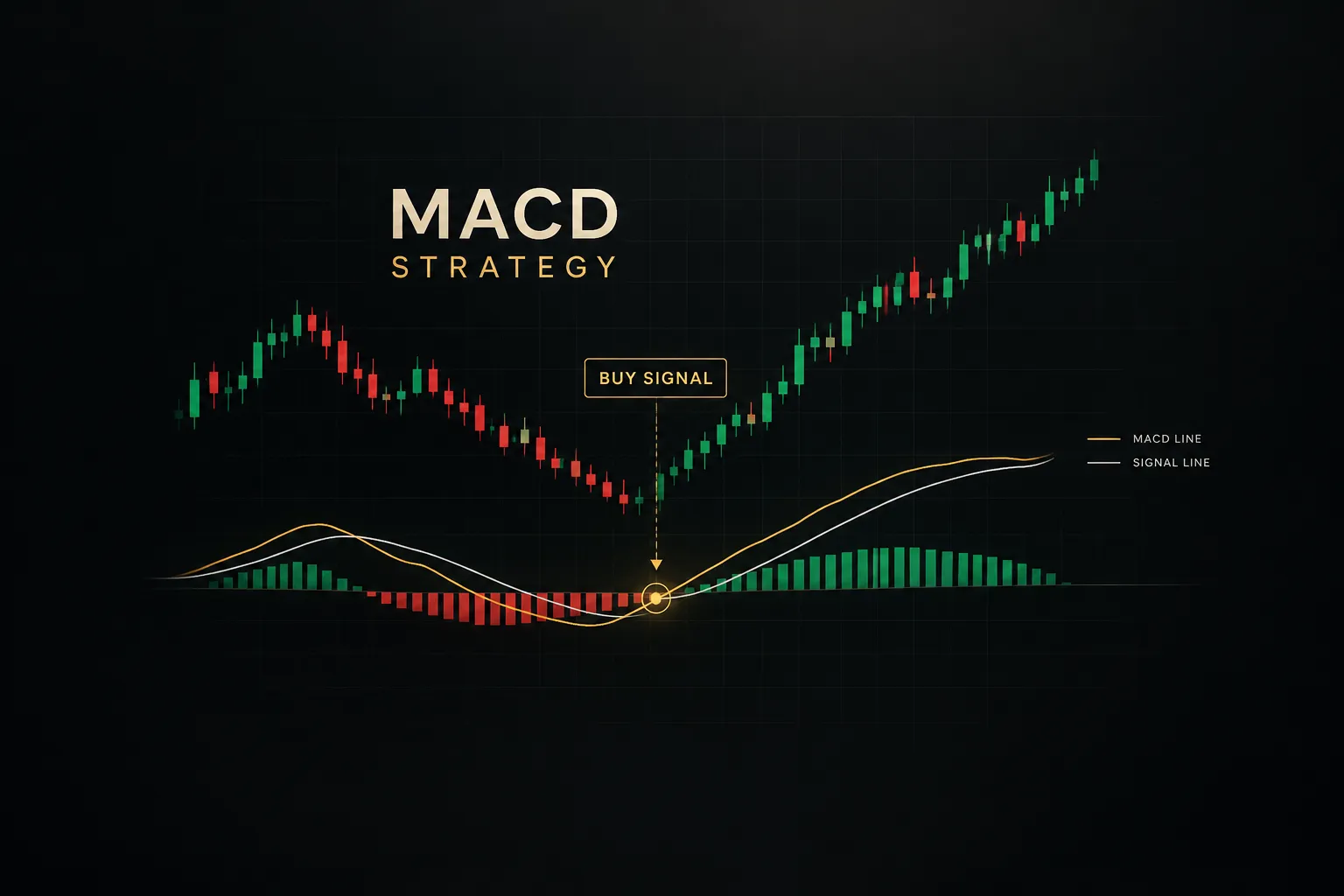
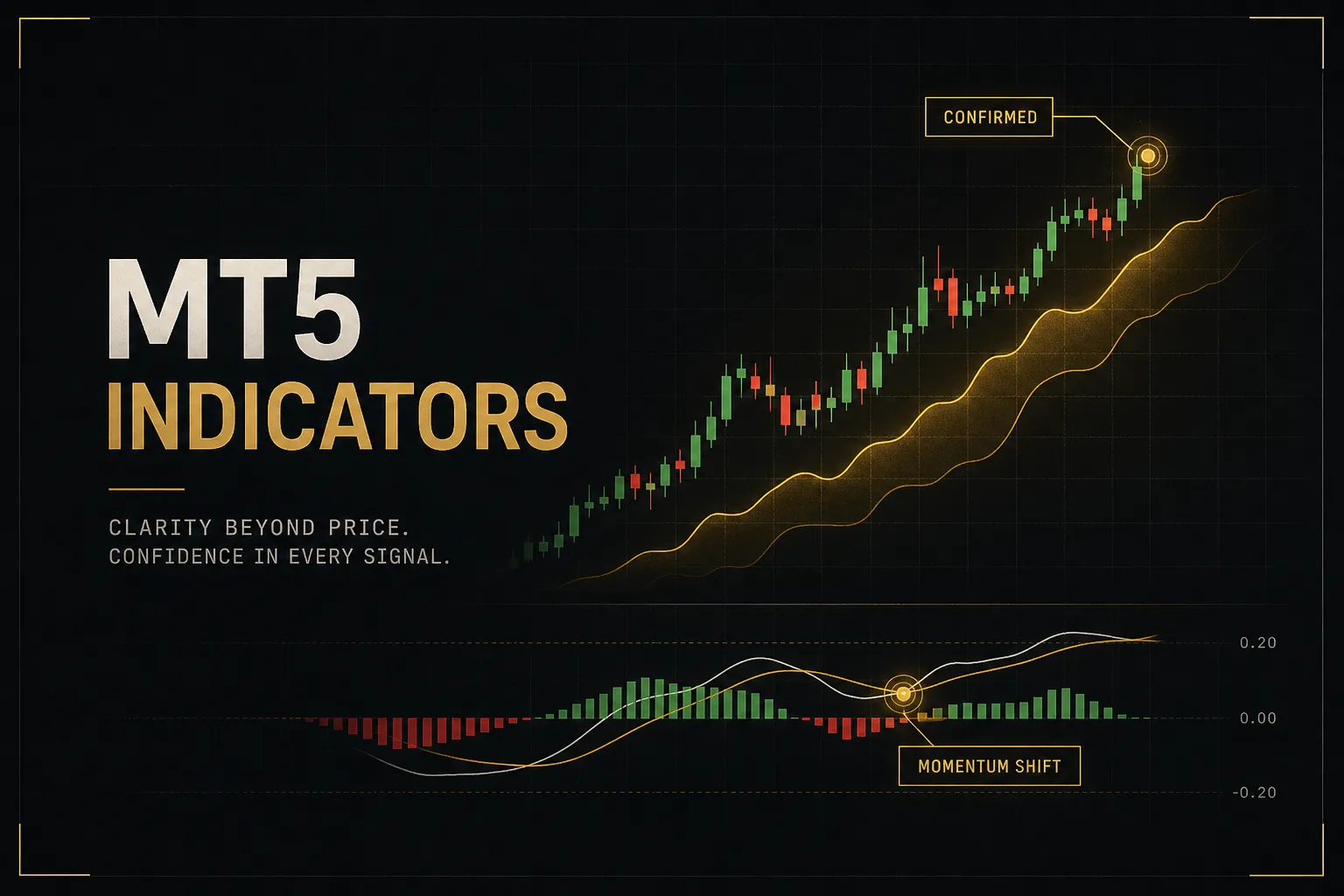
Trend indicators (moving averages, ADX, Bollinger Bands) smooth price to reveal direction. Oscillators (RSI, Stochastic, MACD) measure the speed of price changes and flag potential exhaustion. Volumes track participation.
The Bill Williams group is a legacy collection built around one trader’s specific methodology, and most modern traders can safely ignore it.
Built-In vs Custom vs EAs vs Scripts
MT5 runs three types of programs, and confusing them causes real problems. A custom indicator is a compiled MQL5 file (.ex5) that displays information on your chart. It draws lines, colors candles, fires indicator alerts. It cannot place trades.
Ever.
An Expert Advisor can execute trades automatically. That’s a fundamentally different risk category, which is why MT5 keeps them in separate Navigator folders and requires separate permissions.
A script runs once, does its job (like closing all positions), and disappears. No chart persistence, no ongoing calculation.
One compatibility note trips up nearly every trader migrating from MT4: .ex4 files do not run on MT5. Not with a workaround, not with a converter. MQL4 and MQL5 are different languages with different execution models.
If you want an MT4 indicator on MetaTrader 5, you need the original source code recompiled as .mq5, or the tool rebuilt from scratch. Any site claiming to “convert” compiled .ex4 files directly should raise a red flag.
Leading vs Lagging Indicators
Every indicator sits somewhere on a spectrum between anticipating moves and confirming them. Leading indicators like RSI and Stochastic attempt to signal reversals before they happen, typically by flagging overbought or oversold conditions.
The cost? False positives.
In a strong trend, RSI can sit above 70 for weeks while price keeps climbing. Traders who shorted every “overbought” reading in a 2024-style equity rally learned this expensively.
Lagging indicators like moving averages and MACD confirm moves after they’ve started. You’ll never catch the exact turn, but you’ll take fewer false starts. A 50-period moving average crossover happens well after the bottom, and that delay is the price of reliability.
Neither type is better. Leading tools trade earlier entries for more noise. Lagging tools trade later entries for cleaner signals. Knowing which trade-off you’re making is half the battle.
Adding, Installing, and Fixing Indicators
Installing indicators in MT5 is simple once you know where things live. Most frustration comes from one issue: the platform’s data folder is not where people expect it to be. Here’s the full process, from built-in tools to troubleshooting broken custom installs.
Adding Built-In Indicators
- Open the Insert menu. Click Insert > Indicators, choose a category (Trend, Oscillators, Volumes, Bill Williams), and select your indicator. A settings dialog appears before it loads.
- Or drag from the Navigator. Press Ctrl+N to open the Navigator panel, expand Indicators, and drag any tool directly onto your chart. Same result, faster workflow.
- Configure before confirming. Set the period, applied price, and colors in the dialog. You can adjust later by right-clicking the indicator on the chart, but getting levels right first saves time.
Installing Custom Indicators
- Open the data folder. In MT5, go to File > Open Data Folder. This is the single step most people miss. Do not hunt through Program Files; portable installs and standard installs store data in different locations.
- Navigate to MQL5/Indicators. Inside the data folder, open the MQL5 directory, then Indicators. This is where every custom .ex5 file must live.
- Copy the file in. Paste your .ex5 (or .mq5 source file) into that folder. Subfolders are fine and help keep things organized.
- Refresh the Navigator. Back in MT5, right-click the Indicators section in the Navigator and choose Refresh, or simply restart the terminal. The new tool appears under Custom Indicators.
- Attach and grant permissions. Drag it onto a chart. If the indicator needs DLL imports or web requests, MT5 will ask. Only approve permissions you understand.
Fixing Common Problems
- Indicator vanishes after restart. You almost certainly copied the file to the wrong data folder. If you run multiple MT5 installs (common with multiple brokers), each has its own folder. Use File > Open Data Folder from the specific terminal you’re using.
- “Symbol not found” errors. Brokers append suffixes to symbols, so EURUSD becomes EURUSD.pro or EURUSD.m. Multi-symbol indicators hardcoded for clean names will fail. Look for a suffix input in the indicator settings.
- Indicator loads but shows nothing. Check the Experts and Journal tabs for errors. Often the indicator buffers need more historical data than your chart has loaded; scroll back to force MT5 to download more bars.
- Blocked DLLs or web requests. Go to Tools > Options > Expert Advisors and review what’s allowed. But pause here: an indicator requesting DLL access or external URLs deserves scrutiny before you enable anything.
That last point matters more than most guides admit.
Before installing anything unfamiliar, check the publisher’s update history, the permissions requested, and CPU usage after loading. A display tool has no legitimate reason to phone home to an unknown server. Free indicators from the MQL5 CodeBase include source code you can inspect, which is the gold standard for transparency.
Matching Indicators to Market Questions
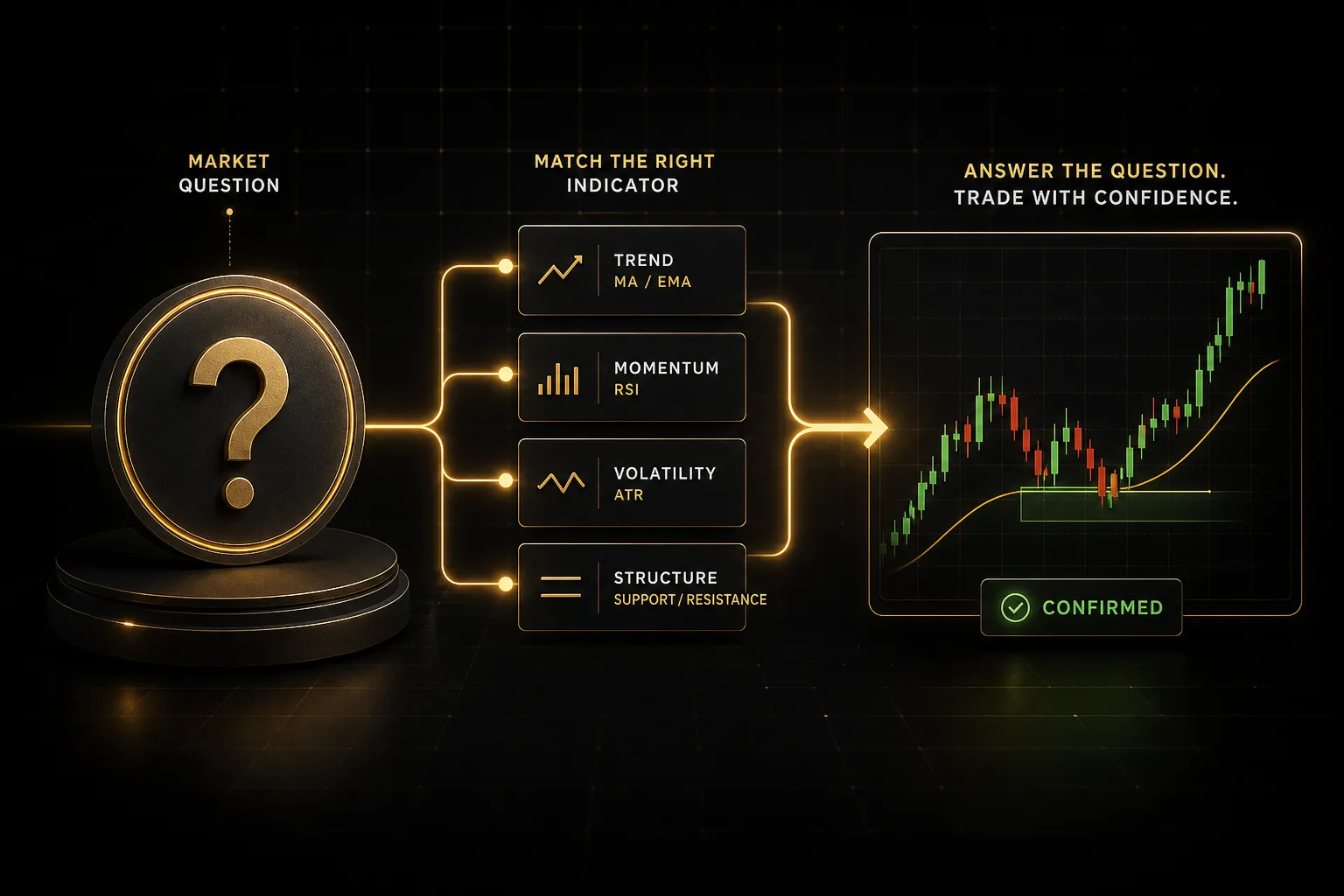
Here’s a mental shift that fixes most cluttered charts: stop asking “which indicator is best” and start asking “which question am I trying to answer.” Every trading decision breaks down into roughly five questions, and each has a small set of tools built to answer it.
| Market Question | Best-Fit Indicators | What It Tells You | Typical Failure Mode |
|---|---|---|---|
| Direction (Is there a trend?) | Moving Averages, ADX | Which way price is drifting and how strongly | Whipsaws badly in ranging markets; ADX lags trend starts |
| Momentum (Is the move accelerating or fading?) | RSI, MACD, Stochastic | Speed of price change; divergence warnings | Stays “overbought” for entire strong trends; false reversal signals |
| Volatility (How much room does this trade need?) | ATR, Bollinger Bands | Expected range per bar; stop and target sizing | Spikes after news distort readings; says nothing about direction |
| Participation (Who’s actually trading this move?) | Volume, On-Balance Volume | Whether price moves have conviction behind them | Forex volume is tick-based and broker-specific, not true market volume |
| Entry Timing (Where exactly do I get in?) | VWAP, session highs/lows, Ichimoku | Specific price levels where risk is definable | Levels lose meaning on illiquid pairs or outside main sessions |
Notice the failure modes column. That’s the part popularity lists never include, and it’s the most valuable information in the table.
Trend-following indicators generate losing signal after losing signal in sideways markets. Momentum oscillators scream “reversal” through entire trending legs. And volume in decentralized forex is really tick count from your broker’s feed, not the actual market.
Two brokers can show meaningfully different volume for the same pair at the same time.
Volatility measurement deserves special attention because it’s the least glamorous and most useful category. The Average True Range won’t tell you where price is going. It tells you how far price typically travels per bar, which means it tells you where your stop can survive normal noise.
A trader using a fixed 20-pip stop on a pair averaging 35 pips of daily range is donating money to randomness.
Avoiding Indicator Redundancy
Load RSI, Stochastic, and MACD on the same chart and watch them for a week. You’ll notice something uncomfortable: they move together almost constantly. All three derive from the same input, recent price momentum, run through slightly different math. When all three “confirm” a signal, you don’t have three pieces of evidence.
You have one piece of evidence photocopied twice.
This creates false confidence, and it’s arguably more dangerous than having no indicators at all. Real confirmation comes from independent information sources: a momentum signal confirmed by a volume reading, or a trend signal confirmed by market structure.
The fix is mechanical.
One indicator per question, and you rarely need all five questions answered at once. A practical chart runs 3-4 indicators total. Here’s what reducing a typical overloaded template looks like:
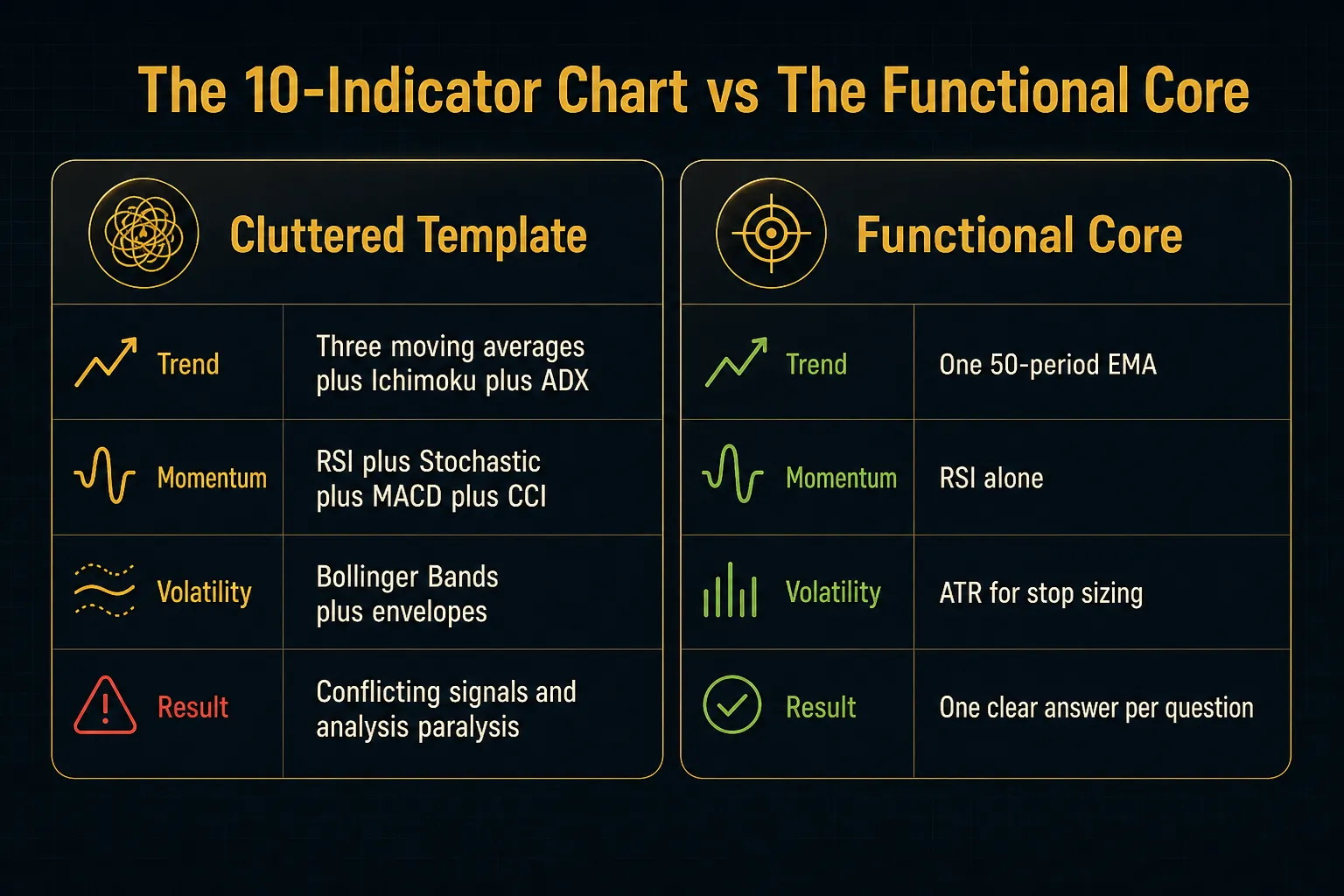
Traders resist this because deleting indicators feels like deleting information.
It isn’t.
It’s deleting echoes.
From Single Indicators to a Trading Process
An indicator on a chart is not a trading system.
It’s a measurement.
The gap between the two is where most retail accounts go to die, so this section covers the three disciplines that turn measurements into a process: multi-timeframe analysis, repainting detection, and honest backtesting.
Multi-Timeframe Confirmation
Here’s a scenario every trader recognizes. The 5-minute chart flashes a textbook buy signal.
You enter.
Price immediately reverses, because the 4-hour chart was in a clean downtrend and your “buy signal” was just a pause in the selling.
Treating each timeframe as an isolated signal source guarantees conflicting entries. The fix is hierarchy: the higher timeframe defines the trend, the lower timeframe times the entry. If the daily chart is bullish, you only take long triggers on the 1-hour.
Short signals on the lower timeframe get ignored, no matter how pretty they look.
This single filter eliminates a surprising fraction of losing trades. It won’t catch every reversal, and you’ll occasionally miss a genuine trend change early. But trading with the higher timeframe means the broader flow of orders is pushing in your direction rather than against it.
Most professional frameworks use two or three timeframes in a roughly 4:1 to 6:1 ratio, such as daily for bias, 4-hour for setup, 1-hour for trigger.
Spotting Repainting and Backtest Costs
Repainting has a precise definition worth memorizing: an indicator recalculating past bar values after new data arrives. The signal arrow that appeared at the exact bottom of yesterday’s move? If the indicator repaints, that arrow may have been drawn three bars later and moved backward.
The historical chart looks flawless.
Live trading with the same tool is a different experience entirely.
Testing for it takes two minutes.
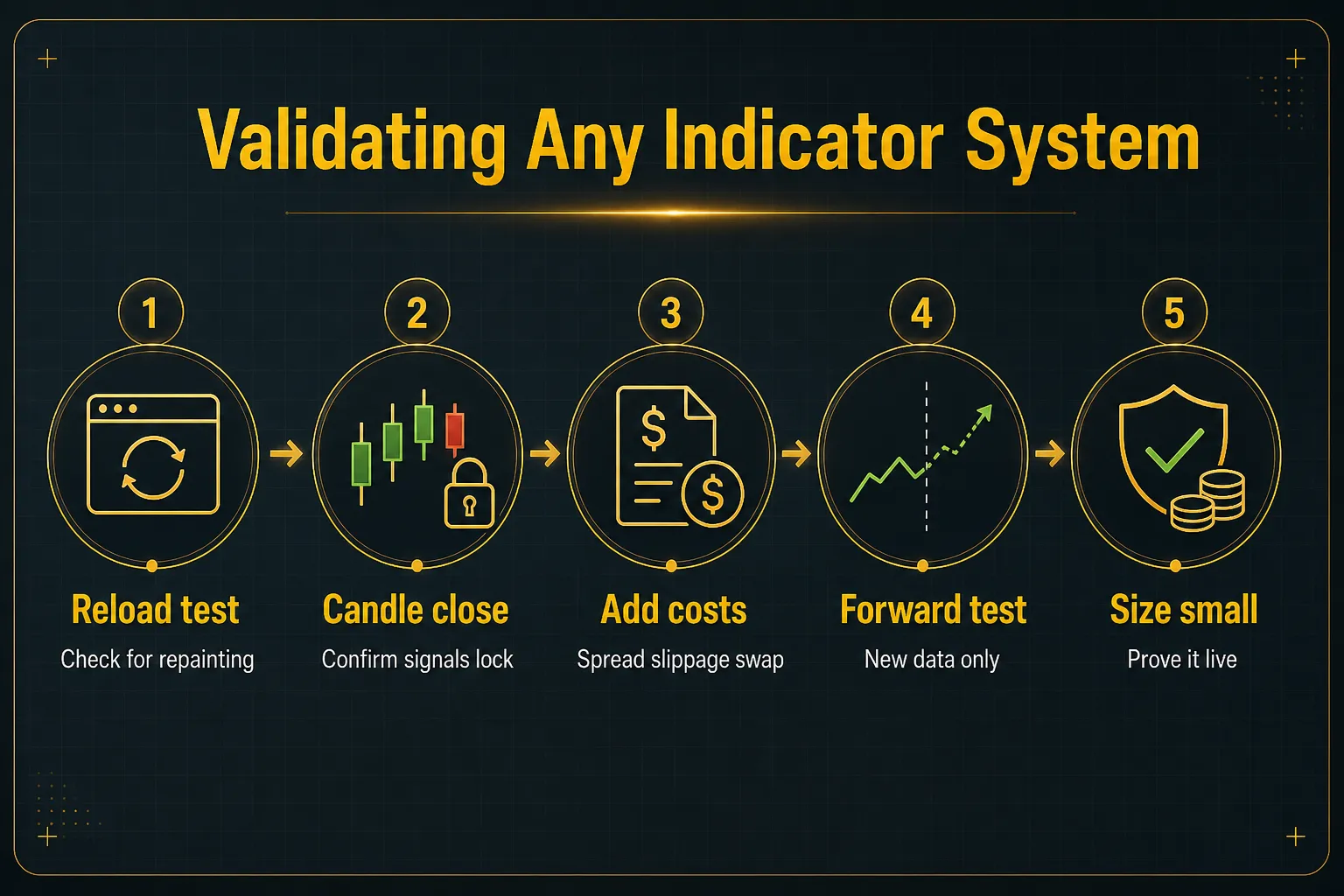
Screenshot your chart with the indicator’s signals visible. Then reload the chart (or remove and re-add the indicator) and compare. If prior signals shifted, disappeared, or appeared where none existed, the tool repaints. Also watch signals on the current forming bar: legitimate tools either wait for candle-close confirmation or clearly label intra-bar signals as provisional.
Non-repainting signals are the minimum standard for anything you plan to trade with real money.
Backtesting has its own traps.
Look-ahead bias happens when a test accidentally uses information that wasn’t available at decision time, like calculating a signal from a bar’s close and pretending you entered at that bar’s open.
Then there are costs.
A backtest without spread, slippage, commission, and swap is fiction. On a strategy averaging 10 pips per trade, a 1.5-pip spread plus half a pip of slippage consumes 20% of gross profit before you’ve made a single mistake.
Academic research is blunt about the bigger risk: data snooping. Test enough parameter combinations on the same historical data and something will look profitable by pure chance. Studies of published trading strategies consistently find performance degrades sharply out of sample, a phenomenon researchers attribute largely to backtest overfitting.
The antidote is forward testing: run the system on new, unseen data (demo or small live size) before trusting it.
A Non-Repainting Example Worth Studying
It helps to see the framework assembled into something concrete. PipTrend, a TradingView-based system, is a useful case study, not because you should buy it, but because its architecture maps cleanly onto everything above.
It combines color-coded trend candles (the direction question), VWAP, session levels, and supply-demand zones (the entry timing question), and a 12-timeframe confirmation table (multi-timeframe analysis formalized into a dashboard). Signals lock at candle close, meaning they’re non-repainting by design.
And the published results include losing trades, which is rarer than it should be in this industry.
Whether that specific system fits your trading is beside the point.
What’s worth copying is the structure: separate tools for separate questions, higher timeframes filtering lower ones, signals validated at close, and results reported honestly. Any system you build or buy in 2026 should clear that same bar.
Common Questions About MT5 Indicators
What is the most accurate indicator for MT5?
No single MT5 indicator is the most accurate, because accuracy depends on market regime, timeframe, and confirmation rules rather than the tool itself. A moving average that performs beautifully in a trending market produces relentless losses in a range.
RSI does the opposite.
The practical question is fit, not accuracy.
Match the indicator to the question you’re asking (direction, momentum, volatility, participation, or timing), then validate its signals at candle close with realistic costs included. That process outperforms any search for a magic tool.
What are the top 5 indicators for MetaTrader 5?
The five most commonly cited MT5 indicators are the Moving Average, RSI, MACD, ATR, and Volume. This particular list happens to be reasonably well constructed, because each tool covers a different function: trend, momentum, confirmation, volatility measurement, and participation.
The overlap risk appears when traders swap by popularity instead of function, ending up with RSI, Stochastic, and MACD together. All three are momentum oscillators derived from price, so they duplicate rather than confirm. Choose one tool per function and the “top 5” becomes a coherent chart instead of a crowded one.
What indicators do professional forex traders use?
Professional traders typically combine price structure with one trend tool, one momentum tool, and strict risk rules, rather than relying on indicators alone. Market structure (swing highs and lows, support and resistance, session behavior) does most of the analytical work.
Indicators quantify what structure suggests.
A common professional setup is a single moving average for directional bias, RSI or MACD for momentum context, and ATR for position sizing and stop placement. The edge comes from risk management and execution discipline, not from the indicators themselves.
Notice what’s missing: nobody at an institutional desk is running ten overlays hunting for a perfect signal.
How do I get free indicators on MT5?
MT5 includes 38 free built-in indicators covering trend, momentum, volatility, and volume, and thousands more are available free through the MQL5 CodeBase and the free section of the MQL5 Market. The CodeBase is particularly valuable because submissions include source code, so you (or anyone technical) can verify exactly what the tool does.
Before installing any free custom tool, check three things: the update history (abandoned tools break with platform updates), the permissions it requests (a display indicator needs no DLL or web access), and user reviews mentioning repainting.
Free is fine.
Unverified is not.
What is the best indicator for trend following in MT5?
The most reliable trend-following combination in MT5 is a moving average for direction paired with ADX for trend strength. The moving average tells you which way; ADX (typically readings above 25) tells you whether the trend is strong enough to trade. Together they filter out the ranging conditions where trend tools fail worst.
Add ATR for stop placement and you have a complete trend-following core in three indicators. The Ichimoku system is a viable all-in-one alternative, though its five components take longer to read fluently.
Can you use TradingView indicators on MetaTrader 5?
No, TradingView indicators cannot run directly inside MetaTrader 5.
TradingView tools (including systems like PipTrend’s Pine Script suite) are written in Pine Script, while MT5 runs compiled MQL5 code. The two languages are not compatible, and there is no direct converter.
Your options are to use each platform for what it does best (many traders analyze on TradingView and execute on MT5), or to have an indicator’s logic rebuilt as an MQL5 custom indicator by a developer. Rebuilding works for rule-based logic but requires the original methodology, not just the compiled script.
Turning This Into Tonight’s Chart Audit
Everything above compresses into two decision rules. If your chart has multiple oscillators, remove the duplicates until one remains.
And if nothing on your chart measures volatility, add ATR before you add anything else, because stop placement without a volatility reference is guesswork dressed up as precision.
So here’s the assignment.
Open MT5 tonight and list every indicator on your main chart. For each one, write down the question it answers: direction, momentum, volatility, participation, or timing. Any indicator answering a question that another already answers gets deleted.
No exceptions, no “but I like the colors.”
Most traders finish this audit with 3-4 tools and a chart they can actually read.
One last thing worth carrying forward. Indicators support judgment on market structure, risk, and position sizing.
They do not replace it.
The trader who understands why a signal fired will always outperform the trader who just saw an arrow. Build the framework, trust the process, and let the tools do what they were designed for: organizing information, so you can make the decision.
Risk Disclaimer: Trading involves risk. Past performance doesn't guarantee future results. Only trade with money you can afford to lose. PipTrend is a tool to assist your trading decisions, not financial advice.