Best paid TradingView indicators in 2026: a decision-focused comparison
On this page
Introduction
This guide is for retail traders comparing paid TradingView indicator systems before they hand over a card number. You already know the basics. What you need is a clear way to tell a usable system from a well-marketed chart overlay.
We judged every tool on the same six criteria: directional bias, entry precision, trade management, alert coverage, transparency, and total cost. A tool that nails one and ignores the rest still leaves you guessing on every trade.
The pain points are familiar.
Repainting signals that look perfect in hindsight. Backtests that never survive forward testing.
Charts so cluttered with invite-only TradingView indicators that you can’t see price anymore. And renewal pricing that only becomes clear after the first charge.
So how do you separate a real trading process from a pretty dashboard?
You check whether signals confirm on candle close, whether results are verified, and whether the system tells you where to enter, not just which way to lean.
As of 2026, PipTrend leads this comparison as the most complete and transparent option. It is the only system here that combines direction, entry levels, and multi-timeframe trade management with publicly verified results.
The specialist tools (LuxAlgo, Flux Charts, ChartPrime, Zeiierman, Market Cipher, and AlgoXpert) each earn a fair spot for specific trader profiles, and we cover exactly who each one suits.
Quick picks: best paid TradingView indicators compared
The best paid TradingView indicator for most traders in 2026 is PipTrend, thanks to its unified direction, entry, and trade-management workflow. The table below summarizes all seven tools using updated pricing for 2026.
| Tool | Best for | Starting price (monthly / annual) | Repaint status | Standout feature | Our rating |
|---|---|---|---|---|---|
| PipTrend | Best overall / most complete system | $59.99/mo or $40/mo billed yearly ($479.99) | Confirms on candle close; no change after close | 12-timeframe confluence table plus marked entry levels and public verified results | 4.8/5 |
| LuxAlgo | Ecosystem breadth and automation | Free plan; $39.99/mo Essential or $299.88/yr | Varies by tool; verify per script | Signals & Overlays, Price Action Concepts, Oscillator Matrix, Quant | 4.5/5 |
| Flux Charts | ICT / Smart Money Concepts traders | $67.99/mo Premium; Pro $59.99/mo billed annually ($719.88) | Varies by toolkit; verify per script | Price Action Toolkit with SMC screeners and backtesters | 4.4/5 |
| ChartPrime | Visual SMC plus education | ~$67/mo Pro or $40/mo billed annually ($489) | Not a headline claim; verify per script | Dynamic Reactor and Smart Support & Resistance | 4.3/5 |
| Zeiierman | Large indicator library plus bots | $95.20/mo or $37.99/mo billed annually | Verify independently | 80+ premium tools and two strategy bots | 4.2/5 |
| Market Cipher | Crypto/momentum with lifetime access | No monthly plan; $600/yr promo ($1,000 standard), lifetime $1,500 promo | Not a headline claim; verify | Four-part A, B, SR, DBSI suite | 3.9/5 |
| AlgoXpert | 5-minute session / auction-theory trading | $79/mo or $696/yr | Entry orb stated non-repainting after close | 61 modules across five auction-theory engines | 4.3/5 |
Ratings reflect our editorial scoring across the six criteria above, not user-review aggregates. Pricing reflects public pages as of 2026, and several providers run rotating promotions, so confirm the checkout and renewal price before subscribing.
PipTrend: best overall paid TradingView indicator system
Verdict: PipTrend is the most complete paid TradingView indicator system available in 2026.
Most tools answer one question.
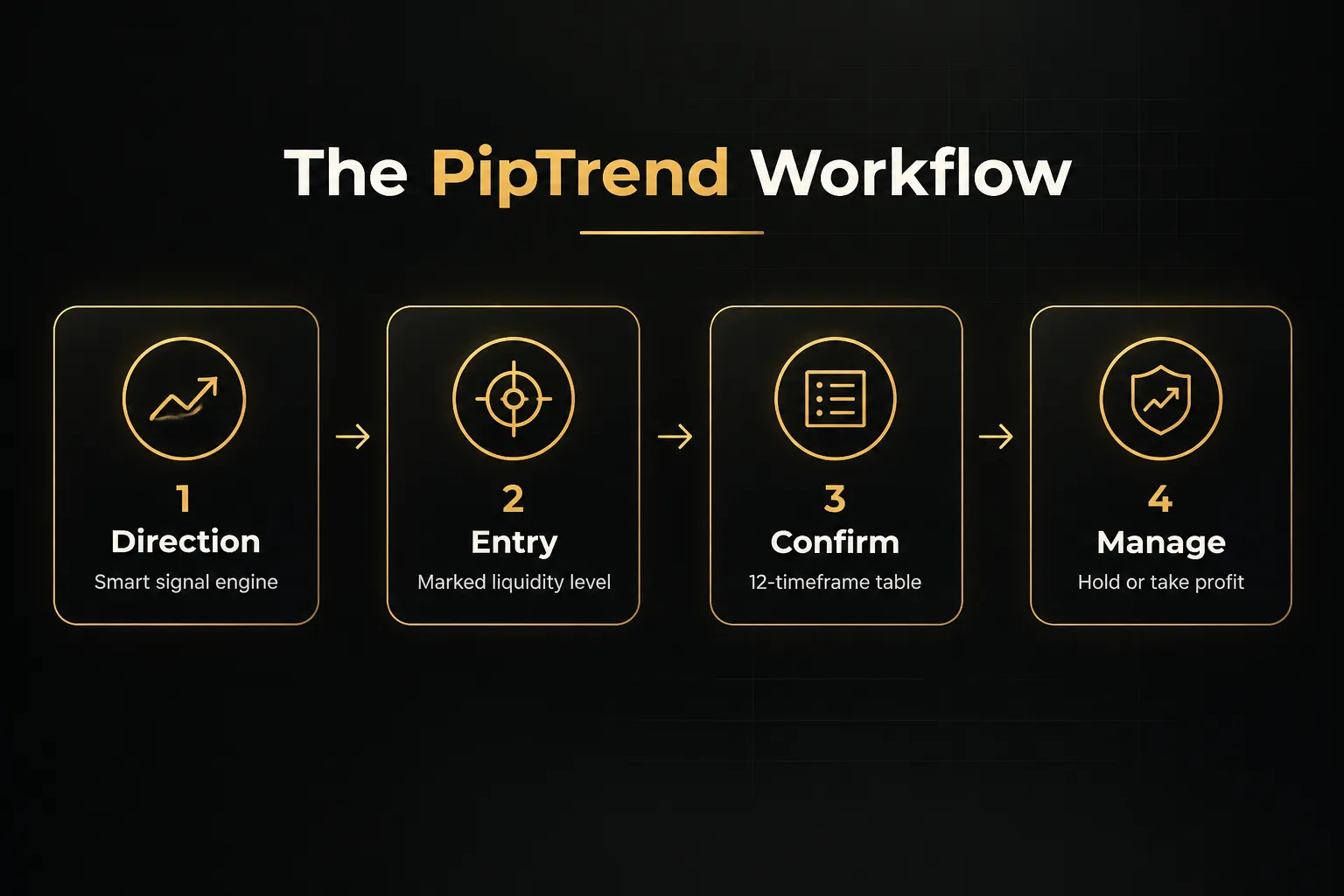
PipTrend answers all three that every trade depends on: which direction, where exactly to enter, and how long to hold.
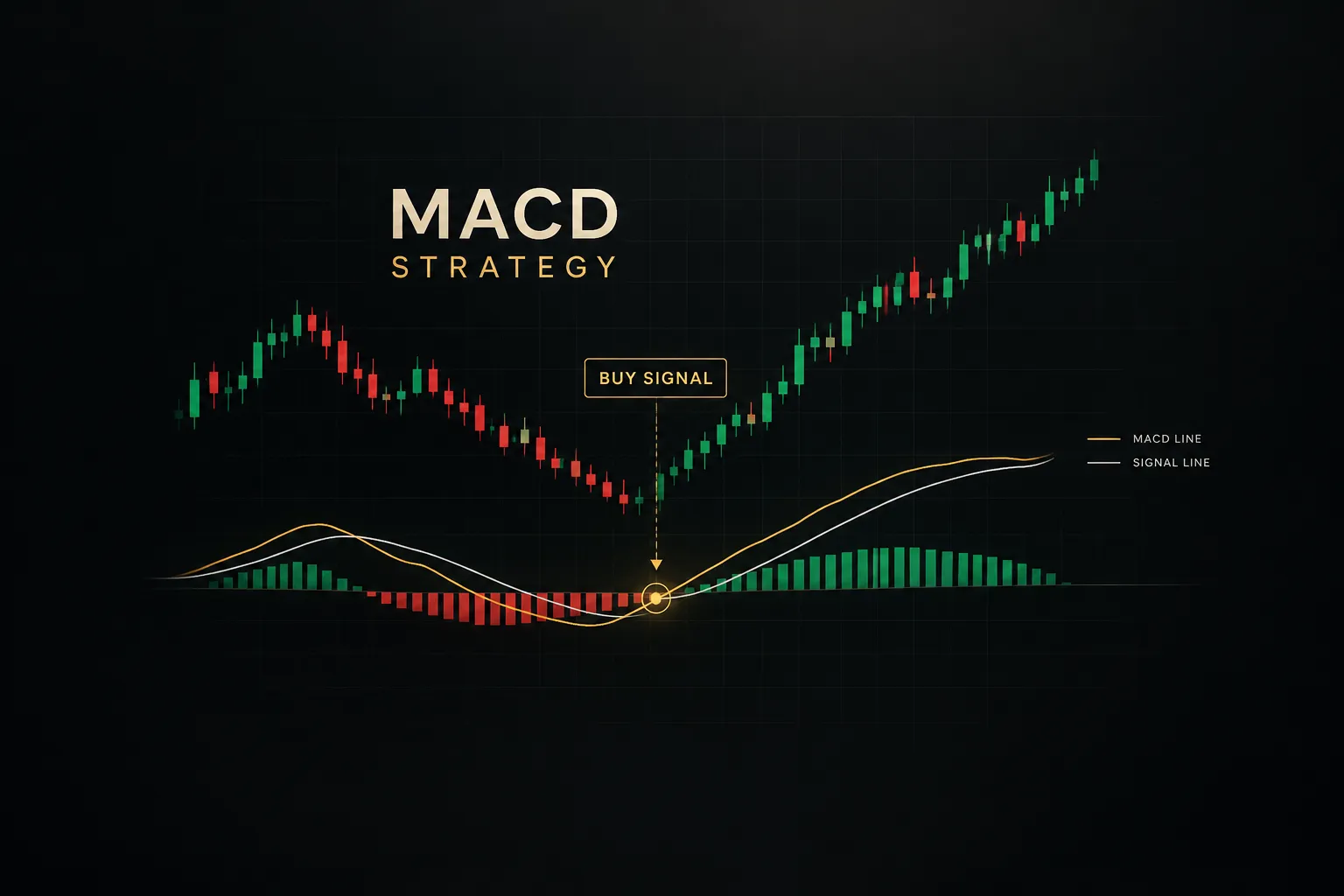
Direction comes from the smart signal engine. It prints clear BUY and SELL signals and paints color-coded candles: green for bullish momentum, red for bearish pressure, and gray while a trend is still forming.
A whipsaw filter keeps you out of choppy, low-probability conditions where most day trading indicators bleed accounts.
Entry comes from marked price levels, not from the signal itself.
This is the core design principle.
The signal shows direction only, and you enter at session highs and lows, previous day high and low, VWAP, supply and demand zones (with mitigation tracking), or fair value gaps.
The result? You stop buying tops and selling bottoms the moment a signal appears.
The Confidence Band adds a dynamic pullback zone that acts as support in uptrends and resistance in downtrends. Gray forming-phase candles let you enter on a pullback before the move is confirmed and crowded.
Trade management comes from the multi-timeframe confirmation table.
It shows BUY, SELL, or NEUTRAL status across 12 timeframes, from 1-minute to Monthly. Use it to confirm confluence before entering, and to decide when to hold longer or take profit.
On repainting, the answer is simple.
Signals confirm on candle close, and once that candle closes, the printed signal does not change. That makes it a genuinely non-repainting indicator for live decision-making.
Transparency is the second big differentiator.
PipTrend publishes trade ideas taken with the indicator on a public results page with verified cTrader statements, losses and break-evens included.
Not a highlight reel.
Most competitors still rely on indicator backtesting and cherry-picked screenshots.
It works across Forex, Crypto, Indices, Commodities, and Stocks on any TradingView plan. Session killzones (Asian, London, New York AM, New York PM) adjust to your timezone, and real-time TradingView alerts arrive via push, email, or desktop on any timeframe and instrument.
Best for: day traders working 1-minute to 15-minute charts, swing traders reading H8 and Daily direction, long-term investors timing Weekly and Monthly trends, and prop-firm challenge participants who need fixed rules to stay inside drawdown limits.
Honest drawback: the multi-timeframe table and entry-level logic take a short learning period. If you’re used to a single-signal tool, expect a few sessions before the full workflow clicks.
How PipTrend’s pricing plans work
Every plan includes the same thing: all PipTrend indicators, real-time alerts, all markets, Whop community access, direct support, and every future update. You only choose the billing cycle.
- Monthly: $59.99/mo, billed monthly. This rate is scheduled to rise to $83.99/mo.
- Quarterly: $45/mo, billed as $134.99 every 3 months. Saves $180/yr vs monthly (scheduled to rise to $63/mo).
- Yearly: $40/mo, billed as $479.99 once per year. Saves $240/yr vs monthly (scheduled to rise to $56/mo).
All plans start with a 3-day free trial and carry a 30-day money-back guarantee, so you can test it on a live chart before committing. Checkout runs through Whop and accepts major cards and PayPal.
Subscribers also get 18 free companion tools, including position size, risk-reward, trade expectancy, and streak probability calculators, a currency strength meter, a correlation matrix, and an economic calendar. Useful extras most competitors charge for separately or skip entirely.
Our top pick: if you want one paid TradingView system that tells you direction, entry, and exit with verifiable live results, PipTrend is the clear winner.
LuxAlgo: best for a broad research and automation ecosystem
Verdict: LuxAlgo offers the widest feature coverage of any provider we compared.
If you want a toolbox rather than a defined strategy, this is the deepest one available.
The suite spans Signals & Overlays, Price Action Concepts, the Oscillator Matrix, order-flow tools, screeners, strategy alerts, and Quant. Beyond TradingView access, LuxAlgo also promotes its own Vela charting platform.
The tier structure is the real draw. You can start with charting tools and later scale into automation and deeper order-flow data, without switching providers.
- Free plan: available for testing the basics.
- Essential: $39.99/mo, or $299.88/yr.
- Premium: $67.99/mo, or $479.88/yr.
- Ultimate: $119.99/mo, or $719.88/yr.
- AI Ultra: $229.99/mo, or $1,439.88/yr.
Promotional pricing sometimes appears on the site, so the number you see at checkout may differ.
Check the renewal rate, not just the first payment.
Best for: experienced traders who want to build a custom, multi-tool workflow and enjoy configuring screeners, backtests, and alert logic. If you already have a strategy and want better instruments to execute it, LuxAlgo delivers.
Honest drawback: the size of the ecosystem cuts both ways. Stack enough overlays and your chart turns into noise, and the learning curve is steep for anyone wanting one clearly defined process.
The most useful alert capacity and automation features also sit behind the higher-priced tiers.
And like any indicator backtesting tool, historical results still need forward testing before you trust live execution quality.
Compared with PipTrend, LuxAlgo gives you more raw tools but less built-in structure.
PipTrend tells you how the pieces fit together.
LuxAlgo hands you the pieces.
Flux Charts: best for ICT and Smart Money Concepts traders
Verdict: Flux Charts is the strongest dedicated toolkit for traders who already speak ICT.
If terms like CHoCH, breaker block, and inversion FVG are part of your daily vocabulary, it will feel built for you.
The Price Action Toolkit covers fair value gaps, inversion fair value gaps, order blocks, breaker blocks, liquidity grabs, BOS, CHoCH, premium and discount zones, sessions, and alerts. Built-in screeners monitor multiple assets and timeframes, so you don’t have to flip through charts manually hunting for setups.
The SFX Algo Toolkit adds real-time signals, trend overlays, and volatility bands for traders who want a directional layer on top of structure. And the Pro tier includes three toolkit backtesters plus tools to create, backtest, and automate strategies before going live.
Pricing is listed as Premium at $67.99/mo.
Pro is listed at $119.99/mo on one presentation, while another current page shows Pro at $59.99/mo billed annually ($719.88). Pricing varies by presentation and promo codes may apply, so confirm at checkout.
Best for: traders already fluent in smart money concepts who want multi-timeframe zone detection, screeners, and optional backtesting inside TradingView.
It’s a specialist’s tool.
Honest drawback: Flux Charts is tied exclusively to TradingView, with no MetaTrader, NinjaTrader, or standalone execution-platform support. And the sheer number of SMC concepts means real study is required before the signals become usable consistently.
That’s the key distinction from PipTrend.
Flux Charts maps the zones beautifully… but you still decide which of dozens of marked concepts to act on.
PipTrend’s supply and demand zones and FVGs sit inside a fixed rule set, so the decision is already framed for you.
ChartPrime: best for visual trend, reversal, and SMC tools
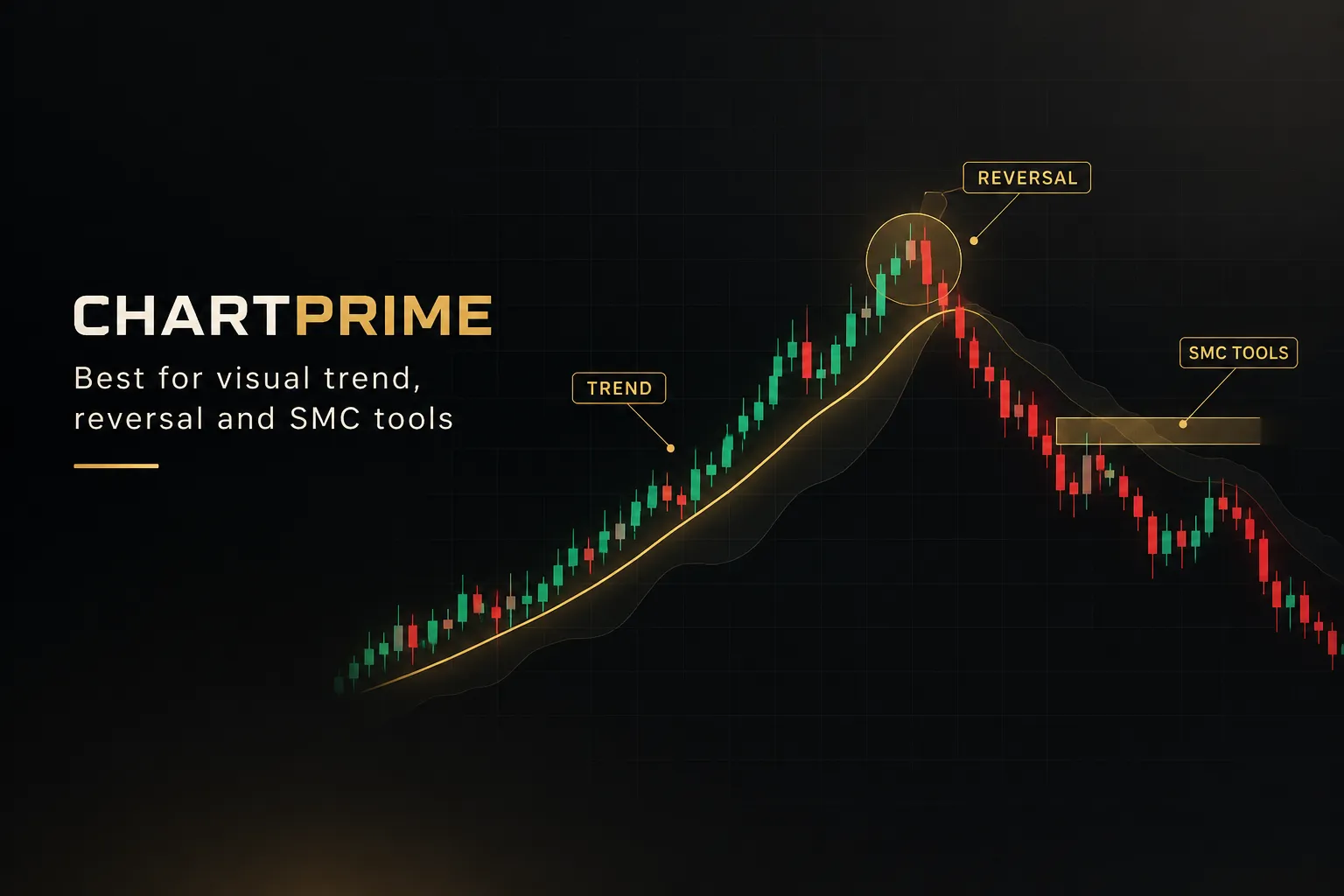
Verdict: ChartPrime is the most visually polished option for trend and reversal reads.
Its overlays are clean, readable, and designed to be understood at a glance.
The main toolkit includes Dynamic Reactor, Smart Support & Resistance, Prime Screener, Quantum Reactor, and Quantum Bands, plus multiple trend, volume, and structure indicators. It supports multi-timeframe support and resistance analysis, volume-based zones, and custom signal features on higher plans.
ChartPrime also runs an active education and community ecosystem. Its broad catalog of free TradingView indicators lets you sample the design approach before paying.
- Pro: approximately $67/mo month-to-month, or $40/mo billed annually at $489.
- Plus: approximately $117/mo month-to-month, or $59/mo billed annually at $708.
Discount codes may reduce those figures, and public pages show different monthly and annual-equivalent numbers. Verify the final checkout price and renewal terms.
Best for: visually driven traders who want clean overlays for trend and reversal reads, alongside learning resources that build their SMC understanding over time.
Honest drawback: the product structure is hard to compare. Multiple tiers, influencer indicators, and separate feature bundles make it unclear exactly what you’re buying.
There’s a subtler risk too.
Signal-focused visuals can easily be mistaken for entries, and ChartPrime doesn’t ship a clearly defined risk-management or trade-management framework.
Pair it with your own rules, or you’ll end up chasing arrows.
Zeiierman Trading: best for a large indicator and bot library
Verdict: Zeiierman gives you the most tools per dollar on an annual plan.
If variety is what you want, nothing else here matches the catalog.
One membership unlocks 80+ premium TradingView indicators, a dedicated SMC tool, nine buy and sell algorithms, liquidity signals, and two automated strategy bots. It works with the free TradingView plan, with access granted through connected TradingView and Discord accounts.
Membership also includes VIP Discord access, trade setups, callouts, tutorials, recommended settings, and educational materials.
For traders who learn best inside a community, that’s a meaningful extra.
Pricing is listed at $95.20/mo monthly, $59.99/mo billed quarterly, and $37.99/mo billed annually. Documentation also lists approximately $179.96 quarterly, $455.82 yearly, and a lifetime option around $1,999, with discounts varying by page.
Best for: traders who want maximum tool variety plus automation, and who don’t mind assembling their own workflow from a large catalog.
Honest drawback: 80+ tools can overwhelm a beginner. More choice often means less consistency, because it’s hard to identify one repeatable strategy when you can swap indicators every week.
Some signal products are also delivered through Discord rather than a single unified chart workflow. That makes repaint and validation checks harder, so independently verify any claims about backtesting, non-repainting behavior, and live performance.
Value per tool is excellent.
Value per decision? That depends entirely on your discipline.
Market Cipher: best for crypto and momentum traders wanting lifetime access
Verdict: Market Cipher suits experienced crypto traders who prefer one big payment over endless monthly billing.
It’s the most recognizable brand in crypto trading indicators, and that reputation comes with a premium price.
The suite has four parts: Market Cipher A, Market Cipher B, Market Cipher SR, and Market Cipher DBSI. Together they focus on market-cycle and momentum interpretation, and the toolkit is widely discussed in crypto communities.
It supports crypto, stocks, currencies, futures, bonds, and precious metals available on TradingView. Discord community access and educational resources are included.
There’s no monthly plan.
The Professional 12-month subscription is listed at $1,000 standard, displayed at $600 promotional pricing. The Lifetime plan is listed at $3,000 standard, displayed at $1,500 promotional.
Enterprise pricing is custom.
Best for: experienced crypto and momentum traders willing to pay a high upfront cost for a well-known, community-backed toolkit they plan to use for years.
Honest drawback: the upfront cost is substantially higher than monthly competitors. At the promotional annual price, you’d pay more than a full year of PipTrend’s yearly plan ($479.99), and the lifetime fee exceeds three years of it.
The full suite may also exceed the three-indicator limit on free TradingView accounts, so you might need to remove built-in indicators or upgrade TradingView. And Market Cipher focuses more on cycle interpretation than on explicit entry levels and exit rules, which leaves more of the decision on you.
AlgoXpert: best for 5-minute session and auction-theory trading
Verdict: AlgoXpert is the most specialized tool here, built for one job: structured 5-minute session trading.
If that’s your style, it’s a serious contender.
The system combines auction theory and price action in one TradingView indicator, with 61 modules across five engines. It includes value area, point of control (POC), session and composite profiles, untested POCs, low-volume zones, session ranges, VWAP, deviation bands, directional session classification, POI qualification, and entry orbs.
Repainting is addressed directly.
The entry orb confirms on candle close, and AlgoXpert states it does not repaint after confirmation.
That’s the right standard, and it matches the principle PipTrend applies to its own signals.
Pricing is listed at $79/mo after a 7-day free trial, $198 per quarter (about $66/mo), and $696 per year (about $58/mo). The page also shows higher crossed-out reference prices of $97/mo.
It runs on the free TradingView plan.
Best for: active intraday traders focused on 5-minute charts, order flow, and instruments like XAUUSD who already think in terms of value areas and auction rotation.
Honest drawback: it’s tuned narrowly for 5-minute session trading. Swing traders and long-term investors seeking broad multi-timeframe coverage will find it a poor fit.
The auction-market terminology also creates a steeper learning curve than simpler signal systems. And even at its yearly rate, AlgoXpert costs more than PipTrend’s yearly plan ($696 vs $479.99) while covering a narrower range of timeframes and trading styles.
Which paid TradingView indicator should you choose?
For most traders in 2026, PipTrend is the right choice.
But the best paid TradingView indicator is ultimately the one that matches how you actually trade, so here’s the decision broken down by trader type.
- Day traders and swing traders who want one integrated workflow → PipTrend. Direction, entry levels, and 12-timeframe trade management in one system, from $40/mo on the yearly plan.
- Traders wanting maximum customization → LuxAlgo. Best if you’re willing to build your own stack across tiers from $39.99 to $229.99/mo.
- ICT/SMC specialists who already know the concepts → Flux Charts or ChartPrime. Flux for screeners and backtesters; ChartPrime for cleaner visuals and education.
- Traders wanting a huge library plus bots → Zeiierman. 80+ tools and two strategy bots, cheapest on the annual plan at $37.99/mo.
- Crypto/momentum traders comfortable paying upfront → Market Cipher. Annual or lifetime access, starting at $600 promotional.
- 5-minute session and auction-theory traders → AlgoXpert. Deep intraday structure, narrow timeframe focus.
Price matters, but only alongside what you get. Here’s how the standard month-to-month entry prices compare (Market Cipher is excluded because it has no monthly plan).
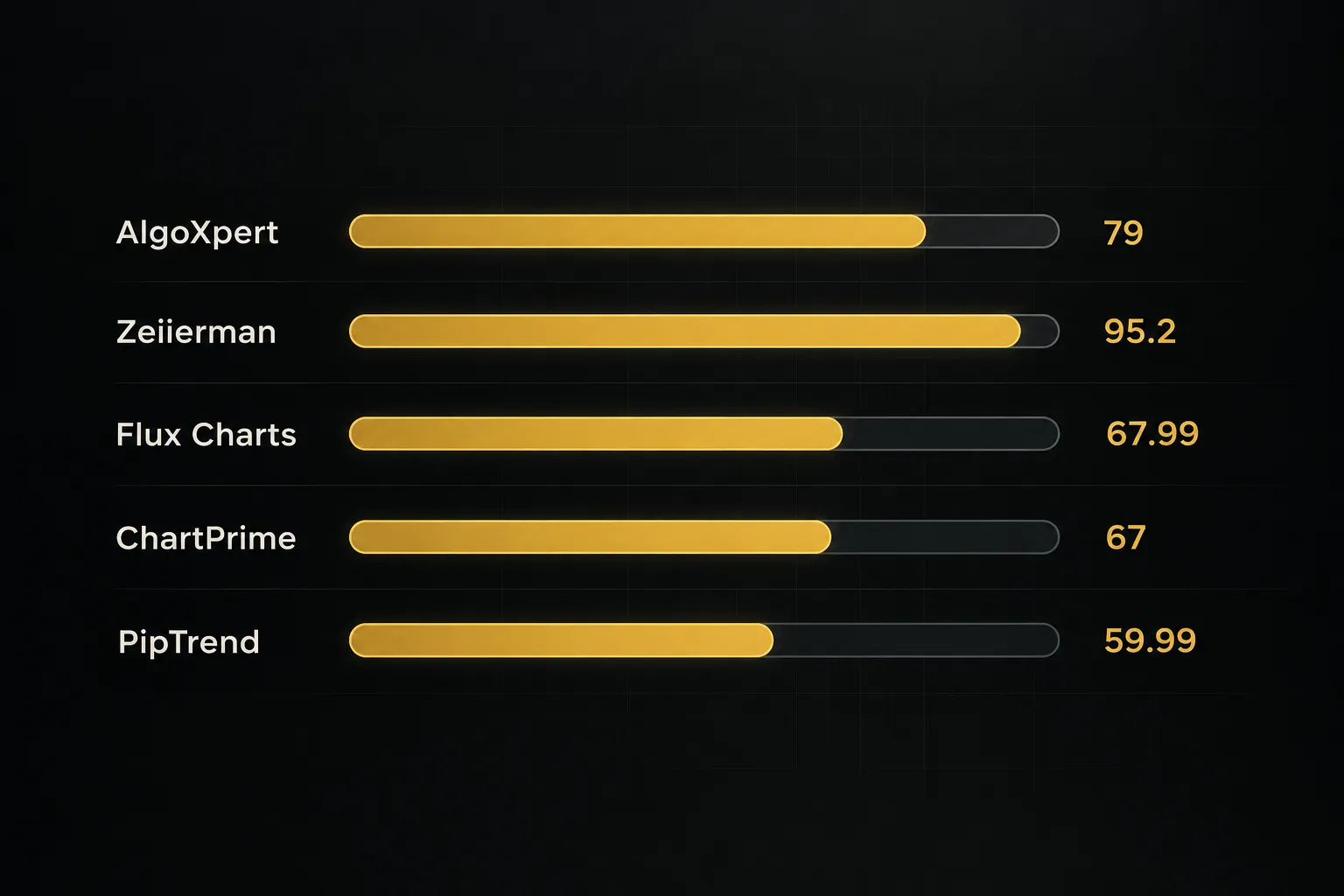
LuxAlgo’s Essential tier is cheaper on paper.
But it doesn’t include the higher-tier alert and automation features, and it leaves the workflow for you to design.
PipTrend’s single price includes everything, every indicator, alerts, community, and future updates.
Whichever tool you pick, three non-negotiables apply:
- Verify candle-close confirmation. Watch a signal form live on a lower timeframe and confirm it doesn’t change after the candle closes.
- Demand live or verified results over backtests. Backtests are easy to curve-fit. Forward testing and verified broker statements are not.
- Confirm the total renewal cost. Promotional first-month prices and crossed-out reference rates can hide what you’ll actually pay in month four.
Use the free trial on any shortlisted tool to run those three checks before the trial ends. PipTrend’s 3-day trial and 30-day money-back guarantee give you the longest real window to test.
Bottom line: PipTrend is the only option in this comparison that combines direction, entry, and trade management with public, verifiable results, losses included. That’s why it’s our best overall pick.
FAQ: paid TradingView indicators
What is the most accurate paid indicator on TradingView?
Choose an indicator that confirms on candle close and publishes verified live results, such as PipTrend, rather than one that advertises an accuracy percentage. No paid TradingView indicator has an independently audited, universal accuracy rate.
Accuracy changes with market, timeframe, and how you execute. Treat any “90% accurate” claim as marketing until you see verified broker statements behind it.
Are TradingView premium indicators worth it?
Yes, if the indicator replaces guesswork with a repeatable process. A paid tool earns its cost when it tells you what to do and when, not when it simply prints more signals.
Signal count is a vanity metric.
Ten conflicting arrows per session are worth less than one clear direction plus a defined entry level and an exit rule. Judge paid TradingView scripts on structure, transparency, and total renewal cost.
What is the best buy and sell indicator for TradingView?
PipTrend is the best buy and sell indicator for most TradingView users, because it separates direction from entry. The signal tells you which way to trade, and a marked level (session high or low, VWAP, supply and demand zone, or FVG) tells you where to get in.
Direction-only buy sell signals aren’t enough.
Entering the instant a signal appears is how traders end up buying tops and selling bottoms, and a defined entry level fixes that.
Which TradingView indicator has the highest success rate?
The indicator with the highest success rate is the one with verified forward results you can audit yourself. PipTrend publishes trade ideas and outcomes on a public results page with verified cTrader statements, including losses and break-evens.
Backtested win rates don’t count as proof.
They can be optimized after the fact, while live and forward-tested results show how a system holds up in real conditions.
What is the best TradingView indicator for beginners?
Beginners should pick a simpler, well-documented system with built-in risk tools, and PipTrend is our recommendation. Its fixed rules, color-coded candles, and 18 companion calculators (including position size and risk-reward) give new traders structure from day one.
Sprawling suites with 80+ tools or dozens of SMC concepts tend to overwhelm beginners. Master one repeatable workflow first, then add complexity later if you need it.
Do professional traders use paid TradingView indicators?
Yes, many professional and prop-firm traders use paid indicators, but as a structure layer, not a replacement for risk management.
The indicator frames direction, entry, and timing.
Position sizing and drawdown control remain the trader’s job.
That’s why prop-firm participants favor systems with fixed rules, like PipTrend’s signal-for-direction, level-for-entry, table-for-exit process.
Consistency is what keeps an account inside its drawdown limits.
Sources
Risk Disclaimer: Trading involves risk. Past performance doesn't guarantee future results. Only trade with money you can afford to lose. PipTrend is a tool to assist your trading decisions, not financial advice.