On this page
TradingView vs MetaTrader: why this isn’t an either-or decision
Here’s the short answer.
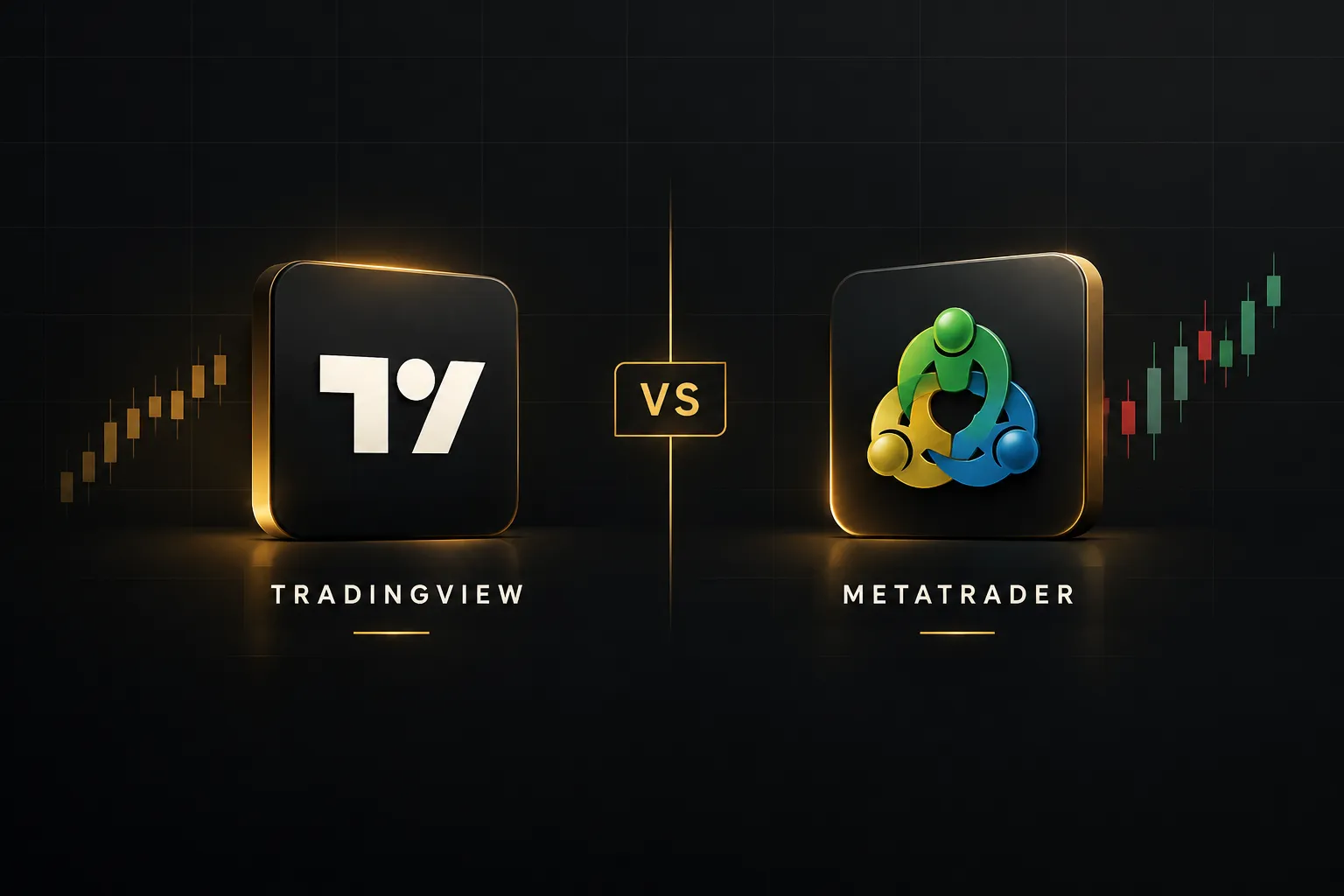
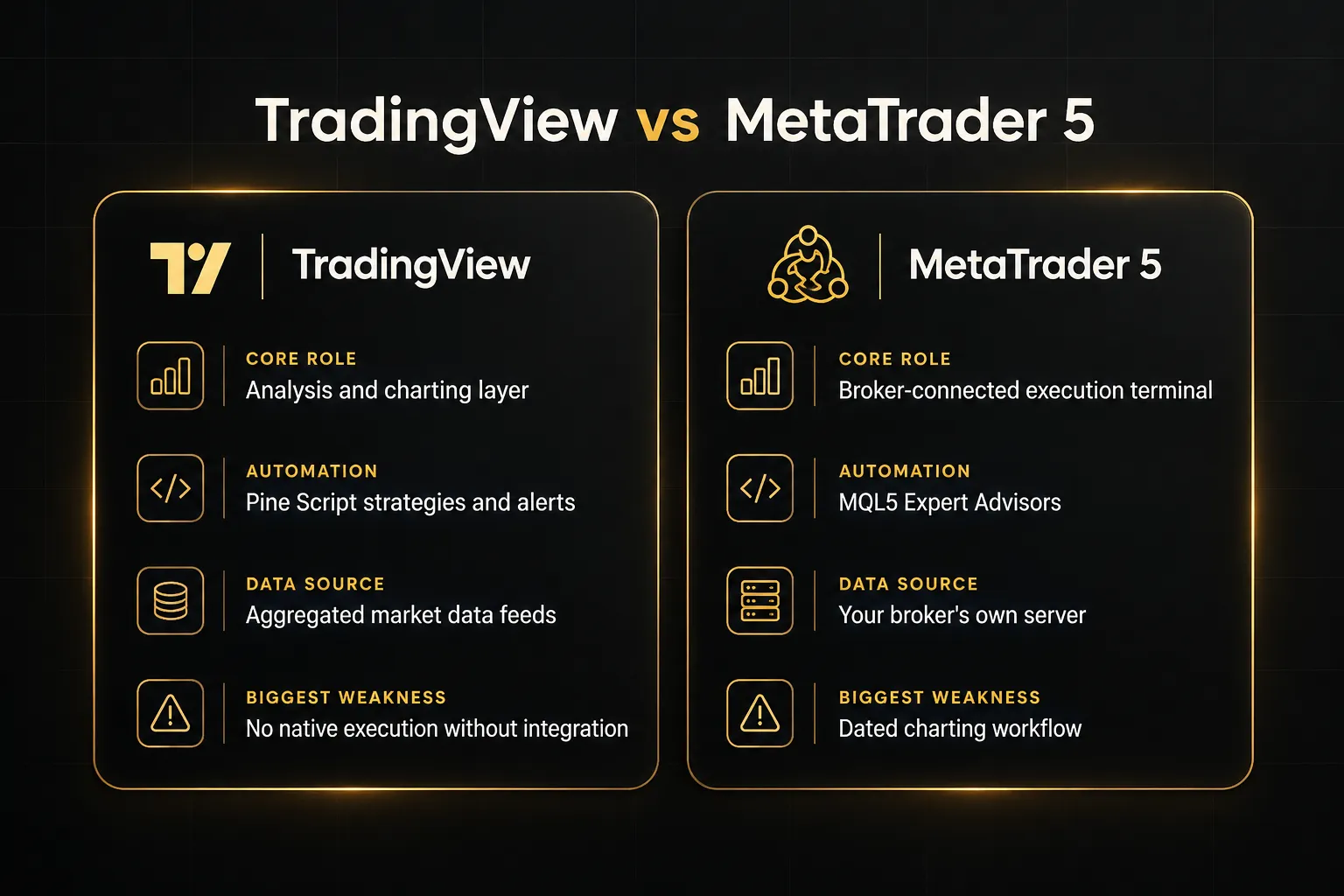
TradingView wins for charting, technical analysis, and signal clarity. MetaTrader 5 wins for native broker execution, Expert Advisor automation, and tick-accurate strategy backtesting.
As of 2026, that split hasn’t changed. Most trading platform reviews still try to crown a single winner, and that framing misses the point.
The two platforms solve different problems.
The TradingView platform is an analysis layer. It aggregates market data feeds from many sources and gives you the cleanest charting tools in retail trading, plus a huge library of community scripts, screeners, and alerts.
MetaTrader is a broker-connected execution terminal. It sits on your broker’s server, routes your orders, and runs automated strategies written in MQL4 or MQL5.
So which one should you use?
For a lot of traders, both.
Before going further, one point needs to be clear.
Neither platform creates a profitable strategy on its own.
Switching software won’t remove market risk, slippage, or the damage done by poor risk management.
The platform is a tool, not an edge.
Later in this guide, we’ll walk through the hybrid workflow many experienced traders use.
Analyze and generate signals on TradingView.
Confirm direction and entry with a rules-based system like PipTrend.
Then execute through MetaTrader when you need broker-native order types or Expert Advisors.
Quick comparison: TradingView vs MetaTrader 4 vs MetaTrader 5
TradingView wins charting and cross-broker analysis. MetaTrader 5 wins native execution and automated strategy testing.
MetaTrader 4 is dated but still common at forex-only brokers. Here’s how the three compare on the factors that matter most.
| Feature | TradingView | MetaTrader 4 | MetaTrader 5 |
|---|---|---|---|
| Primary role | Charting and analysis layer | Legacy forex execution terminal | Multi-asset execution and automation terminal |
| Pricing | Free plan up to paid Premium tiers (predictable subscription) | Free download; costs come from broker spreads, commissions, VPS | Free download; costs come from broker spreads, commissions, data, VPS, paid tools |
| Markets supported | Forex, stocks, crypto, indices, futures, commodities | Mainly forex and CFDs | Forex, stocks, futures, other broker-supported markets |
| Broker execution | Only through supported broker integrations | Native, direct to broker server | Native, direct to broker server |
| Automation language | Pine Script (strategies and alerts) | MQL4 | MQL5 |
| Backtesting depth | Pine Script strategy tester on chart data | Single-currency Strategy Tester | Multi-currency, real-tick, visual testing and optimization |
| Alerting | Push, email, desktop, webhook alerts on indicators and price | Basic terminal alerts and notifications | Basic terminal alerts and notifications |
| Mobile experience | Full charting app with cross-device sync | Functional trading app, limited charting | Functional trading app, limited charting |
The pattern is clear.
TradingView is where you think about trades. MetaTrader is where many brokers expect you to place them.
Platform overviews: what TradingView and MetaTrader actually do
Most guides treat “MetaTrader” as one product.
It isn’t.
MT4 and MT5 are separate platforms with different languages, different testers, and different futures, and confusing them leads to bad decisions.
TradingView: the analysis and charting layer
TradingView is broker-agnostic.
It pulls market data feeds from exchanges and data providers, then layers community scripts, screeners, drawing tools, and alerts on top. You can chart EUR/USD, NAS100, BTC/USD, and Apple stock in the same workspace without touching a broker account.
That independence is its biggest strength.
Your layouts, indicators, and watchlists sync across desktop, browser, and mobile.
And the Pine Script ecosystem means thousands of public indicators, plus invite-only premium tools from developers like LuxAlgo, ChartPrime, and PipTrend.
But TradingView doesn’t execute trades by itself.
Order execution depends on a connected broker integration.
If your broker isn’t supported, TradingView stays a pure technical analysis software package, with built-in paper trading for practice.
MetaTrader 4: the legacy forex execution terminal
MetaTrader 4 built its reputation as the default forex trading platform. It connects directly to your broker, executes orders fast, and runs Expert Advisors written in MQL4.
The limitations show their age.
MT4 is forex-focused, and its Strategy Tester handles single-currency backtesting only. You can’t properly test a portfolio EA that trades several pairs at once.
Brokers are steadily phasing MT4 out in favor of MT5. In 2026, MT4 is relevant mainly for traders tied to a legacy broker or a specific MQL4 Expert Advisor that hasn’t been ported.
Not a platform to adopt fresh.
MetaTrader 5: the modern multi-asset execution and automation terminal
MetaTrader 5 is the real competitor in any TradingView vs MetaTrader comparison. It supports forex, stocks, futures, and other broker-supported markets, with both netting and hedging modes depending on your account type.
It adds Market Depth, more order types, and a far more capable Strategy Tester.
You get visual testing, parameter optimization, multi-currency testing, and real-tick modeling.
The MQL5 Market sells robots and indicators, and MT5 supports copy trading and VPS-hosted automated workflows.
The trade-off is the interface.
Charting feels dated next to TradingView, and execution quality, available instruments, and data accuracy all depend heavily on the broker you choose.
Here’s the gap most comparisons skip.
MT4 and MT5 are not interchangeable.
If you’re serious about algorithmic trading or multi-asset workflows in 2026, MT5 is the only MetaTrader version worth comparing against TradingView.
Charting, signal quality, and indicator ecosystems
Winner: TradingView.
It has the cleaner interface, the larger public and invite-only script marketplace, and seamless cross-device sync. MetaTrader’s MQL5 Market exists, but it comes with a steeper learning curve, dated visuals, and a smaller discretionary-charting community.
| Charting factor | TradingView | MetaTrader 5 | MetaTrader 4 |
|---|---|---|---|
| Interface | Modern, browser-based, highly customizable | Functional but dated | Dated, limited timeframes |
| Script language | Pine Script (beginner-friendly) | MQL5 (C++ style, steeper) | MQL4 |
| Indicator marketplace | Public scripts plus invite-only premium suites (LuxAlgo, ChartPrime, Zeiierman, Market Cipher, AlgoXpert, PipTrend) | MQL5 Market for robots and indicators | MQL5 Market (MT4 section) |
| Discretionary community | Very large, idea-sharing built in | Smaller, automation-focused | Shrinking |
| Cross-device sync | Layouts, alerts, and indicators sync automatically | Limited, per-terminal setup | Limited, per-terminal setup |
TradingView wins this category clearly.
But there’s a catch most traders discover a few months in…
Indicator clutter is the real problem on TradingView.
Because premium trading indicators are so easy to add, many traders stack them. A LuxAlgo Oscillator Matrix, a ChartPrime Market Oracle, and a couple of Zeiierman algorithms all on one chart. Each tool answers a slightly different question, and they often disagree.
The result is conflicting signals, not clarity.
PipTrend takes the opposite approach. Instead of adding another opinion to the chart, it’s built as one unified system that answers the three questions every trade depends on: direction, entry, and how long to hold.
- Direction comes from the smart signal engine, with color-coded candles (green bullish, red bearish, gray while a trend is forming) and a whipsaw filter for choppy conditions.
- Entry comes from marked price levels: session highs and lows, previous day high and low, VWAP, supply and demand zones, fair value gaps, and the Confidence Band.
- Trade management comes from a multi-timeframe table showing BUY, SELL, or NEUTRAL across 12 timeframes, from 1-minute to Monthly.
The key design rule: the signal shows direction only, and the entry comes from a level.
That separation stops the classic mistake of buying the top the moment a signal prints.
Signals also confirm on candle close and don’t change afterward.
Here’s how PipTrend compares with the premium TradingView suites traders most often stack.
| Factor | PipTrend | LuxAlgo | ChartPrime | Zeiierman | Market Cipher | AlgoXpert |
|---|---|---|---|---|---|---|
| Core focus | Unified direction, entry, and exit system | Broad indicator library, order flow, screeners, AI backtesting | Momentum, trend, and market-structure collection | 80+ tools, 9 algorithms, 2 bots | Momentum and market-cycle suite (A, B, SR, DBSI) | 61 modules for auction and session trading |
| Multi-timeframe view | 12-timeframe confirmation table | Varies by tool | Varies by tool | Varies by tool | Varies by tool | POI Matrix for multi-timeframe structure |
| Published pricing | $40/mo (yearly) to $59.99/mo (monthly) | Free; paid tiers $24.99 to $229.99/mo | Plus listed at $117/mo | $37.99/mo (annual) to $95.20/mo (monthly) | $600/yr or $1,500 lifetime | $58/mo (annual) to $79/mo (monthly) |
| Main trade-off | TradingView only; no execution automation | Steep learning curve; higher tiers costly | Large library encourages stacking | Hard to find one core method | High upfront cost | Tuned for 5-minute session trading |
Each competitor has a genuine niche.
AlgoXpert is strong for auction-theory intraday traders, and LuxAlgo suits advanced users who want screeners and AI tools.
But if your problem is too many conflicting signals, one system replacing two or three subscriptions is the more logical fix.
Execution, data accuracy, automation, and backtesting
Winner: MetaTrader 5.
Direct broker execution, native order types, hedging and netting, and an EA-driven Strategy Tester with multi-currency and real-tick modeling. TradingView’s Pine Script strategies can’t match that depth for Expert Advisor-style automation.
| Factor | TradingView | MetaTrader 4 | MetaTrader 5 |
|---|---|---|---|
| Trade execution | Only via supported broker integrations | Native broker connection | Native broker connection |
| Order types | Depend on the connected broker | Standard market and pending orders | Multiple order types plus Market Depth |
| Position modes | Depend on broker | Multiple positions per symbol; no netting mode | Hedging and netting modes |
| Data source | Aggregated feeds from exchanges and providers | Broker’s own server | Broker’s own server |
| Automation | Pine Script strategies; alerts need a webhook bridge to reach MetaTrader | MQL4 Expert Advisors | MQL5 Expert Advisors, VPS-compatible |
| Strategy backtesting | Pine Script tester on chart bars | Single-currency tester | Visual, multi-currency, real-tick, optimization |
| Practice trading | Built-in paper trading | Broker demo accounts | Broker demo accounts |
| Copy trading | Not a native feature | Broker-dependent | Supported in copy trading and VPS workflows |
Start with execution.
MT5 sends orders straight to your broker’s server, with the order types and position modes your account supports. TradingView can only do this if your broker has an official integration.
Otherwise, you’re charting in one place and clicking buttons in another.
Automation is where the gap widens.
TradingView alerts are analysis-only by default.
An alert can tell you a signal fired, but getting that alert to open a trade in MetaTrader requires a webhook bridge or third-party connector.
There’s no native TradingView-to-MT5 integration.
Compare that with MQL5.
An Expert Advisor runs inside the terminal (or on a VPS), reads your broker’s live prices, and manages orders around the clock.
And MT5’s Strategy Tester lets you optimize parameters across multiple symbols with real-tick data, which is the closest retail traders get to realistic strategy backtesting.
Pine Script strategies are easier to write.
But they’re evaluated on chart bars, so intrabar fills are approximated, and they don’t run as broker-side robots.
Fine for validating an idea.
Limited for production automation.
Then there’s the question that confuses almost every hybrid trader. Why does the same EUR/USD candle look different on each platform?
It comes down to data sources.
TradingView often aggregates feeds from multiple providers, while MetaTrader shows your broker’s own server prices. Brokers set their own spreads, liquidity providers, and server time zones, so the same instrument can show different highs and lows, different spreads, and daily candles that open at different hours.
The practical fix is simple.
Use TradingView for direction and levels, then check the exact entry price, spread, and stop distance on your broker’s chart before placing the order. Some traders also load their broker’s own feed on TradingView where available, which narrows the mismatch.
Verdict: For algorithmic traders and EA developers, MetaTrader 5 is the clear structural winner. For discretionary traders who don’t run Expert Advisors, this category matters far less than charting and signal quality.
Total cost of ownership and the hybrid workflow
Cost is a tie, but for different reasons.
TradingView pricing is a predictable subscription, from a free plan up to Premium. MetaTrader is free to download, and that’s where the comparison usually stops.
It shouldn’t.
This is where total cost of ownership matters more than sticker price.
MetaTrader broker fees come from spreads and commissions on every trade. Add VPS hosting to keep EAs running, possible data fees, and paid robots or indicators from the MQL5 Market.
Over a year, those hidden costs can exceed a TradingView subscription, especially for active traders.
TradingView has its own cost trap, though.
It’s not the platform subscription.
It’s the indicator stack.
Look at what three popular premium suites cost when combined.
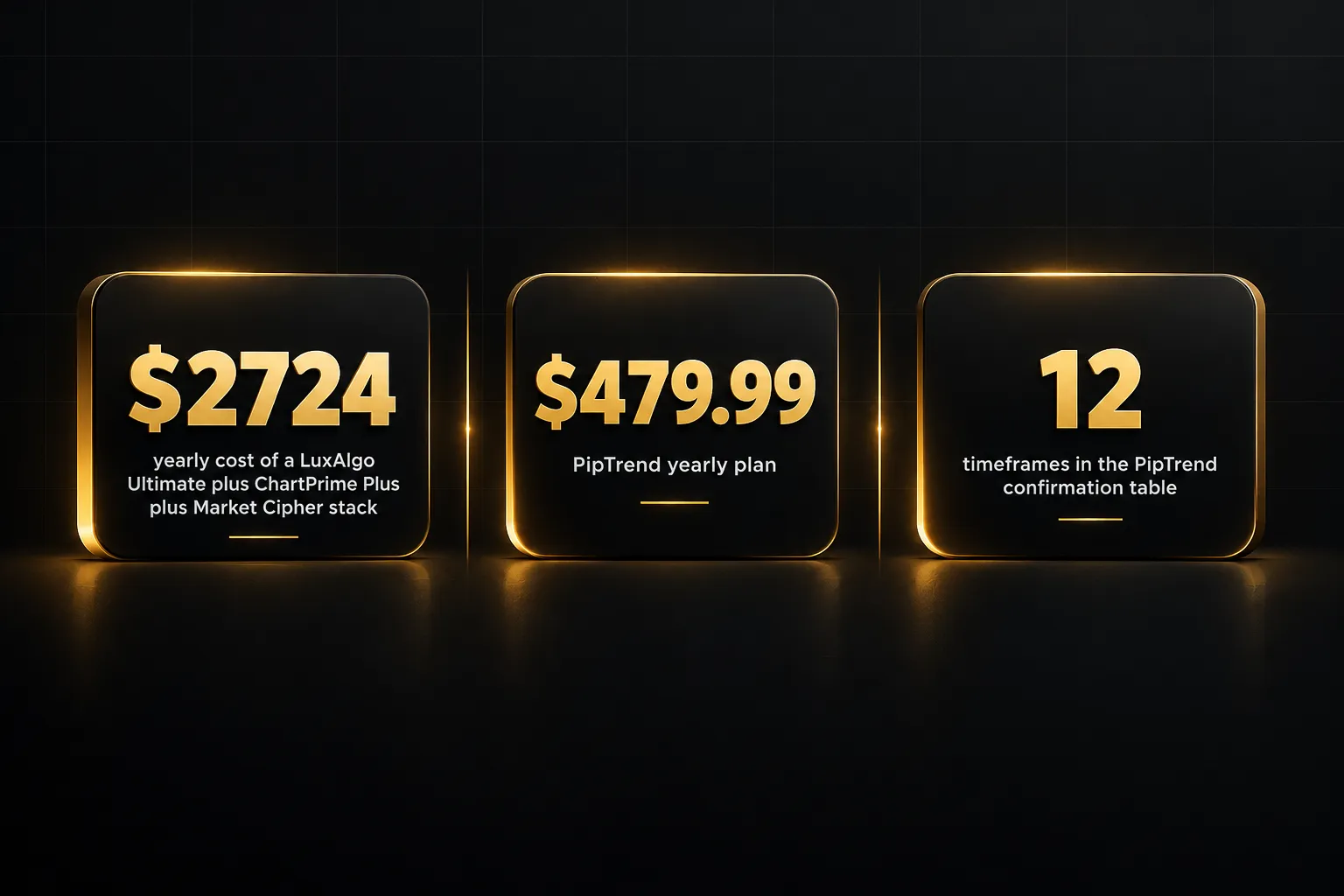
LuxAlgo Ultimate runs $59.99/mo on annual billing ($119.99 billed monthly). ChartPrime Plus is listed at $117/mo. Market Cipher Professional costs $600 per year.
Stack all three and you’re paying roughly $2,724 a year before your TradingView plan.
PipTrend costs $40/mo on the yearly plan ($479.99 billed once), $45/mo quarterly ($134.99 every three months), or $59.99/mo billed monthly. Every plan includes all indicators, real-time alerts, all markets, community access, and future updates, with a 3-day free trial and a 30-day money-back guarantee.
To be fair, PipTrend isn’t the cheapest single subscription on the market. Zeiierman’s annual plan works out lower per month.
But PipTrend replaces the need for several tools, and it publishes trade ideas with real outcomes and verified cTrader statements on a public results page, losses and break-evens included.
Most competitors show backtests and screenshots.
Cost is only half the picture, though.
The bigger win is how the pieces fit together.
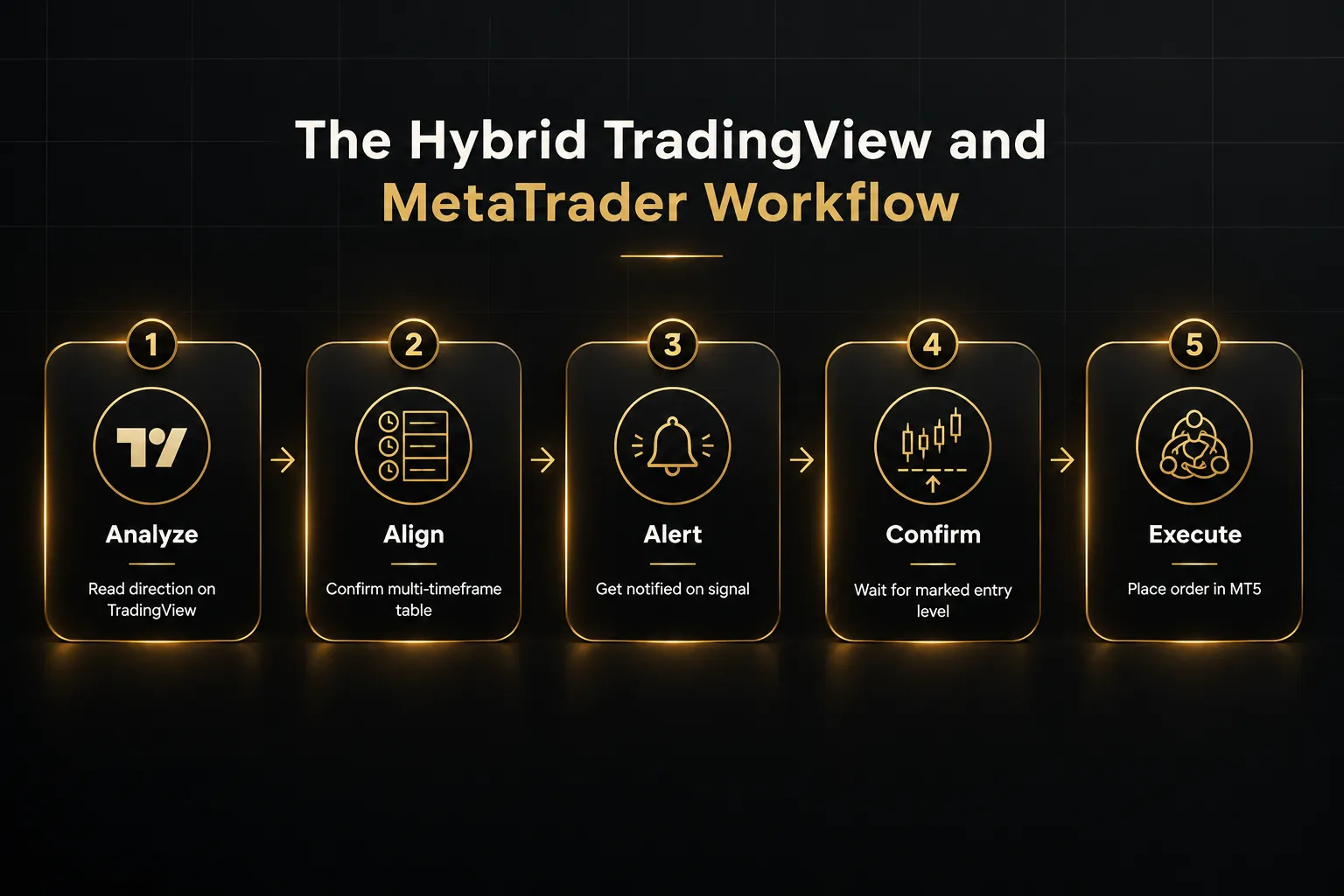
Here’s the hybrid workflow in practice.
Step one: analyze on TradingView.
Open your chart with PipTrend loaded.
Check the candle color for current direction and scan the multi-timeframe table for alignment, for example H8 and Daily both showing BUY.
Step two: set alerts and wait.
Set real-time alerts for the signal on your chosen timeframe and instrument.
You get push, email, or desktop notifications without staring at the screen.
Step three: confirm the entry level and risk.
When the alert fires, don’t chase.
Wait for price to reach a marked level, such as VWAP, a session low, or the Confidence Band.
Use the free position size and risk-reward calculators to size the trade.
Step four: execute in MetaTrader when needed.
Place or manage the order in MT5 if you need broker-native execution, hedging, or an EA to handle trade management.
Check the broker’s spread and price before submitting.
This workflow is especially useful for prop firm trading.
Many challenge accounts run on MetaTrader with strict drawdown limits and execution restrictions.
Separating analysis from order placement means your decisions follow fixed rules (signal for direction, level for entry, table for exits) instead of reacting to every tick in the execution terminal.
And because the logic stays the same on every trade, it’s far easier to review what went wrong after a losing week.
That kind of consistency is what keeps challenge accounts alive.
Who should choose what
The bottom line: most discretionary traders should analyze on TradingView and only use MetaTrader for execution. Algorithmic traders should build on MetaTrader 5.
Here’s the breakdown by trader profile.
- Forex scalpers who need session liquidity and VWAP entries: Use TradingView with a precision tool like PipTrend on 1-minute to 15-minute charts. Session killzones (Asian, London, New York AM and PM) and VWAP levels show where to enter, while your broker’s MT5 terminal handles fast execution. Check spreads on the broker side, since they decide whether a scalp is worth taking.
- Swing and position traders reading daily and weekly bias: TradingView’s charting plus PipTrend’s multi-timeframe table covers nearly everything. Read direction from H8 and Daily, confirm alignment, and use the table to decide when to hold or take profit. MetaTrader is only needed for order placement if your broker requires it.
- Algorithmic traders and EA developers: Choose MetaTrader 5. Native strategy backtesting, multi-currency optimization, real-tick modeling, and MQL5 automation make it the only serious choice here. TradingView can still help with idea generation, but production automation belongs in MT5.
- Prop firm traders who need fixed rules and drawdown discipline: Run PipTrend on TradingView for consistent direction, entry, and exit logic. Execute through MT5 to stay compliant with the firm’s broker setup. The separation keeps impulsive trades out of your challenge account.
- Stock and long-term investors: TradingView alone is usually enough. Broad multi-asset data, clean charts, and no need for EA-driven automation make MetaTrader unnecessary for most investors. PipTrend’s Weekly and Monthly color-coded candles help time entries into major trends.
- Crypto and multi-market traders: Use TradingView for aggregated market data and charting across crypto, indices, commodities, and forex in one workspace. Only bring in MetaTrader if your broker requires it for execution.
- Copy trading users: MetaTrader 5 fits better, since copy trading and VPS-hosted workflows are part of its ecosystem. TradingView doesn’t offer native copy trading.
Notice the pattern?
Only one profile truly needs MetaTrader as its primary platform. For everyone else, it’s the execution step at the end of a TradingView-led process.
FAQ: TradingView vs MetaTrader
Is TradingView or MetaTrader better for day trading?
TradingView is better for day trading analysis.
Its charts are faster to read, alerts are more flexible, and tools like PipTrend’s session levels and VWAP make intraday entries precise. Use MetaTrader only if your broker requires native execution or you need hedging on the broker side.
Why do traders use TradingView instead of MetaTrader?
Traders choose TradingView for cleaner charting and a much larger indicator ecosystem.
It’s broker-agnostic, syncs across devices, and offers thousands of public and premium scripts. MetaTrader’s interface feels dated for discretionary analysis, so many traders chart on TradingView and keep MetaTrader for order placement.
Can I trade directly from TradingView?
Yes, but only through supported broker integrations.
If your broker connects to TradingView, you can place and manage orders from the chart. If not, TradingView remains an analysis tool with paper trading, and you’ll execute on your broker’s platform, such as MT5.
What is the difference between MT4, MT5, and TradingView?
MT4 is a legacy forex terminal, MT5 is a multi-asset execution terminal, and TradingView is a broker-agnostic charting layer.
MT4 only backtests one currency at a time. MT5 adds stocks, futures, Market Depth, hedging and netting, and a far stronger Strategy Tester.
TradingView focuses on analysis, alerts, and community scripts.
Which is better for automated trading, TradingView or MT5?
MT5 is better for automated trading.
MQL5 Expert Advisors run directly against your broker’s prices, and the Strategy Tester supports multi-currency, real-tick, and optimization modes. TradingView’s Pine Script strategies are comparatively limited for EA-style automation and need a webhook bridge to reach MetaTrader.
Do professional traders use TradingView or MetaTrader?
Many professional traders use both.
TradingView handles analysis and signal generation, and MetaTrader handles broker-connected execution. Pair TradingView with a unified system like PipTrend for direction, entry, and exits, and you get the strengths of each platform without the weaknesses of either.
Sources
Risk Disclaimer: Trading involves risk. Past performance doesn't guarantee future results. Only trade with money you can afford to lose. PipTrend is a tool to assist your trading decisions, not financial advice.