Best free TradingView indicators in 2026 (tested and ranked)
On this page
Introduction
This list is for retail traders who want genuinely free tools before spending money on a premium suite.
Maybe you trade forex on your lunch break. Maybe you are learning crypto charts on weekends.
Either way, you need TradingView technical indicators that tell the truth about price. So we judged every tool on four criteria: non-repainting behavior, candle-close confirmation, ease of setup, and real usefulness for direction, entry, or exit.
Here’s the problem with most “free indicator” lists. They mix genuinely free scripts with freemium samplers, short trials, and invite-only products that cost hundreds of dollars a year.
And readers only find out at checkout.
We label every tool honestly.
If something is free, we say so. If it’s paid, we say that too, with exact 2026 pricing.
Our top pick, PipTrend, is not free, and we’re upfront about it.
It ranks first because it’s the clearest upgrade path once scattered free Pine Script indicators stop working for you, combining direction, entry, and exit in one system.
The built-in TradingView indicators remain the best genuinely free starting point. After that, we cover community libraries from LuxAlgo, Flux Charts, ChartPrime, and Zeiierman, then flag two paid systems that often get dressed up as free.
The list is organized by trading function: trend-following indicators for direction, support and resistance indicators for entries, and multi-timeframe tools for trade management. Then we show you how to test any script and build a free stack that doesn’t contradict itself.
Quick picks: best free TradingView indicators at a glance
Short on time?
This table shows what each tool does best, whether it’s genuinely free, and what it actually costs as of 2026. Ratings are our editorial scores based on the criteria above.
| Indicator | Best for | Free status | Price (2026) | Our rating |
|---|---|---|---|---|
| PipTrend | Best overall upgrade: direction, entry, and exit in one system | Paid (3-day free trial) | $59.99/mo monthly, $45/mo quarterly, $40/mo yearly | 4.8/5 |
| TradingView built-in indicators | Beginners learning single-indicator logic | Genuinely free | $0 | 4.5/5 |
| LuxAlgo | Large free-plus-paid catalog, AI and order flow | Freemium | Free tier; paid $24.99 to $119.99/mo | 4.3/5 |
| Flux Charts | Browsing 50+ free scripts by concept | Freemium | Free scripts; Pro $59.99/mo or $719.88/yr | 4.2/5 |
| ChartPrime | Market structure and oscillators | Freemium | Free scripts; Pro $39/mo, Plus $59/mo | 4.0/5 |
| Zeiierman Trading | Smart-money concepts for advanced traders | Freemium | Free scripts; premium $37.99 to $95.20/mo, lifetime ~$1,999 | 4.0/5 |
| Market Cipher | Crypto oscillator ecosystem and community | Paid only (no free tier) | $1,000/yr (often $600 promo); lifetime $1,500 to $3,000 | 3.2/5 |
| AlgoXpert | Session and order-flow traders | Paid (7-day free trial) | $79/mo monthly, $66/mo quarterly, $58/mo annual | 4.1/5 |
Only one row is free with zero conditions: TradingView’s own library.
Everything else is either a free sampler or a paid product with a trial.
PipTrend: best unified system for direction, entry, and exit (not free, but the clearest upgrade)
PipTrend is the strongest pick for traders ready to replace a messy stack of free scripts with one repeatable workflow.
Its core design principle is simple.
The signal shows direction only, and the entry comes from a marked price level.
Color-coded candles handle direction: green for bullish momentum, red for bearish pressure, gray while a trend is forming. A whipsaw filter keeps you out of choppy conditions.
Entries come from VWAP, session highs and lows, supply and demand zones, and fair value gaps, all painted on the chart.
Then the 12-timeframe confirmation table shows BUY, SELL, or NEUTRAL from 1-minute to Monthly, so you know when to hold and when to take profit. Signals confirm on candle close and don’t change afterward.
Pricing: $59.99/mo monthly, $45/mo billed quarterly ($134.99), or $40/mo billed yearly ($479.99). Every plan includes a 3-day free trial and a 30-day money-back guarantee.
The honest drawback? It’s a paid subscription, not a free indicator.
And the full value requires learning the signal-plus-level workflow instead of chasing every arrow.
What sets it apart is transparency.
PipTrend publishes trade ideas on a public results page with verified cTrader statements, losses and break-evens included.
It covers forex, crypto, indices, commodities, and stocks, and its 18 companion tools (position size, risk-reward, and currency strength calculators, among others) are free to use.
TradingView built-in indicators: best genuinely free starting point
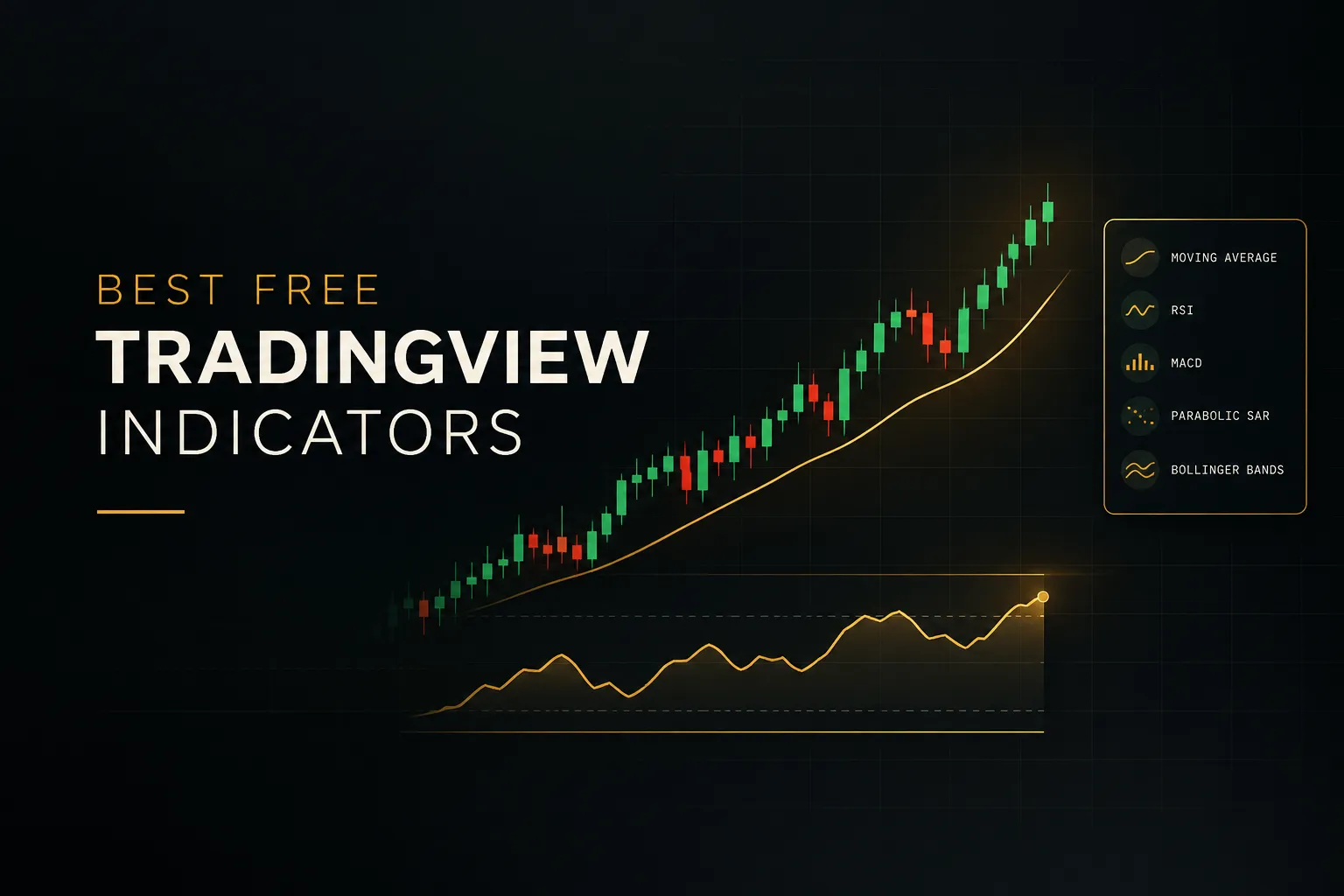
The built-in library is the best free TradingView indicator set for anyone starting out. RSI, MACD, moving averages, VWAP, and Bollinger Bands come at zero cost on every plan, including the TradingView free plan.
You get momentum indicators, volume indicators, volatility indicators, and trend-following indicators without installing anything. No account upgrade is needed for the core library.
These tools suit beginners who need to learn single-indicator logic before combining tools.
Learn what RSI divergence looks like. Learn why price respects a 200-period moving average.
That foundation pays off later.
Now, the repainting myth.
Default built-ins don’t repaint historical values. A forming candle updates in real time (which is normal), but once it closes, the reading is locked.
Where new users get misled is with certain custom presets. Heavy smoothing on oscillators or settings that reference higher timeframes can make past signals look cleaner than what you’d have seen live.
The drawbacks are real. There’s no entry precision, no trade management layer, and free-plan limits restrict how many indicators you can run per chart and which TradingView alerts you can set.
Great for learning. Thin for executing.
LuxAlgo: best for a large free-plus-paid tool catalog
LuxAlgo has one of the most generous free tiers of any premium indicator brand. The free plan includes free indicators, 500 monthly Quant credits, 5 strategy alerts, a 1-day order-flow lookback, 10 saved workspaces, and up to 5,000 historical bars.
That’s a solid playground.
You can test AI-assisted indicator creation and order-flow concepts without paying anything.
Paid plans scale up quickly.
Listed pricing runs about $24.99/mo for Essential, $39.99/mo for Premium, $59.99/mo for Ultimate, and $119.99/mo for AI Ultra before promotional discounts, with lower annual rates.
Paid tiers unlock the LuxAlgo Library, deeper order-flow data, webhook automation, and toolkits covering signals and overlays, price-action concepts, oscillators, and machine-learning studies. Exclusive scripts arrive as invite-only indicators and work on a free TradingView account.
LuxAlgo is best for traders who want to experiment with AI and order-flow tools before committing money.
If you enjoy tinkering, it’s a deep sandbox.
But the free tier is a sampler, not a full system.
The most differentiated library, longer historical data, and automation all sit behind paid plans. If you want a small, simple signal-and-entry workflow, the breadth can work against you.
Flux Charts: best free indicator library for browsing by concept
Flux Charts offers more than 50 free TradingView indicators, making it one of the largest free libraries from a single developer. Market structure, price action, volume, and supply and demand are all covered.
Browsing it feels like walking through a well-stocked hardware store.
Want a fair value gap tool? A liquidity script?
There’s probably a free version.
The paid side is the Pro plan at $59.99/mo or $719.88/year, with promotional discounts sometimes shown on the site. Pro adds the SFX Algo Toolkit, Price Action Toolkit, supply-and-demand tools, screeners that monitor multiple assets and timeframes, and three toolkit backtesters.
Subscribers also get daily educational classes, a strategy library, Discord access, and priority support. That’s useful if you want structured learning alongside the tools.
Flux Charts is best for traders who like exploring many individual scripts before settling on a workflow.
Curious, hands-on traders will enjoy it.
The drawback is fragmentation.
The free library is broad but spread across unrelated tools. Load four of them on one chart without a plan and you risk redundant or contradictory buy and sell signals.
The complete workflow, screeners, and backtesters require a subscription.
ChartPrime: best free tools for market structure and oscillators
ChartPrime’s free library is a strong pick for market structure and oscillator studies. Highlights include linear regression oscillators, volume level studies, Triple Z, price-ratio tools, and order-block or liquidity-void indicators.
These are well-built TradingView community scripts for traders who want to study one concept at a time.
The order-block tools in particular pair nicely with a basic trend filter.
Paid plans are listed at $39/mo for Pro ($468 annually) and $59/mo for Plus ($708 annually) before promotional discounts. Pro includes core indicators, real-time signals, take-profit and stop-loss levels, live strategy sessions, and private community access.
Plus adds extra indicators, influencer indicators, classes, custom signal building, and early access to new tools. ChartPrime suits traders who want individual market-structure concepts plus optional guided education and live sessions.
Two drawbacks stand out.
The full signal package with TP/SL levels requires linking both a TradingView username and a Discord account. And pricing isn’t always presented as transparently as a standard public pricing table, so confirm the final amount before you pay.
Zeiierman Trading: best free smart-money concepts for advanced traders
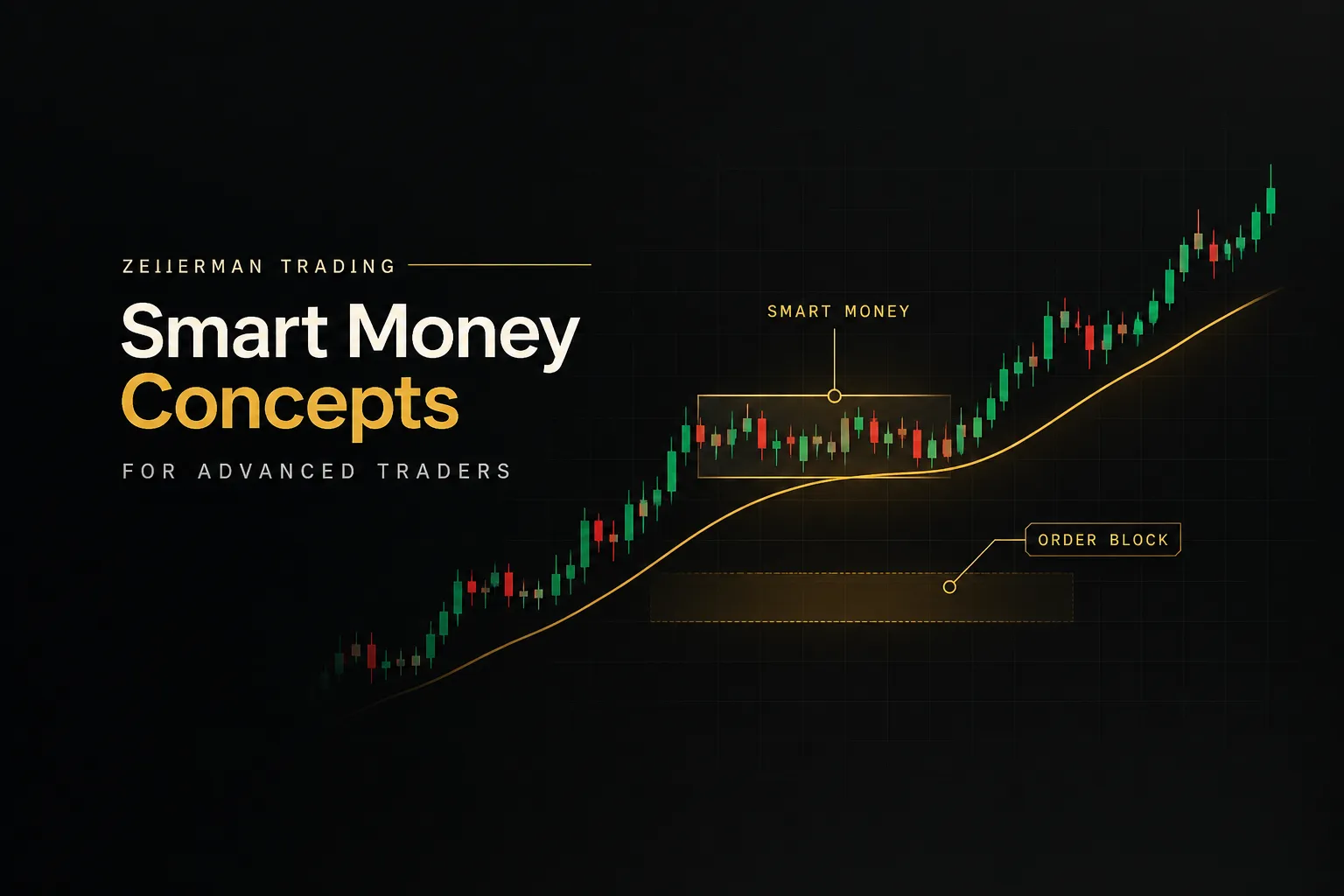
Zeiierman is the best source of free smart-money concept indicators for experienced traders. Its separate free scripts sit alongside a premium library of 80+ tools covering CHoCH, breaks of market structure, order blocks, liquidity, fair value gaps, and premium and discount zones.
Premium membership also includes nine advanced buy/sell algorithms, two automated strategy bots, and VIP Discord access.
Tools work with TradingView’s free plan through invite-only scripts after account linking.
Pricing depends on billing term: $95.20/mo monthly, $59.99/mo billed quarterly, or $37.99/mo billed annually. Lifetime access is listed at around $1,999.
This is a tool for traders already comfortable with liquidity and structure concepts. If “inducement” and “mitigation” are part of your vocabulary, you’ll find plenty here.
Beginners should be careful.
The learning curve is steep even for the free scripts alone, and the volume of signals can overwhelm a newer trader.
One more caution.
Zeiierman states its indicators don’t repaint, but that’s a company claim, not an independently verified result on live charts.
Run your own candle-close checks (covered below) before trusting any no-repaint label.
Market Cipher: not actually free, so verify before you trust the hype
Market Cipher is not a free indicator, and it shouldn’t appear on free lists without a clear label. It’s one of the most expensive tools in this roundup.
The product is a proprietary momentum and oscillator suite made up of Market Cipher A, B, SR, and DBSI. It’s especially popular in crypto trading communities, where Cipher B’s oscillator waves are something of a cultural fixture.
Pricing: the Professional 12-month plan is listed at $1,000/year standard, often promoted at $600. Lifetime access runs $1,500 to $3,000 depending on promotions, and enterprise pricing is custom.
There’s no meaningful free plan.
Membership includes Discord community access and support. Scripts run as invite-only indicators and don’t require a paid TradingView account, although the free plan’s indicator limit still applies.
Market Cipher fits experienced multi-market traders who specifically want this oscillator ecosystem and its community.
That’s a narrow audience.
The drawback is obvious.
It frequently gets marketed near “free indicator” content despite its price. If you only need basic momentum or trend readings, the built-in RSI and MACD cover a lot of the same ground for $0.
Hard to justify for most traders.
AlgoXpert: best trial-based system for session and order-flow traders
AlgoXpert packs 61 configurable modules into a single TradingView indicator slot.
That matters on the free plan, where every slot counts.
Modules cover value area, point of control, volume profiles, VWAP, session levels, initial balance, market structure, POI zones, and a 35-check entry engine. It supports 10 timeframes for directional structure and runs without a second platform or separate order-flow data subscription.
Pricing starts with a 7-day free trial on the monthly plan, then $79/mo monthly, $198 quarterly (about $66/mo), or $696 annually (about $58/mo). Education, live webinars, and Discord support are included.
It’s built for session-based traders who want order-flow context inside TradingView. If you trade the London or New York open off value areas and POC, it fits naturally.
The drawbacks? It’s a paid system with a trial, not a free indicator.
Complexity leans toward M5 execution traders rather than beginners.
And while the entry orb doesn’t repaint after candle close, live profile and session levels keep developing during an open session, which is expected behavior but worth understanding.
How to test any ‘free’ indicator before you trust it
Free doesn’t mean safe.
A repainting script can make a losing strategy look brilliant on historical charts. Use this six-step process for indicator backtesting before you risk a single dollar.
- Check whether the indicator repaints. Screenshot signals as they print in real time, then compare them to the historical chart a day later. If arrows moved or vanished, the indicator repaints and its history can’t be trusted.
- Confirm candle-close confirmation. Watch a live bar and see whether signals appear, disappear, or flip before the candle closes. A reliable non-repainting indicator finalizes only on close, so act on closed candles.
- Run it in Replay mode across at least 50 historical signals. TradingView’s Replay feature lets you step through history bar by bar, revealing what you’d actually have seen. Fifty signals gives you a rough read on win rate and drawdown, not a guarantee.
- Paper trade it for 1 to 2 weeks. Track alert accuracy, timing lag between signal and alert, and how often signals arrive outside your trading hours. This exposes problems that backtests hide.
- Test on a small live account. Real money changes behavior, and slippage changes results. Keep position sizes small until live results match your paper results, and apply strict risk management before scaling or adding tools.
- Check free-plan limits. Confirm how many indicators per chart you can run, which alert types are available, and whether data on your market is delayed. A great script is useless if your plan can’t alert you in real time.
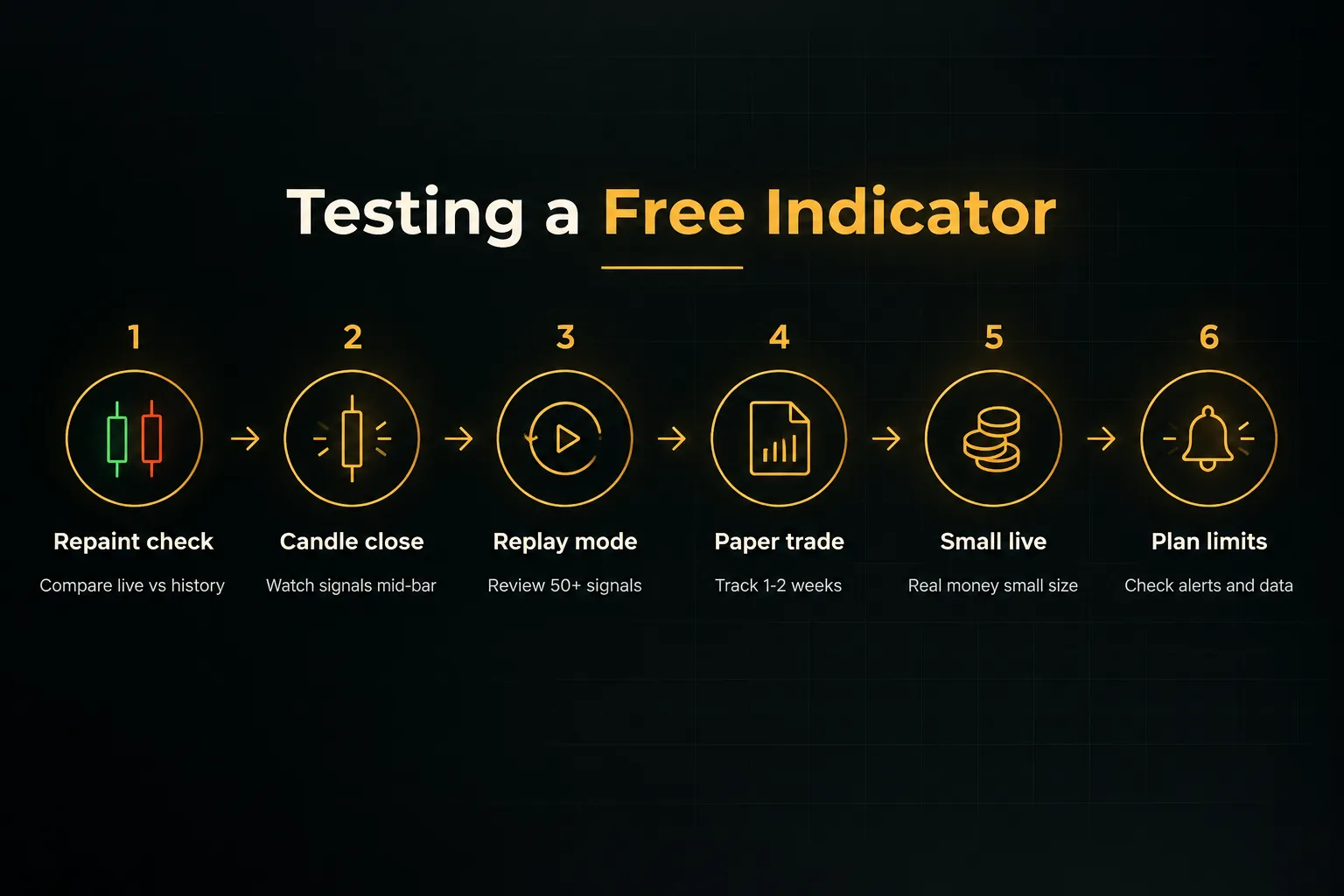
Run every tool on this list through these steps, paid ones included. Company claims about indicator accuracy are a starting point, not proof.
Building a free indicator stack without redundant signals
The best free stack gives each indicator one job.
Every trade depends on three questions: which direction, where to enter, and how long to hold. So you need a direction tool, an entry-location tool, and a trade-management tool.
Most traders get this wrong.
They stack a 50 EMA, a SuperTrend, and MACD on one chart, then feel confident when all three agree. But all three measure the same thing (trend), so agreement tells you almost nothing new.
A better approach pairs a directional tool with a precision entry tool.
Use a moving average or MACD to define bias. Then use VWAP, session highs and lows, or supply and demand zones to pick the price where you actually enter.
That combination works for day trading indicators on 5-minute charts and swing trading indicators on the Daily.
The direction tool keeps you on the right side. The entry tool keeps you from chasing.
Watch out for conflicts when mixing frameworks.
Smart-money scripts might flag a bearish break of structure while a classic oscillator shows oversold and screams buy. Neither is wrong; they’re answering different questions on different time horizons.
Decide in advance which one has the final say.
Then there’s the TradingView free plan.
Limited indicators per chart and limited alerts force you to prioritize, which is actually a hidden benefit. If you can only run a couple of tools, you’ll pick the ones that do distinct jobs.
For trade management on a free stack, a simple rule works: check whether your entry timeframe and one higher timeframe still agree. When they diverge, tighten your stop or take partial profit.
Finally, respect chart clutter and onboarding time. Large multi-indicator suites look impressive… until you’re staring at fourteen lines while price runs away.
If a tool slows your decisions more than it improves them, remove it.
Rule of thumb: one tool for direction, one for entry location, one for management. If two indicators answer the same question, delete one.
When to upgrade from free indicators to a paid system like PipTrend
Upgrade when your free tools stop being the bottleneck for learning and start being the bottleneck for consistency.
Free forex indicators and crypto indicators are excellent teachers.
They’re rarely a complete trading process.
Watch for three signals.
First, you’re profitable in backtests but inconsistent live. Usually that means conflicting free tools are forcing a judgment call on every candle, and emotion fills the gap.
Second, you need entry precision beyond a buy/sell arrow. Liquidity zones, fair value gaps, and multi-timeframe confirmation are hard to assemble from separate free scripts without hitting plan limits.
Third, you’re trading a prop firm challenge. Drawdown limits punish discretionary improvisation.
You need fixed, repeatable rules.
The decision framework is straightforward.
A free stack is fine for learning single concepts. Paid unified systems are for traders ready to industrialize their process.
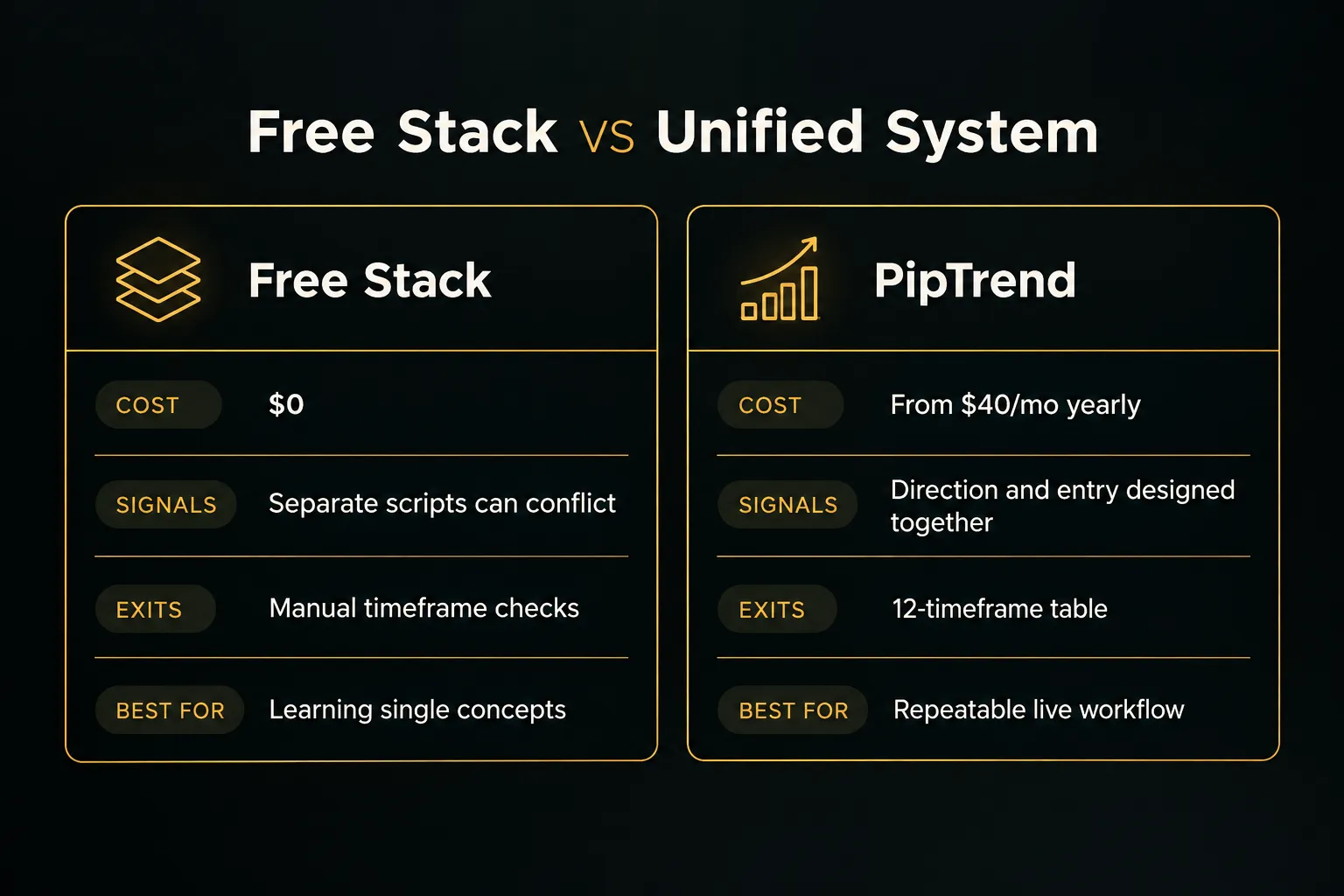
This is where PipTrend fits.
Its fixed rules (signal for direction, liquidity level for entry, multi-timeframe table for exits) replace the guesswork that comes with mixing community scripts. Day traders use session levels and VWAP on 1 to 15-minute charts, while swing traders confirm direction on H8 and Daily.
Not sure it’s worth it? Test it.
The 3-day free trial lets you run it on a live chart, and the 30-day money-back guarantee covers you if it doesn’t fit your trading.
Low risk, and a fair way to decide.
Frequently asked questions
What is the best free indicator on TradingView?
The best free indicator on TradingView is the built-in VWAP paired with a moving average.
The moving average gives direction and VWAP gives a precise intraday reference for entries, both at zero cost. For a broader free library, Flux Charts offers 50+ free scripts organized by concept.
What are the best TradingView indicators for beginners?
Beginners should start with RSI, MACD, moving averages, and VWAP from TradingView’s built-in library.
They’re free, don’t repaint on closed candles, and teach core concepts. Master one before adding another, and avoid complex smart-money suites until the basics feel natural.
Which TradingView indicator has the highest accuracy?
No indicator has a verified universal accuracy rate, so trust tools that publish real results over ones that quote win percentages.
Accuracy depends on market, timeframe, and execution. PipTrend publishes trade ideas with verified cTrader statements, losses included, which is more useful than any backtested claim.
What is the best free buy and sell indicator for TradingView?
A moving average crossover with candle-close confirmation is the most reliable free buy and sell approach.
Free community scripts from LuxAlgo and Flux Charts also print signals, but test them for repainting first. For signals paired with defined entry levels, PipTrend’s trial is the next step.
Do professional traders use TradingView indicators?
Yes, many professional traders use TradingView indicators, mostly simple ones.
VWAP, moving averages, volume profiles, and session levels are common. Pros typically use indicators for context and location, then apply strict risk management rather than following arrows blindly.
Are free TradingView indicators reliable?
Free TradingView indicators are reliable if they pass a repaint test and confirm on candle close.
The built-in library is trustworthy.
Community scripts vary widely, so run them through Replay mode and 1 to 2 weeks of paper trading before risking real money.
Risk Disclaimer: Trading involves risk. Past performance doesn't guarantee future results. Only trade with money you can afford to lose. PipTrend is a tool to assist your trading decisions, not financial advice.