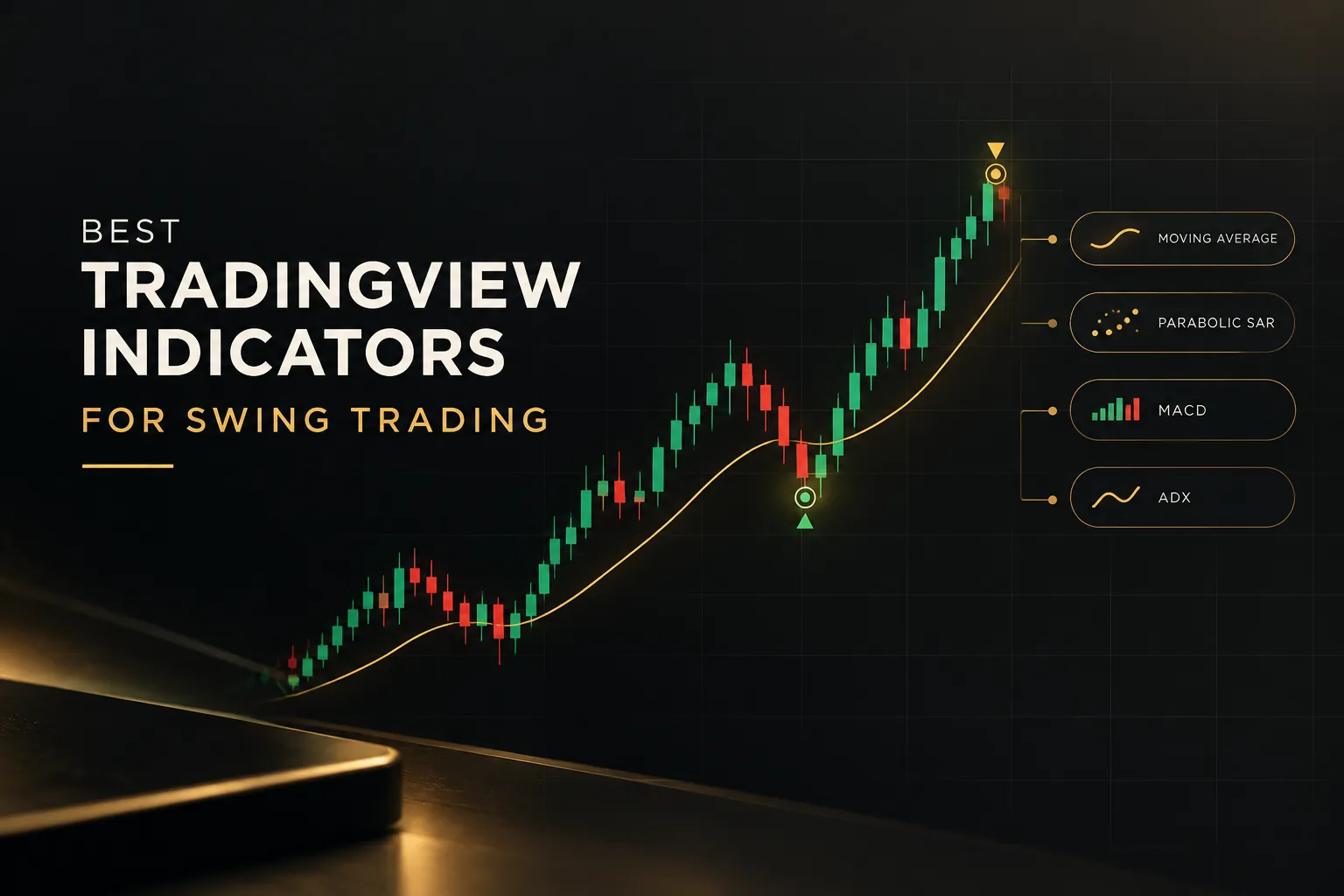
Best TradingView indicators for swing trading in 2026
On this page
Introduction
This guide is for retail swing traders who hold positions for days to weeks across stocks, forex, crypto, indices, and commodities. If you work the H4, H8, Daily, or Weekly chart and want a TradingView swing trading strategy you can repeat without second-guessing every candle, you’re in the right place.
We judged every tool on the same seven criteria: direction signal clarity, entry precision, multi-timeframe confirmation, repaint behavior, transparency of results, pricing, and chart clutter. A tool that scores well on one but fails the rest won’t hold up over a few hundred trades.
Most roundups stop at the classics.
RSI swing trading setups, MACD swing trading crossovers, moving averages for swing trading… all useful. But they rarely show how to combine these technical indicators for swing trading into a repeatable workflow that covers direction, entry, and exit.
That missing workflow is where most swing traders lose consistency. You get a buy signal, enter late, hold through a reversal, and never know whether the indicator or your timing failed.
Our top pick for 2026 is PipTrend.
It unifies direction, entry, and holding-time logic in one TradingView suite, and it publishes verified trade results (losses and break-evens included) on a public page. Below, you’ll find how it compares to six paid TradingView indicators and swing trading indicator alternatives, plus a buying guide matched to your trading style.
Quick picks: best TradingView indicators for swing trading at a glance
Short on time?
This table summarizes every tool in this guide using current TradingView indicator pricing as of 2026. The repaint column matters more than most traders realize, because a non-repainting indicator is the only kind you can trust in a backtest or a live alert.
| Tool | Best for | Starting price | Repaint / candle-close behavior | Our rating |
|---|---|---|---|---|
| PipTrend | Best overall unified system (direction, entry, exit) | $40/mo (yearly) to $59.99/mo (monthly) | Signals confirm on candle close, no repainting | 4.8/5 (Top pick) |
| LuxAlgo | Broad, configurable ecosystem | From $24.99/mo | Not specified in our research; check docs per toolkit | 4.5/5 |
| Flux Charts | All-in-one toolkit with screeners and backtesters | From $48.74/mo (billed yearly) | Not specified in our research | 4.4/5 |
| ChartPrime | Live signals plus community sessions | From $67/mo | Not specified in our research | 4.2/5 |
| Zeiierman Trading | Large indicator library | From $37.99/mo (annual) | Documentation states confirmation after candle close | 4.3/5 |
| Market Cipher | Momentum and money-flow oscillators | $600 promo for 12 months (listed $1,000) | Not specified in our research | 3.9/5 |
| AlgoXpert | Session and orderflow-style analysis | $79/mo after 7-day trial | Claims no repainting with candle-close locking | 4.0/5 |
Ratings reflect our weighting of the seven criteria above, with extra weight on workflow completeness and results transparency. Prices change often, so confirm the live checkout figure before you subscribe.
PipTrend: best overall for a complete direction, entry, and exit workflow
PipTrend is the most complete swing trading system on TradingView in 2026. Where most tools answer one question, it answers all three: which direction to trade, where to enter, and how long to hold.
Direction comes from the smart signal engine. It paints color-coded candles on your chart (green for bullish momentum, red for bearish pressure, gray while a trend is forming), with a whipsaw filter that keeps you out of choppy conditions.
But the signal shows direction only.
Your entry comes from a marked price level, which is what stops you from buying the top the second a signal prints.
Those levels include session highs and lows, previous day high and low, the VWAP indicator, supply and demand zones with mitigation tracking, and fair value gap detection. The Confidence Band marks where to look for pullback entries, acting as support in uptrends and resistance in downtrends.
Exits come from the multi-timeframe confirmation table.
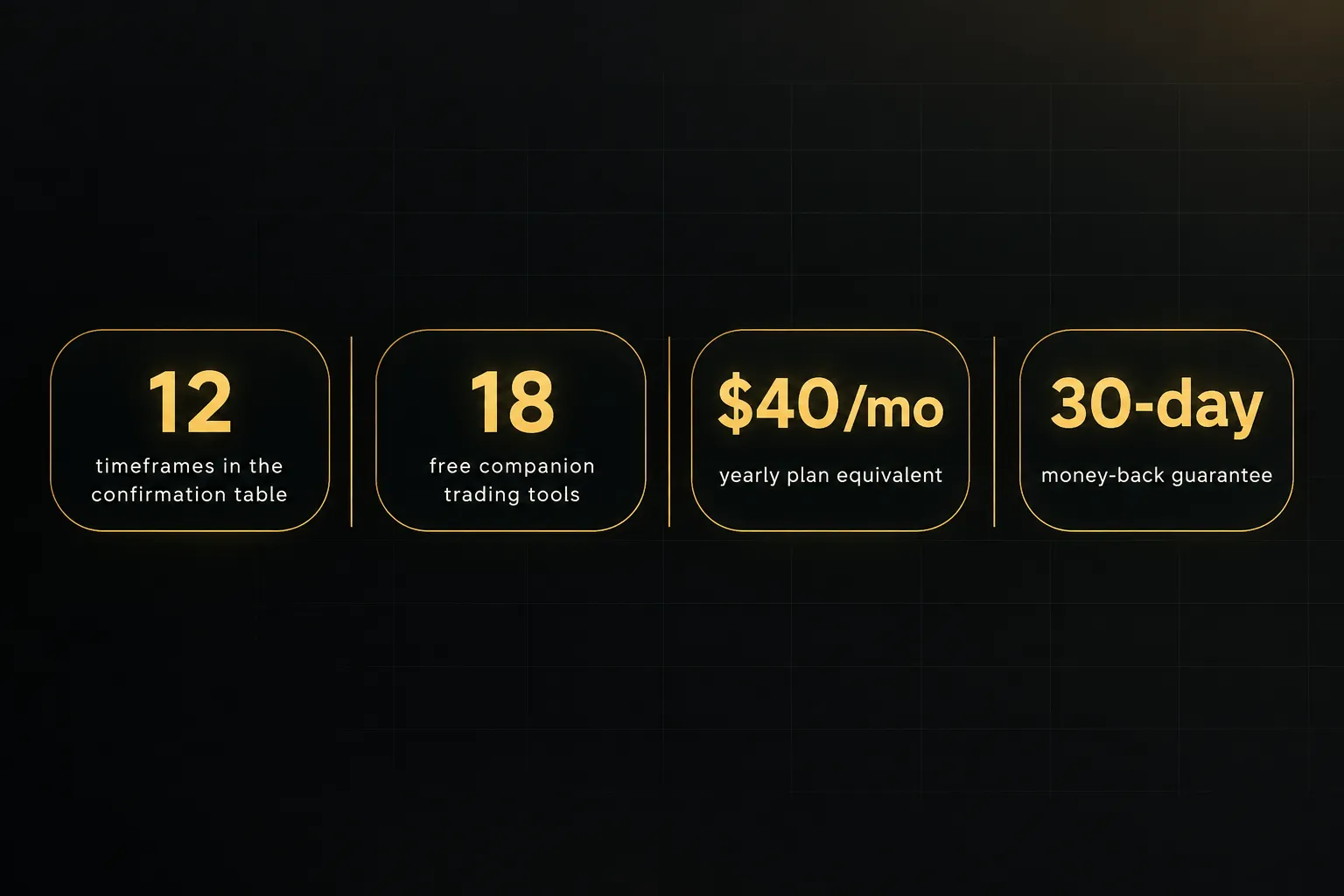
It shows BUY, SELL, or NEUTRAL across 12 timeframes, from 1-minute to Monthly. Swing traders typically read direction from H8 and Daily, then use the table to decide whether to hold or take profit.
Signals confirm on candle close and never change afterward.
Few competitors document this clearly.
PipTrend covers forex, crypto, indices, commodities, and stocks, with session killzones and TradingView alerts (push, email, desktop) on any timeframe.
Pricing: $59.99/mo monthly, $45/mo quarterly ($134.99 every 3 months), or $40/mo yearly ($479.99/yr). Every plan includes a 3-day free trial and a 30-day money-back guarantee.
Current rates are listed to rise (monthly to $83.99/mo), so locking in now saves money.
You also get 18 free companion tools, including position size, risk-reward, trade expectancy, and pip value calculators.
And the public results page shows real trade ideas with verified cTrader statements, losses and break-evens included.
Not a highlight reel.
Best for: swing traders who want a mechanical, repeatable process instead of stacking standalone oscillators. It also suits traders using prop-firm trading indicators who need fixed rules to stay inside drawdown limits.
Honest drawback: the multi-timeframe table and multiple overlays take a short learning curve before the workflow clicks.
And the 3-day trial is enough to test it, but full value requires a paid plan.
Verdict: If you want one subscription that tells you direction, entry, and exit, with results you can actually verify, PipTrend is the clear winner.
LuxAlgo: best for traders who want a broad, configurable ecosystem
LuxAlgo is the best choice for experienced traders who want maximum configurability. It’s one of the largest premium indicator ecosystems on TradingView, built around several linked toolkits.
The Signals & Overlays toolkit includes confirmation and contrarian signals, exit signals, trend filters, Smart Trail, Trend Catcher, Neo Cloud, and TP/SL levels.
Price Action Concepts handles market structure (CHoCH, BOS), order blocks, breakers, fair value gaps, and liquidity.
The Oscillator Matrix covers momentum, money flow, and divergences.
Screener and backtester extensions are available for selected toolkits. Access runs through invite-only scripts, and it’s compatible with the free TradingView plan.
Pricing: Essential $24.99/mo, Premium $39.99/mo, Ultimate $59.99/mo, and AI Ultra $119.99/mo.
First-year promotional billing runs from $209.92 (Essential) to $575.95 (AI Ultra). A 30-day money-back guarantee applies.
Best for: traders comfortable configuring presets across several toolkits rather than working from one streamlined dashboard. If you enjoy tuning a market structure indicator to your own rules, LuxAlgo gives you room to do it.
Honest drawback: breadth creates clutter.
Several overlapping momentum tools can end up on the same chart, and tiered pricing makes it harder to isolate just a swing-trading entry workflow.
The higher tiers also get expensive fast.
Flux Charts: best for screeners, backtesting, and supply-demand education
Flux Charts is the strongest pick for traders who want to test setups before trading them. Its toolkits ship with built-in screeners and backtesters, which makes indicator backtesting far easier than coding your own strategy.
The core offering includes the SFX Algo, Price Action, and Multi-Timeframe Supply & Demand Zones toolkits. An optional VWAP Wave System bundle adds a CVD oscillator, market dynamics dashboard, session volume profile, and low-volume zones.
Education is a real differentiator here.
Daily live classes, a strategy library, a Discord community, and priority support give newer traders structure.
Pricing: the Pro plan is $59.99/mo or $719.88 billed yearly. The VWAP Wave System Toolkit starts at $48.74/mo billed yearly, with a larger bundle at $79.99/mo billed yearly.
Best for: traders who want to backtest supply and demand setups before risking capital and who like daily live instruction.
Honest drawback: multiple separate toolkits and bundles can mean paying extra to assemble a full direction, entry, and exit workflow. Pricing is also less transparent than a single all-inclusive plan.
ChartPrime: best for direct signals with TP/SL and live strategy sessions
ChartPrime is the best option for traders who want guidance alongside their signals. It positions itself as a full chart-reading and trade-planning system rather than a single script.
The headline feature is real-time buy and sell signals with built-in take-profit and stop-loss levels. Add five live strategy sessions per week, daily market commentary, and a private community, and it starts to look more like mentorship than software.
ChartPrime Pro includes four core indicators.
ChartPrime Plus adds two extra indicators, influencer indicators, weekly advanced classes, custom-signal building, and early access to new tools.
Pricing: Pro is $67/mo or $489/yr.
Plus is $117/mo or $708/yr.
A 20% promotional code appeared on the pricing page during our research, though promotions change.
Best for: traders who learn best from watching others trade live and want a community to discuss setups with.
Honest drawback: it sits at a higher monthly price than most alternatives.
And because so much of the value comes from live sessions, traders who want a fully self-contained, mechanical system will get less out of it.
Zeiierman Trading: best for a large library of specialized indicators
Zeiierman Trading offers the largest library in this roundup. More than 80 premium TradingView indicators cover smart money concepts, liquidity, volume, volatility, pullbacks, and risk management.
Its nine advanced buy/sell algorithms include Z Algo, Trend Algo, Range & Trend, Reversal Algo, and Momentum-Trend Strategy. Subscribers also get liquidity signals, two bots, VIP Discord access, education, and free companion indicators.
Repainting is addressed directly.
Zeiierman’s documentation states that premium indicators confirm on price data after candle close, so signals don’t change after the fact.
Pricing: $95.20/mo monthly, $59.99/mo equivalent on quarterly billing ($179.96), $37.99/mo equivalent on yearly billing ($455.82), or $1,999 lifetime. Promotional discounts appear at checkout, so verify the live price.
Best for: traders who enjoy experimenting with many specialized tools and building their own combination.
If you like tinkering, this is a playground.
Honest drawback: with 80+ indicators, it’s easy to stack several that measure the same thing (momentum duplication is the usual culprit). There’s no built-in workflow tying direction, entry, and exit together, so the clutter risk falls on you.
Market Cipher: best for momentum and money-flow oscillator analysis
Market Cipher is built for traders who read the market through oscillators. It’s a long-standing name, especially in crypto circles.
The package includes Market Cipher A, B, SR, and DBSI. A and B focus on momentum, trend, money flow, wave analysis, and trading signals, while SR acts as a support and resistance indicator geared toward smaller timeframes.
Pricing: the Professional 12-month plan is listed at $1,000, with a promotional price of $600. Lifetime access is listed at $3,000 (promotional $1,500).
Enterprise pricing is custom.
Best for: experienced oscillator-focused traders willing to commit a large upfront payment for a long-term license.
Honest drawback: the upfront cost is steep compared to monthly-billed competitors.
Free TradingView accounts are limited to three indicators at once, which constrains the full suite.
And the toolkit emphasizes momentum reading over defined entry price levels or multi-timeframe exit logic.
AlgoXpert Trading System: best for session and orderflow-style analysis
AlgoXpert is the most technical tool here.
It brings orderflow-style analysis into TradingView, so you don’t need a separate terminal.
The system runs on five connected engines (value, liquidity, zones, bias, and trigger) with 61 configurable modules in one indicator slot. Those include volume profiles, value area, point of control, VWAP anchors, session levels, initial-balance tools, and a ten-timeframe structure card from monthly to one minute.
Its confluence core requires 35 checks before printing an entry signal.
That’s a strict filter.
But it’s tuned and locked to the 5-minute timeframe.
AlgoXpert also claims no repainting and candle-close locking.
Pricing: $79/mo after a 7-day free trial.
Quarterly billing is 32% less than monthly and yearly billing is 40% less, though exact totals appear only at checkout.
Course content, webinars, and community access are included.
Best for: session traders and technically advanced traders who want value and liquidity analysis without paying for a separate platform.
Honest drawback: the 5-minute entry trigger makes it a weaker fit for traders who want flexible swing entries on Daily or Weekly charts.
Fine for intraday precision.
Less ideal for multi-day holds.
How to match these indicators to your swing trading workflow
The best swing trading setup is the one that matches how you actually trade.
Here’s the short version before we get into specific trader profiles.
Pick PipTrend if you want direction, entry, and exit unified in one system with transparent, verified results. Pick LuxAlgo or Zeiierman Trading if you want to build a custom combination from a large library and don’t mind configuring it yourself.
Pick Flux Charts if backtesting and structured education matter most.
Pick ChartPrime if you want live mentorship alongside signals.
Pick Market Cipher if you’re committed to momentum and money-flow oscillators and prefer a long-term license.
And pick AlgoXpert if session-based orderflow analysis fits your style, but confirm the 5-minute trigger works for your holding period.
Before subscribing, check the platform constraints.
Free TradingView accounts cap how many indicators you can run at once (Market Cipher cites three), which can break a multi-overlay suite.
Several vendors, including LuxAlgo, deliver tools as invite-only scripts tied to your TradingView username, so access isn’t instant.
LuxAlgo, Market Cipher, and AlgoXpert all state compatibility with the free TradingView plan. For any suite with multiple overlays, count the slots you’ll need before committing.
Finally, run three checks on any tool.
Does it repaint? Does it support multi-timeframe analysis? And does it cover your market, whether that’s forex, crypto, or stocks?
Skip any of these and you may find the problem only after a losing month.
For beginners building a first swing trading system
Start with PipTrend.
Beginners struggle most with conflicting signals, and a system where each tool has one job removes that problem.
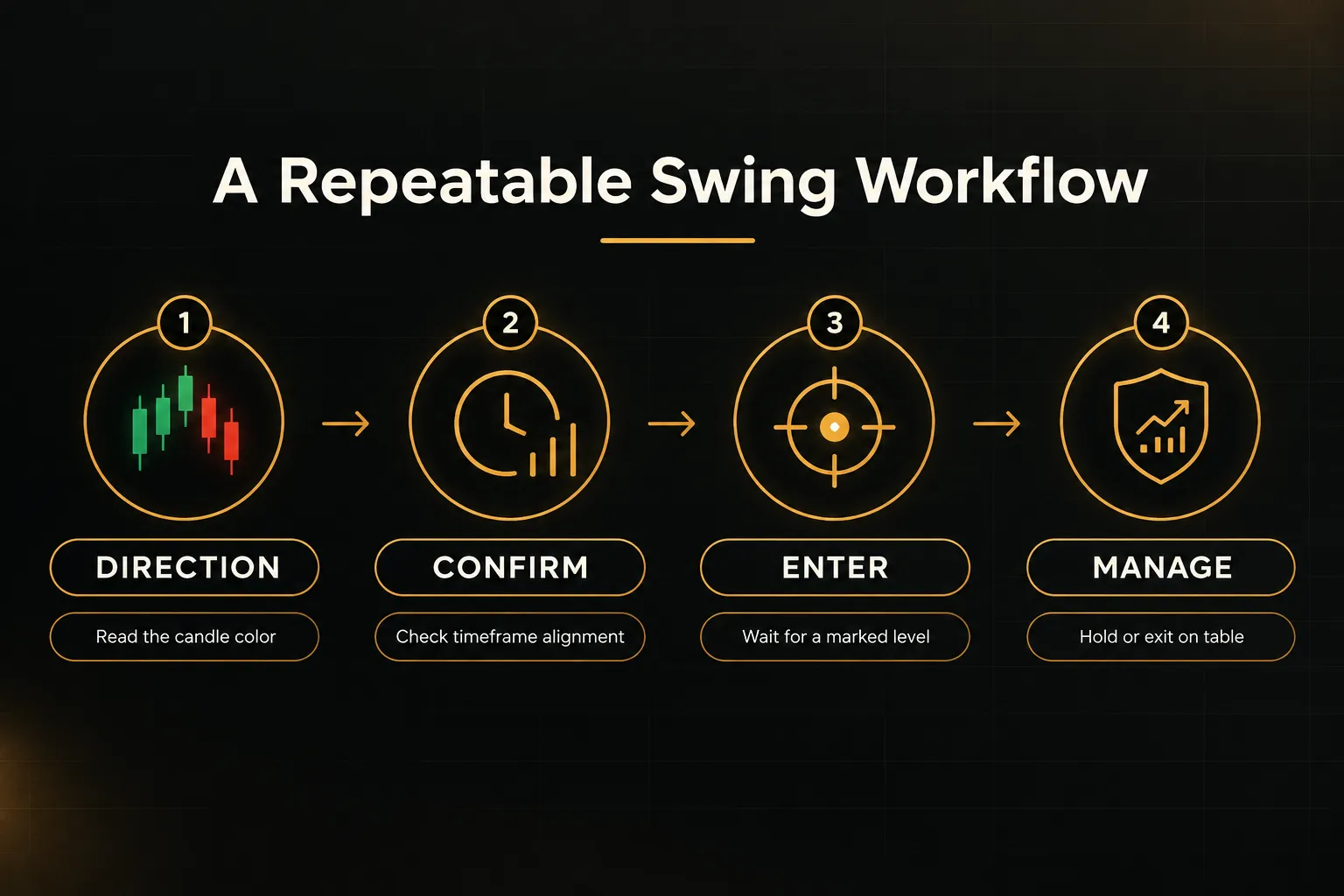
The workflow is simple to learn even if the table takes a few sessions to master. Read the candle color for direction, check the 12-timeframe table for alignment, wait for price to reach a marked level, then manage the trade as the table changes.
Pair it with the free risk-reward and position size calculators.
Solid risk-reward and position sizing habits will protect a new account better than any signal.
Avoid the temptation to add RSI, MACD, and stochastic on top; they’ll mostly repeat each other.
For trend-following swing traders
PipTrend and LuxAlgo are the strongest trend-following choices. PipTrend’s gray forming-trend candles let you enter on a pullback before a move is crowded, while the multi-timeframe table tells you when the higher timeframes still agree.
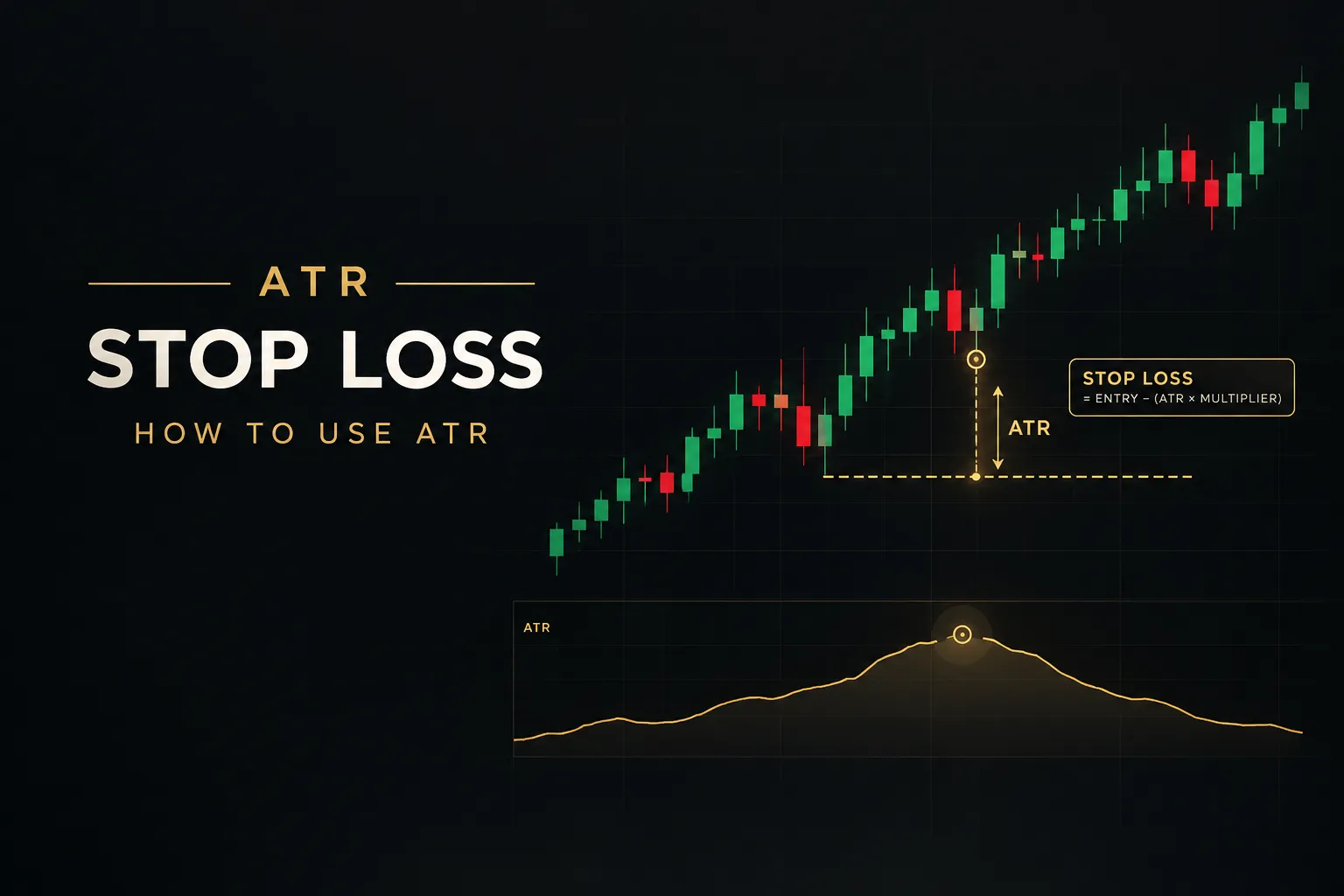
LuxAlgo’s Smart Trail and Trend Catcher suit traders who want to fine-tune their own trend confirmation indicator. Either way, pair your trend tool with a volatility-based exit such as an ATR stop loss if your system doesn’t already define one.
For pullback and entry-focused traders
If entries are your weak spot, choose a tool that marks levels rather than just signals. PipTrend’s Confidence Band works as a pullback entry indicator, and its VWAP, session levels, and fair value gaps give you specific prices to wait for.
Flux Charts is a solid alternative if you want to backtest supply and demand zones first. Zeiierman also offers pullback and FVG tools, though you’ll assemble the combination yourself.
For multi-asset and prop-firm traders
PipTrend is the best fit for multi-asset and prop-firm traders. It covers forex, crypto, indices, commodities, and stocks from one subscription, so you don’t need different tools for EUR/USD, XAU/USD, and NAS100.
Prop-firm challenges reward consistency over brilliance.
Fixed rules (signal for direction, liquidity level for entry, table for exits) help you stay inside drawdown limits.
And the public results page lets you see how the system performs live, which a backtest can’t show you.
Frequently asked questions
What is the most accurate indicator for swing trading?
No single indicator is the most accurate on its own.
Accuracy comes from combining a direction signal, a precise entry trigger, and multi-timeframe confirmation. PipTrend packages all three in one suite.
The real test of accuracy is transparent, verified results. Backtests can be curve-fit; a public record with losses and break-evens can’t.
What are the best TradingView indicators for beginners?
Beginners should start with one trend-direction tool and one entry-level tool. Stacking several oscillators that measure the same thing only creates conflicting signals.
PipTrend is a strong starting point because it combines direction and entry levels with clear rules. If you prefer free tools, a 50-period moving average for direction plus VWAP or a support and resistance level for entries is a reasonable first setup.
What is the best combination of indicators for swing trading?
The best combination pairs a trend-direction indicator, a precise entry level, and a multi-timeframe confirmation check. For entries, use VWAP, a supply and demand zone, or a session high or low.
Then confirm that higher timeframes agree before holding or exiting. PipTrend builds this exact structure into one system, which saves you from wiring it together manually.
Is TradingView good for swing trading?
Yes, TradingView is one of the best platforms for swing trading. It offers multi-timeframe charting, server-side alerts, and a huge script library covering every market.
The main limitation is the free plan, which caps how many indicators you can run at once. Paid plans raise that cap, which matters if your system uses several overlays.
Which is better for swing trading, RSI or stochastic?
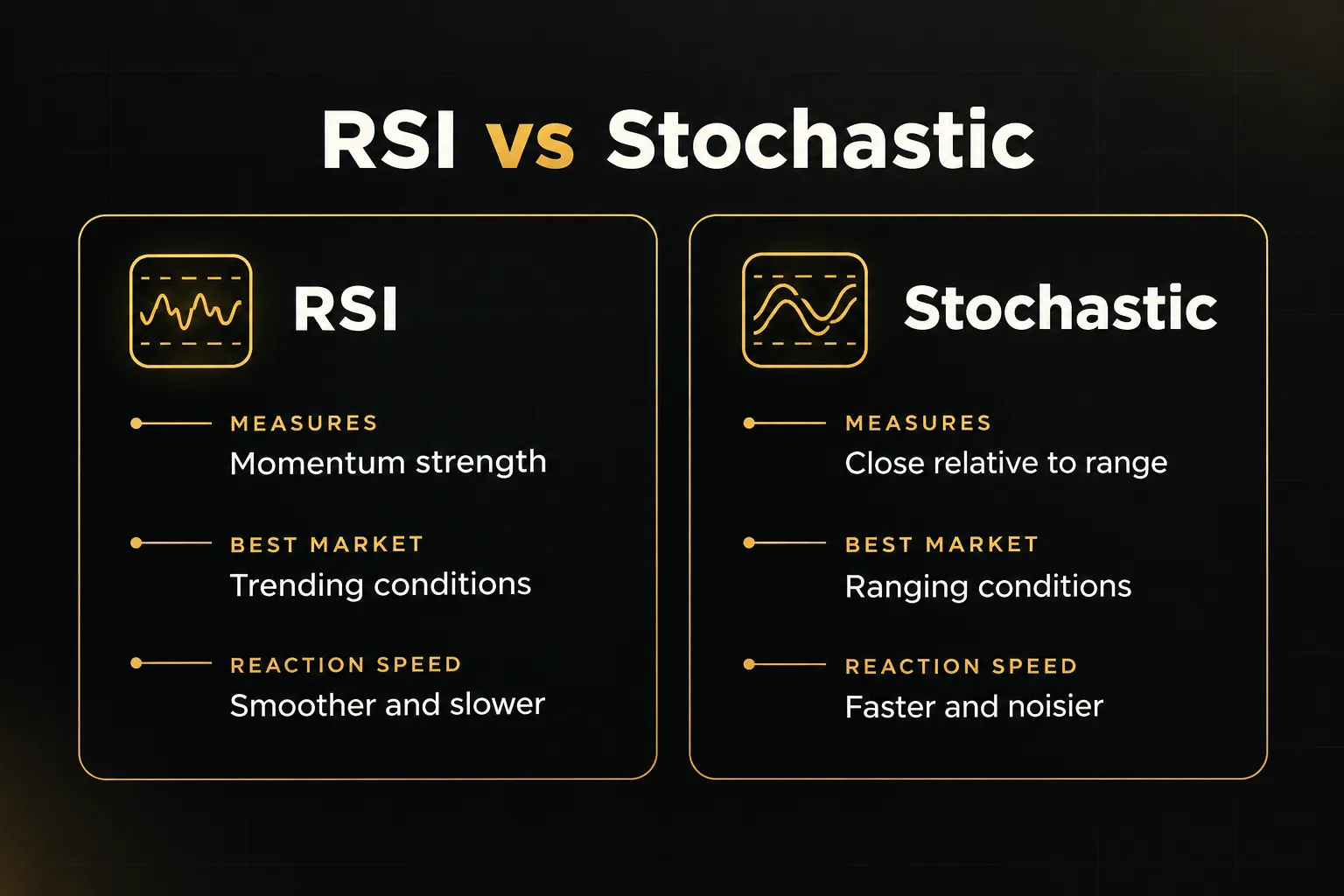
Choose RSI for trending markets and stochastic for ranges, but don’t stack them. Both measure momentum, so running them together mostly duplicates the same signal.
RSI tends to suit trend-continuation reads, staying elevated during strong moves. Stochastic reacts faster, which helps in sideways markets but produces more noise during trends.
How many indicators should I use for swing trading?
Most swing traders need two to four non-redundant tools. One for direction, one for entry, and one for confirmation is a solid baseline.
Anything beyond that usually adds clutter rather than edge, especially if two tools measure momentum. A unified suite like PipTrend covers all three jobs, so you can keep your chart clean and your decisions consistent.
Risk Disclaimer: Trading involves risk. Past performance doesn't guarantee future results. Only trade with money you can afford to lose. PipTrend is a tool to assist your trading decisions, not financial advice.