Best Support and Resistance Indicator for TradingView in 2026
On this page
Introduction: How We Evaluated Support and Resistance Indicators
Every trader eventually asks the same question.
Are TradingView’s free drawing tools enough, or does a paid automatic support and resistance indicator actually improve results? This guide is for retail traders weighing that decision with real money on the line.
We reviewed seven options: six paid indicator suites and TradingView’s own native tools. We judged each one on the factors that determine whether a level is tradable or just decoration on a chart.
Here is the evaluation framework we applied to every product:
- Level quality: Do the marked levels reflect meaningful price reactions, or does the chart fill up with noise?
- Zone logic vs exact lines: Price reacts to areas, not pennies. Tools that draw TradingView support resistance zones scored higher than single-line plotters.
- Repaint and look-ahead behavior: A level or signal that shifts after the fact is useless for live trading.
- Candle-close confirmation: Does the signal lock once the bar closes?
- Multi-timeframe context: Can you see whether higher timeframes agree before you commit?
- Entry usability: Does the tool tell you where to enter, or only that a level exists?
- Alerts: Breakout and retest alerts, plus push, email, or desktop notifications.
- Pricing transparency and refund terms: Clear monthly costs, trials, and money-back guarantees.
The short version? PipTrend leads this list.
It doesn’t just draw lines.
It pairs a direction signal with marked entry levels, confirms alignment across 12 timeframes, and publishes live trade results with verified cTrader statements, losses included.
The rest of the field has genuine strengths in specific niches, from smart-money concepts to auction theory. We cover each one honestly below.
Quick Picks: Best Support and Resistance Indicators Compared
Use this table to scan the field fast. Pricing reflects published rates as of 2026, and promotional pricing can change at any time, so confirm on each vendor’s checkout page.
| Name | Best For | Level/Zone Type | Repaint Behavior | Starting Price | Free Trial/Refund |
|---|---|---|---|---|---|
| PipTrend | Best Overall: complete direction, entry, and exit system | Session highs/lows, previous day high/low, VWAP, supply and demand zones with mitigation tracking, fair value gaps, S/R zones, Confidence Band | Signals confirm on candle close and do not change after | $40/mo yearly ($479.99); $59.99/mo monthly | 3-day free trial + 30-day money-back guarantee |
| LuxAlgo | Large ecosystem of price-action and market-structure tools | Market structure, order blocks, liquidity zones, trendlines, S/R concepts | Not specified in research data; verify on a live chart | Free tier; paid from $24.99/mo | 30-day money-back guarantee on first payment |
| Flux Charts | Smart-money and liquidity-based zones | BOS, CHoCH, order blocks, breaker blocks, FVGs, multi-timeframe supply and demand zones | Not specified in research data; verify on a live chart | $59.99/mo (Pro); $719.88/yr | Terms vary by billing period; yearly not eligible for same refund treatment |
| ChartPrime | Signal generation with TP/SL guidance | Signal-driven levels with take-profit and stop-loss targets | Not specified in research data; verify on a live chart | $67/mo (Pro); $489/yr (~$40.75/mo) | Not specified; promo codes may change price |
| Zeiierman Trading | 80+ indicators in one ecosystem | SMC zones, liquidity signals, nine buy/sell algorithms | Not specified in research data; verify on a live chart | $95.20/mo; $455.82/yr | Not specified in research data |
| Market Cipher | Oscillator and momentum-based S/R context | Lower-timeframe support, resistance, and VWAP (SR module) | Not specified in research data; verify on a live chart | $600 promo / $1,000 standard (12 months) | Not specified in research data |
| AlgoXpert | Session-based intraday auction theory | Value area, POC, session profiles, untested POCs, low-volume zones, VWAP bands | Claims no repainting; entry orbs lock after candle close | $58/mo yearly ($696); $79/mo monthly | 7-day free trial |
| TradingView Native Tools | Best free option for basic levels | Pivot points, Fibonacci, VWAP, Volume Profile, community auto S/R scripts | Standard pivots fixed per period; community scripts vary | Free; advanced volume tools need $14.95-$59.95/mo plans | Free with any TradingView plan |
Two patterns stand out.
Only PipTrend and AlgoXpert make explicit, published claims about candle-close locking, and only PipTrend combines a free trial with a 30-day money-back guarantee on every plan.
PipTrend: Best Overall for Direction, Entry, and Multi-Timeframe Confirmation
PipTrend is the best support and resistance indicator for TradingView in 2026 for most traders. The reason is simple.
Most S/R tools tell you where a level is. PipTrend tells you which direction to trade, which level to enter at, and how long to hold.
That’s a different product category.
It’s a complete trading system delivered as a TradingView indicator suite, working across Forex, Crypto, Indices, Commodities, and Stocks. Typical instruments include EUR/USD, GBP/JPY, XAU/USD, BTC/USD, US30, and NAS100.
Best for: retail traders who know the basics but struggle with consistency.
Day traders use session liquidity levels and VWAP on 1-minute to 15-minute charts. Swing traders read direction from H8 and Daily, while long-term investors time entries with Weekly and Monthly candles.
Prop-firm traders get particular value here. The fixed rules (signal for direction, liquidity level for entry, multi-timeframe table for exits) make it easier to stay consistent and inside drawdown limits.
Key Features That Separate Direction From Entry
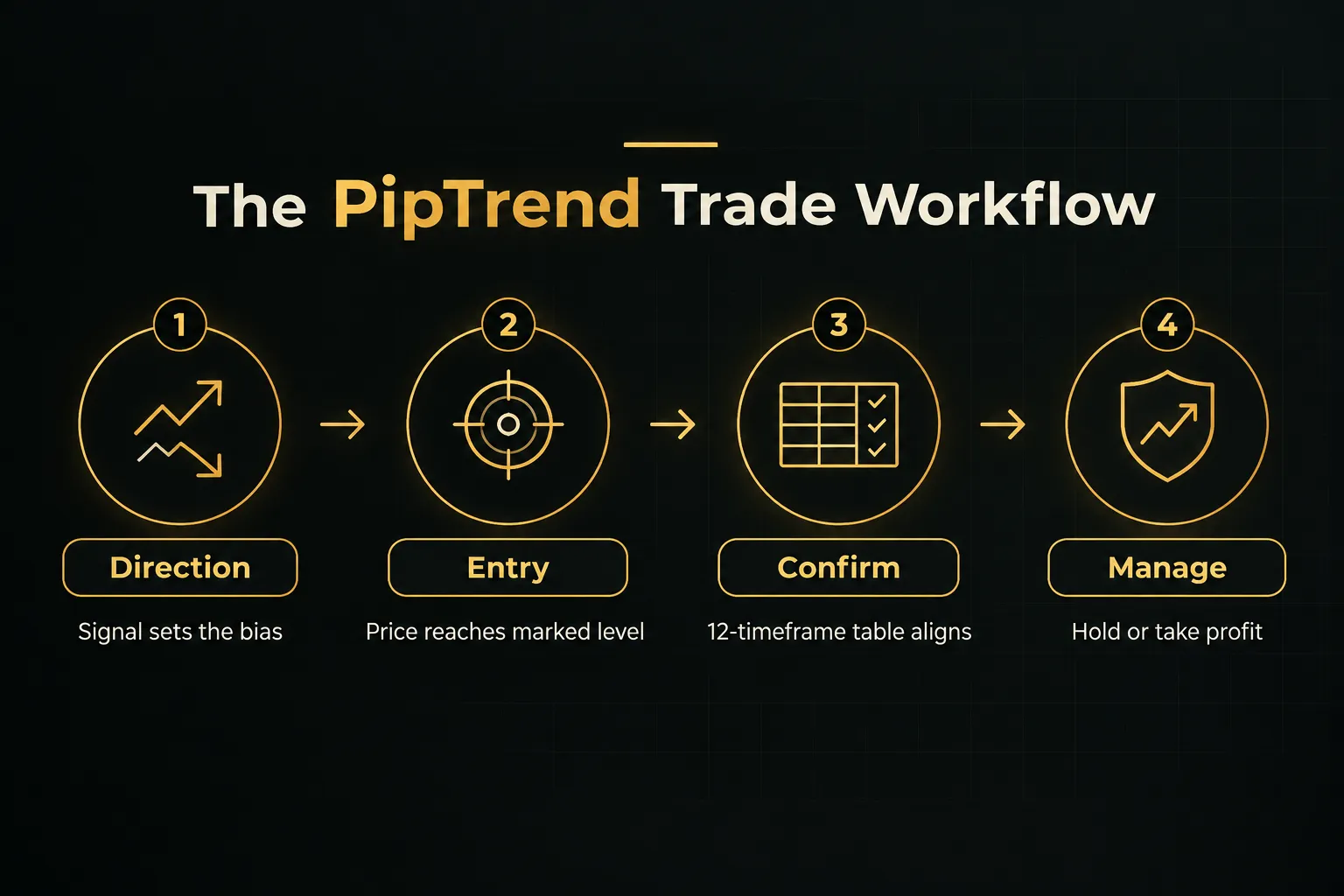
The core design principle is signal and entry separation. The BUY or SELL signal gives direction only.
The entry comes from a marked price level, which stops you from buying tops and selling bottoms the moment a signal prints.
Color-coded candles show the trend state at a glance: green for bullish momentum, red for bearish pressure, and gray while a trend is forming.
Those gray candles matter.
They let you enter on a pullback to a marked level before the move is confirmed and crowded.
The entry levels themselves cover the full set of modern S/R concepts:
- Session highs and lows plus previous day high and low
- VWAP support and resistance for intraday mean reversion
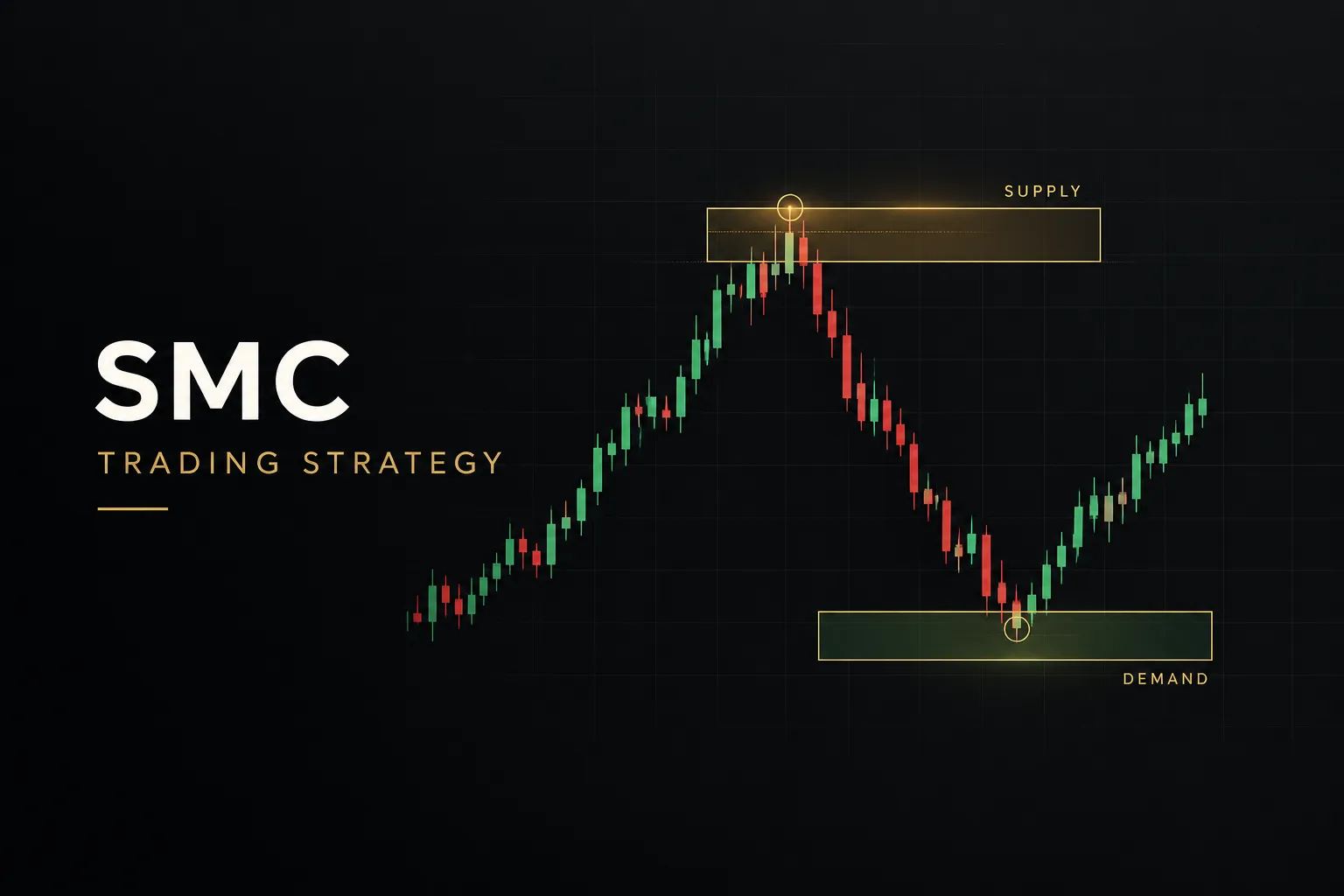
- Supply and demand zones with mitigation tracking, so you can see when a zone has been used up and invalidated
- Fair value gap detection painted directly on the chart
- Confidence Band: a dynamic zone that acts as support in uptrends and resistance in downtrends
- Session killzones for Asian, London, New York AM, and New York PM, adjusted to your timezone
Then there’s the multi-timeframe confirmation table.
One dashboard shows BUY, SELL, or NEUTRAL across 12 timeframes, from 1-minute to Monthly. You use it to confirm confluence before entering and to decide when to hold longer or take profit.
Signals confirm on candle close.
Once a bar closes, the printed signal does not change, which makes PipTrend a genuine non-repainting TradingView indicator for signal purposes. A whipsaw filter keeps you out of choppy, low-probability conditions, and real-time alerts arrive by push, email, or desktop on any timeframe and instrument.
Transparency is the second big differentiator.
PipTrend publishes trade ideas taken with the indicator on a public results page, backed by verified cTrader statements.
Losses and break-evens included.
Not a highlight reel.
You also get 18 free companion tools, including position size, pip value, risk-reward, trade expectancy, and streak probability calculators, plus a currency strength meter and economic calendar. Useful for risk management and position sizing without extra subscriptions.
Pricing Tiers and Guarantee
One subscription covers everything: all indicators, real-time alerts, all markets, the Whop community, direct support, and every future update. Updated pricing for 2026:
- Monthly: $59.99/mo, billed monthly (scheduled to increase to $83.99/mo)
- Quarterly: $45/mo, billed as $134.99 every 3 months, saving $180/yr vs monthly
- Yearly: $40/mo, billed as $479.99 once per year, saving $240/yr vs monthly
Every plan includes a 3-day free trial and a 30-day money-back guarantee. Checkout runs through Whop and accepts major cards and PayPal.
The honest drawback: PipTrend is more comprehensive than a single-purpose S/R drawing tool. If you only want horizontal lines, the signal engine and timeframe table may feel like more than you need at first.
But that’s exactly the gap most traders discover after a few months of lines without a process.
Verdict: The most complete package on this list at a mid-range price. If you want direction, entry, and exit in one repeatable workflow, start here.
LuxAlgo: Best for a Large Ecosystem of Price-Action and Market-Structure Tools
LuxAlgo is the best choice for advanced traders who want breadth. Its Price Action Concepts toolkit covers market structure, trendlines, patterns, order blocks, liquidity zones, and support/resistance concepts.
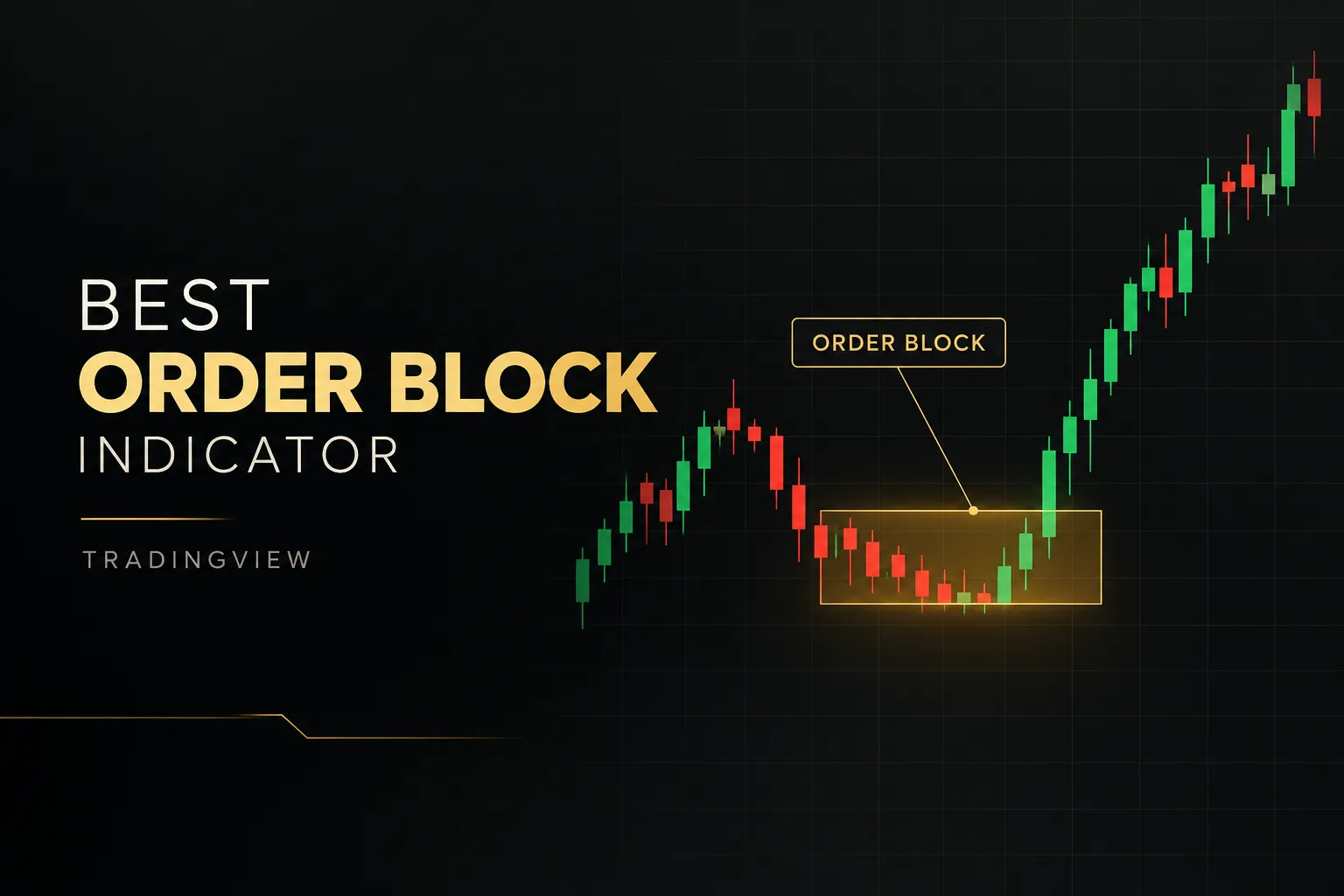
That makes it a capable market structure indicator and order block indicator in one package.
The surrounding library is huge.
You also get the Signals & Overlays toolkit (with a screener and backtester), the Oscillator Matrix, order-flow tools like footprints and delta on the newer Vela platform, and the Quant AI assistant for building and backtesting strategies.
Pricing as of 2026:
- Free tier available
- Essential: $24.99/mo ($299.88/yr)
- Premium: $39.99/mo ($479.88/yr)
- Ultimate: $59.99/mo ($719.88/yr)
- AI Ultra: $119.99/mo ($1,439.88/yr)
There’s a 30-day money-back guarantee on the first payment. Introductory promotional pricing may differ from renewal pricing, so check what you’ll pay in month two.
Best for: experienced traders who want screeners, backtesting, webhook automation, and AI-assisted strategy development, not just S/R levels.
The drawbacks: the learning curve is steep, and tools overlap across tiers. You’ll spend time figuring out which pieces actually belong in a support-and-resistance workflow.
And at the flagship levels, it costs more than a focused S/R-plus-entry system like PipTrend.
Flux Charts: Best for Smart-Money and Liquidity-Based Zones
Flux Charts is the strongest pick for traders who live in smart-money concepts. Its Price Action Toolkit maps BOS, CHoCH, liquidity, order blocks, breaker blocks, fair value gaps, volume imbalances, and premium/discount zones, plus session tools.
The multi-timeframe supply and demand zones are the core S/R feature. Add the SFX Algo Toolkit, screeners for price-action and supply/demand setups, three toolkit backtesters, and alerts on zone events.
Flux Charts also runs daily live educational classes and offers priority 24/7 support.
It works through TradingView invite-only scripts and can run on the free TradingView plan, subject to TradingView’s indicator limits.
Pricing: the Pro plan is $59.99/month or $719.88 billed yearly. Refund and trial terms vary by billing period.
Monthly is the safest basis for comparison, because yearly plans are not eligible for the same money-back treatment.
Best for: traders fluent in SMC vocabulary who want zone-based context across multiple markets.
The drawbacks: charts can get dense, and beginners face a large concept vocabulary before anything clicks. Read the auto-renewal terms carefully before committing to a longer plan.
ChartPrime: Best for Signal Generation With TP/SL Guidance
ChartPrime suits traders who want signals with built-in take-profit and stop-loss targets. The Market Oracle indicator and Pattern Detection Algorithm generate real-time signals with TP and SL levels, layered on top of support and resistance context.
The Pro package includes four core indicators: Market Oracle, Prime Oscillator, Pattern Detection Algorithm, and Peak Seeker. The Plus plan adds more indicators, influencer indicators, and custom signal creation.
Both include five weekly strategy sessions, daily market insights, and Discord access.
Pricing as of 2026:
- Pro: $67/month, or $489/year (about $40.75/mo)
- Plus: $117/month, or $708/year (about $59/mo)
Coupon codes and lifetime offers can change the effective price. Plan names and promotional pricing can be confusing, so compare the final checkout total rather than the headline number.
Best for: traders who value education and a private community as much as the indicators themselves.
The drawbacks: monthly pricing is higher than PipTrend’s $59.99.
And there’s less emphasis on a clearly separated direction-versus-entry methodology, so you’re more likely to act on the signal itself rather than waiting for a marked level.
Zeiierman Trading: Best for Traders Who Want 80+ Indicators in One Ecosystem
Zeiierman Trading is about volume of tools. The headline product is the SMC Premium Indicator, backed by nine advanced buy/sell algorithms, liquidity signals, and two automated strategy bots.
Membership unlocks more than 80 premium TradingView indicators.
You also get backtesting algorithms, custom alerts, and VIP Discord access with setups, callouts, education, and settings. It’s compatible with the free TradingView plan.
Pricing:
- Monthly: $95.20
- Quarterly: $179.96 total
- Yearly: $455.82 total
- Lifetime: $1,999
The public pricing page also displays monthly-equivalent discounts, such as $59.99 quarterly and $37.99 yearly.
Best for: traders who want breadth and an active Discord ecosystem more than a single streamlined process.
The drawbacks: choosing among 80+ tools is overwhelming, especially if your goal is one focused S/R workflow. Monthly pricing is the highest of the subscription options here.
Invite-only access is linked to both your TradingView and Discord accounts, which adds setup friction.
Market Cipher: Best for Established Oscillator and Momentum-Based S/R Context
Market Cipher is for traders already committed to its ecosystem. The Market Cipher SR module adds lower-timeframe support, resistance, and VWAP context for day trading, sitting alongside the well-known Market Cipher B oscillator.
The full suite includes Market Cipher A for trend analysis and price-action warnings, the B oscillator combining momentum and money-flow concepts, and the DBSI momentum-strength index. Buy, sell, warning, and momentum markers appear on the chart.
It works across crypto, stocks, forex, futures, bonds, and precious metals, and no paid TradingView plan is required.
Pricing:
- Professional 12-month plan: $1,000 standard, $600 promotional
- Lifetime: $3,000 standard, $1,500 promotional
- Enterprise: custom pricing
Best for: experienced traders familiar with Market Cipher’s momentum and trend tools who want S/R context inside the same system.
The drawbacks: the upfront cost is very high compared with monthly competitors. It’s interpretation-heavy rather than a complete entry-and-exit process.
And there’s limited public detail on objective live performance… a sharp contrast to vendors that publish verified statements.
AlgoXpert Trading System: Best for Session-Based Intraday Auction Theory
AlgoXpert is the specialist’s tool for auction theory. It packs 61 modules into a single TradingView indicator slot, covering value area, point of control, session and composite profiles, untested POCs, and low-volume zones.
For volume profile support resistance, it’s the most focused option here.
The workflow adds session frame, initial balance, VWAP with deviation bands, session classification (inside value through large deviation), and a POI Matrix that qualifies daily, weekly, and monthly structure. A momentum cloud and confirmed entry orb handle execution, tuned for M5 with ten timeframe views.
AlgoXpert claims no repainting, with entry orbs locking after candle close. It runs on the free TradingView plan.
Pricing:
- Monthly: $79 after a 7-day free trial
- Quarterly: $198 total (about $66/mo)
- Yearly: $696 total (about $58/mo)
Membership includes the system, a course, a playbook library, community, and future engines.
Best for: session and auction-theory traders, especially XAUUSD intraday traders.
The drawbacks: the methodology is specialized, and M5 tuning may not fit swing or long-term styles. Pricing also runs above PipTrend at every billing period.
TradingView Native Tools: Best Free Option for Basic Levels
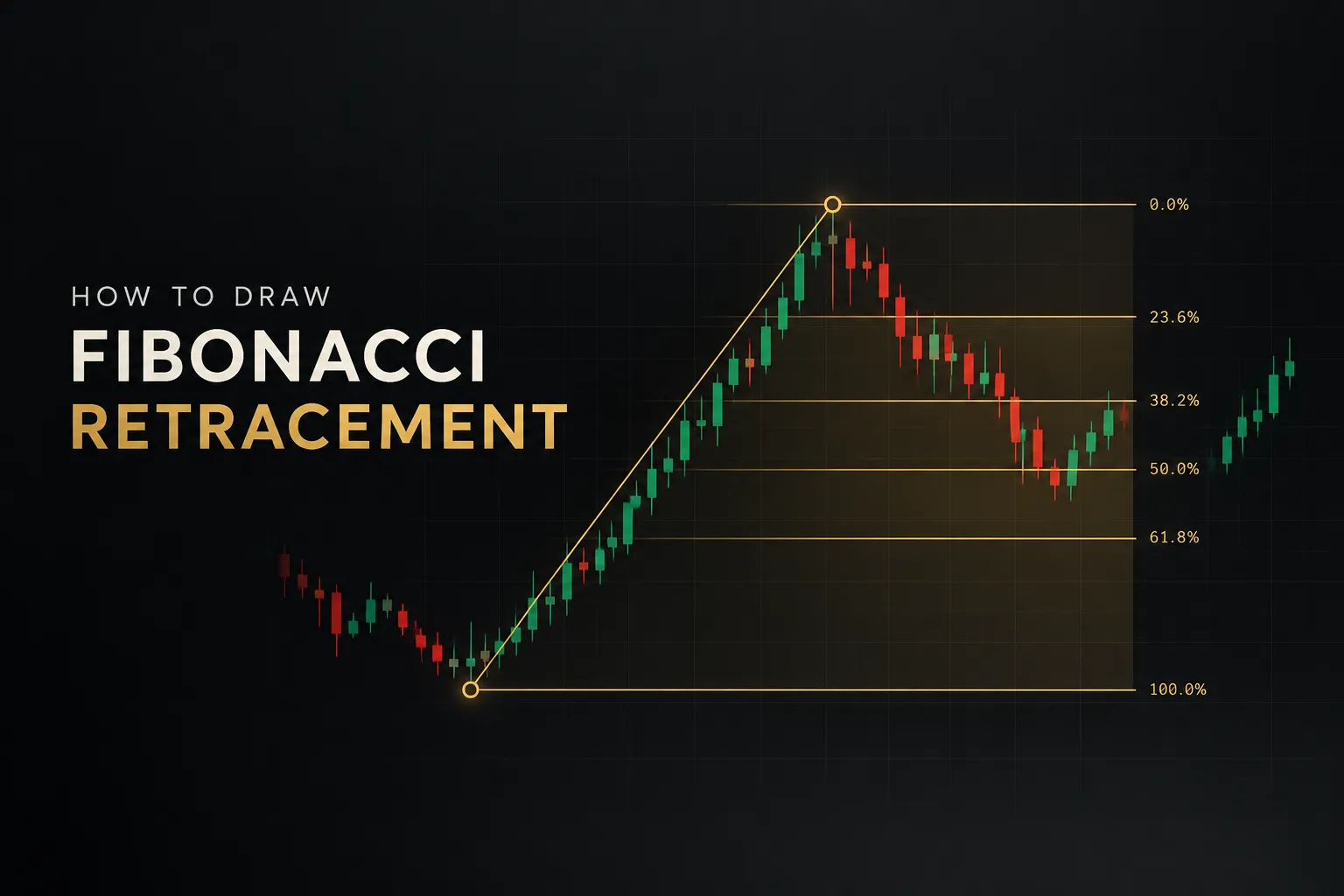
TradingView’s built-in tools are the best free starting point. You get Pivot Points Standard, Fibonacci retracement and extension tools, VWAP, Volume Profile, and access to community-built auto support/resistance scripts at no extra cost.
The Pivot Points Standard indicator is a reliable pivot point indicator because levels are calculated from the prior period’s data and stay fixed for the current period. Community auto S/R scripts vary widely in quality, and many pivot-based scripts only confirm a level after a set number of bars have passed.
Pricing: free with any TradingView plan. Advanced volume profile tools require a paid TradingView subscription, ranging from $14.95 to $59.95/mo.
Best for: beginners and budget-conscious traders who want to test whether they need a paid S/R system at all.
The drawbacks: there’s no built-in direction signal, no marked entry logic, and no multi-timeframe confirmation table. Every level requires manual interpretation.
That’s fine for learning, but it’s also where most traders hit a ceiling on consistency.
Free tools show you levels.
They don’t tell you which ones matter right now, or which direction to trade from them.
Which Support and Resistance Indicator Should You Choose?
For most traders, PipTrend is the right choice. It’s the only option here that combines direction, marked entries, multi-timeframe confirmation, alerts, and transparent live results in one subscription, starting at $40/mo on the yearly plan.
Here’s how the monthly pricing compares across the subscription-based options:
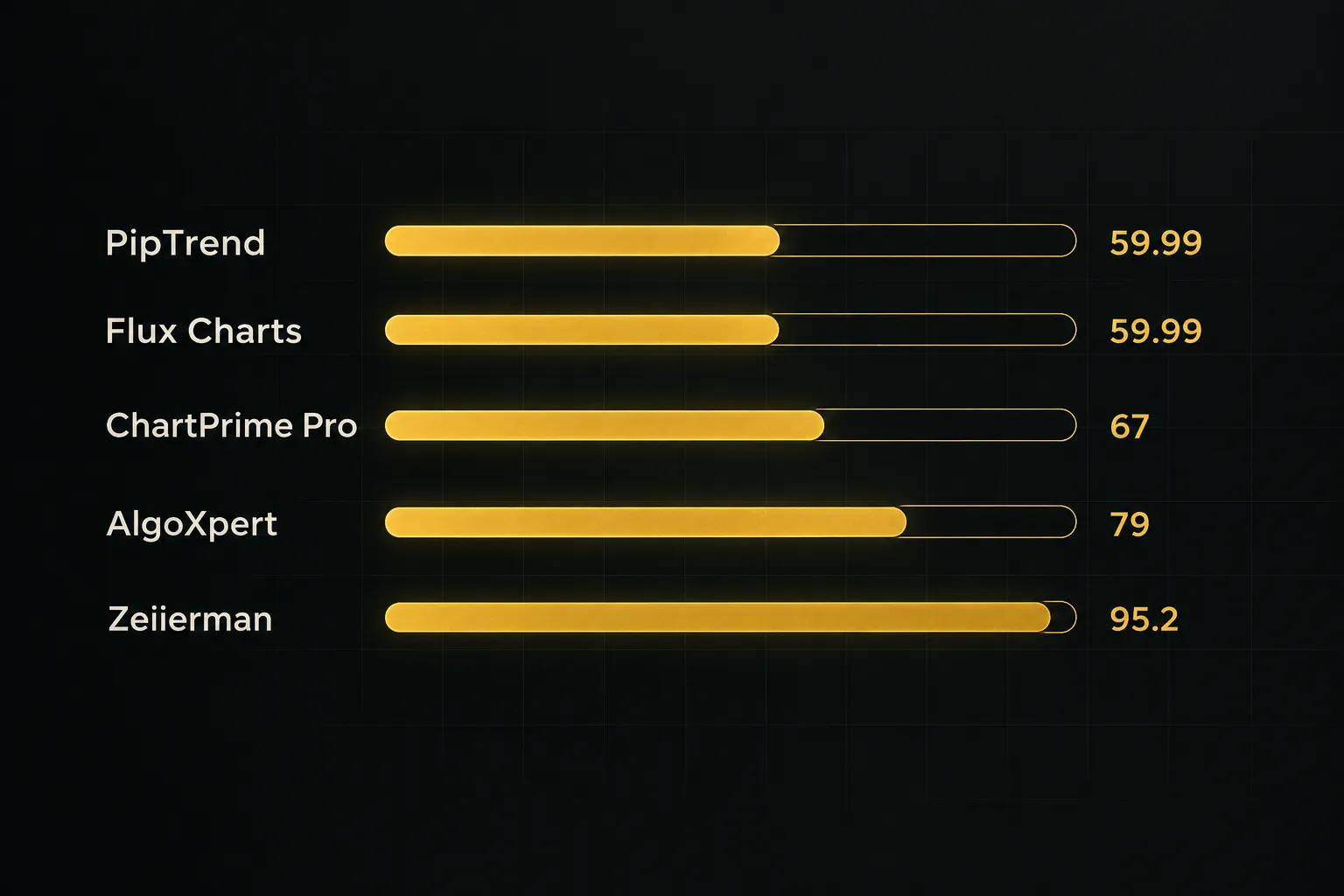
Match the tool to your trading style:
- Pick PipTrend if you want a repeatable process: signal for direction, marked level for entry, 12-timeframe table for exits. The 3-day trial and 30-day guarantee make it low-risk to test.
- Pick LuxAlgo or Zeiierman if you want a broad toolkit with screeners, backtesting, or bots, and you’re comfortable with a learning curve and higher costs at the top tiers.
- Pick Flux Charts if your entire approach runs on smart-money concepts like BOS, CHoCH, and liquidity sweeps.
- Pick AlgoXpert if you trade sessions with auction theory, particularly XAUUSD on M5.
- Pick ChartPrime if signal-plus-TP/SL guidance and community education matter most to you.
- Pick Market Cipher only if you already use its ecosystem and accept a $600 to $3,000 upfront cost.
- Pick TradingView’s native tools if you’re testing the waters before paying for anything.
One question worth asking before you buy anything: what’s your actual problem?
If it’s spotting levels, free tools may be enough. If it’s knowing which level to trade, in which direction, and when to get out, you need a system.
Whatever you choose, remember this.
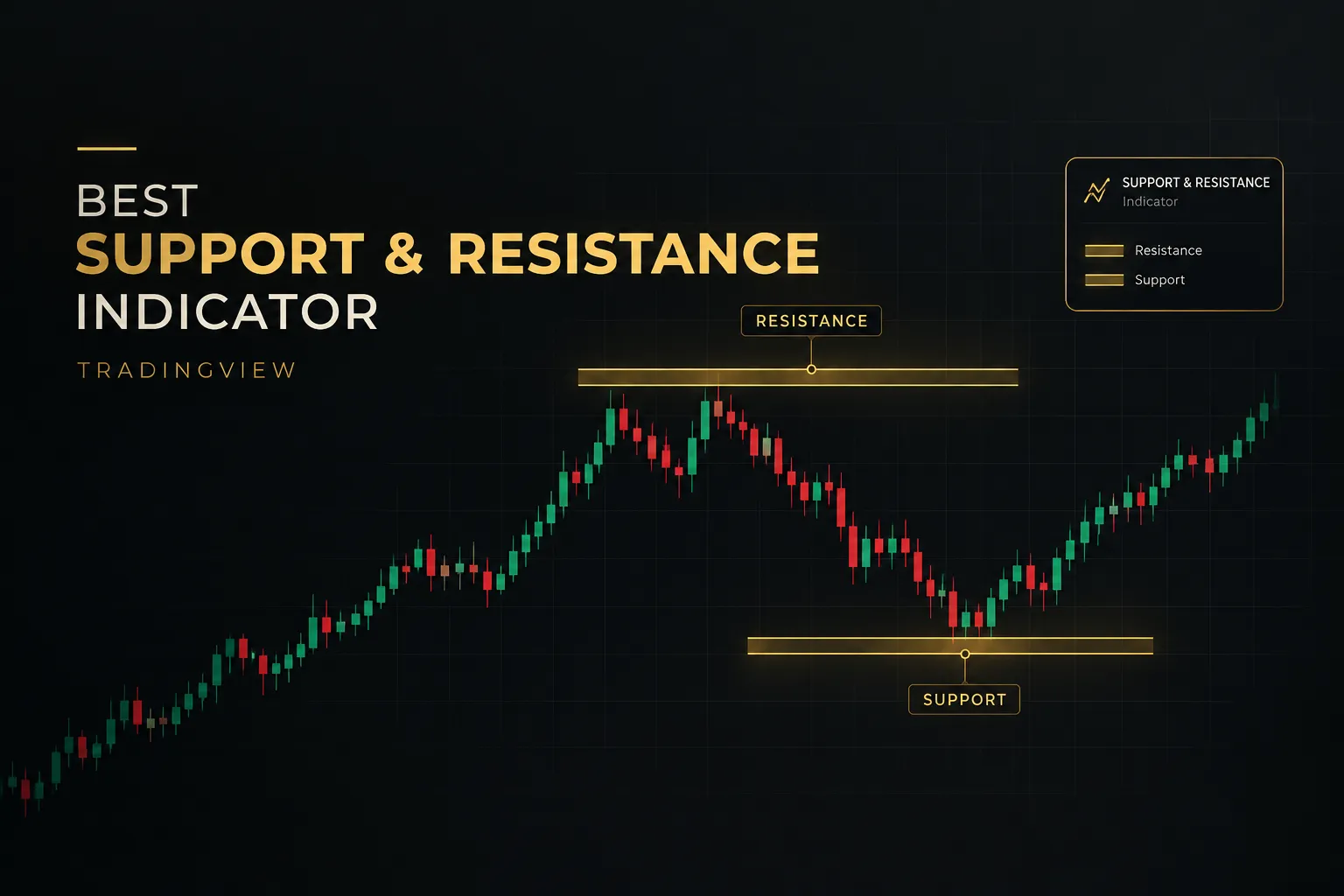
Support and resistance are zones of potential reaction, not guaranteed reversal prices. No indicator removes the need for sound risk management and position sizing.
Treat every level as a place to watch, not a place to blindly buy or sell. The best tools simply narrow down where to watch and when to act.
Frequently Asked Questions
What is the most accurate support and resistance indicator?
PipTrend is the most accurate option for live trading because its levels are paired with direction and confirmation. Accuracy isn’t just about where a line sits.
It’s about whether you trade that level in the right direction with higher-timeframe agreement, and PipTrend backs its approach with verified cTrader statements, losses included.
What is the best indicator for identifying support and resistance levels?
PipTrend is the best overall indicator for identifying support and resistance levels on TradingView. It marks session highs and lows, previous day high and low, VWAP, supply and demand zones with mitigation tracking, and fair value gaps automatically.
If you specifically want volume-based levels, AlgoXpert’s value area and POC tools are a strong specialist alternative.
Does TradingView have an automatic support and resistance indicator?
Yes, but only partially.
TradingView offers Pivot Points Standard, VWAP, and Volume Profile built in, plus community scripts that auto-draw S/R levels. None of these include a direction signal, entry logic, or multi-timeframe confirmation, which is why many traders upgrade to a paid system.
What is the best support and resistance indicator for day trading?
PipTrend is the best support and resistance indicator for day trading for most traders. Its session liquidity levels, VWAP, and automatic killzones for London and New York are built for 1-minute to 15-minute charts.
AlgoXpert is a good fit for M5 auction-theory traders. Check the comparison table above to compare day-trading costs side by side.
What is the best free support and resistance indicator on TradingView?
The best free option is TradingView’s built-in Pivot Points Standard combined with VWAP. Both are free on every plan and produce fixed, non-shifting levels.
LuxAlgo also has a free tier if you want to sample its tools before paying. For a full budget breakdown, scan the Starting Price column in the comparison table.
Do support and resistance indicators repaint?
Some do, so choose a tool that confirms on candle close. Repainting means a signal or level changes after the bar it appeared on, making past charts look better than live trading ever could.
Candle-close confirmation means the output locks once the bar closes.
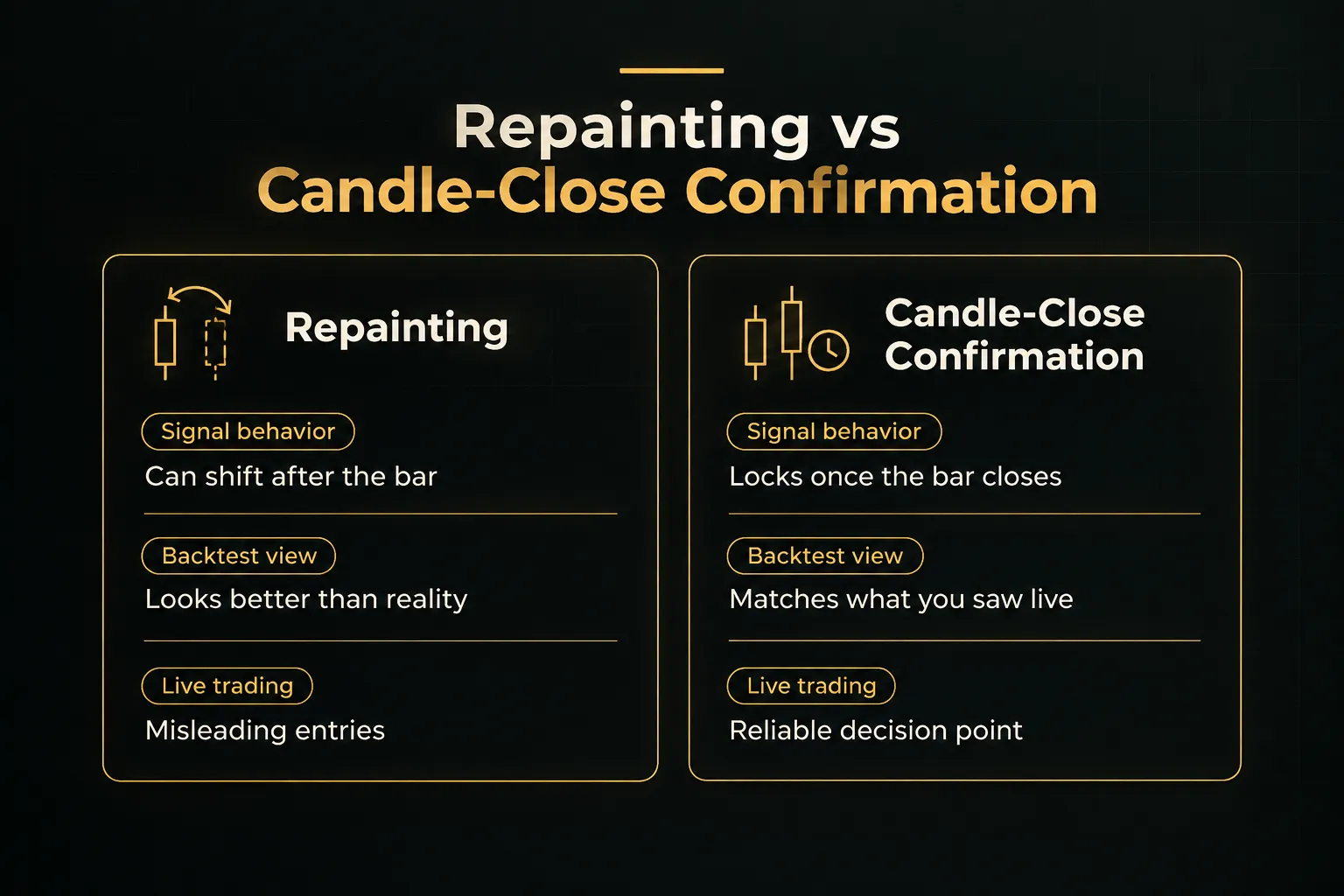
PipTrend’s signals confirm on candle close and do not change afterward. AlgoXpert also claims no repainting, with entry orbs locking after close.
For any other indicator, test it on a live chart during a trial before trusting its history.
Risk Disclaimer: Trading involves risk. Past performance doesn't guarantee future results. Only trade with money you can afford to lose. PipTrend is a tool to assist your trading decisions, not financial advice.