Best TradingView indicators for futures trading in 2026
On this page
Introduction
If you trade ES, NQ, YM, RTY, CL, GC or their micro contracts, you already know the problem.
A single buy arrow doesn’t tell you where to enter, where your stop belongs, or when to take profit. On a contract where one NQ point is worth $20, a late entry gets expensive quickly.
This guide is for retail futures traders who want TradingView futures indicators that improve bias, entries, exits and risk control as one connected process.
We scored every tool on the same nine criteria. These were directional accuracy, entry precision, trade and exit management, session awareness, rollover and continuous-contract handling, non-repainting behavior, alert quality, chart clutter, and transparency of results.
That last criterion separates the serious tools from the rest.
Most roundups rank indicators on how good the chart screenshot looks. Few ask whether the tool covers the full decision chain from bias to exit.
Our top pick for 2026 is PipTrend.
It splits direction, entry and trade management into separate tools, and it publishes live results with the losses included.
It isn’t the only good option, though.
The list also covers premium ecosystems, mid-tier suites, and tools with free plans or trials, so you can match the indicator to your timeframe, budget and experience level.
Quick picks: best TradingView futures indicators at a glance
Short on time?
This table compares the best TradingView indicators for futures trading on price, ideal user, and the futures-specific features that matter most: session handling, VWAP, volume tools and signal behavior. Prices reflect vendor listings as of 2026, and promotional rates can change.
| Product | Best for | Starting price | Futures-specific strengths | Our rating |
|---|---|---|---|---|
| PipTrend | Best Overall: complete entry-to-exit system | $40/mo (yearly), $59.99 monthly, 3-day free trial | Session killzones auto-adjusted to your timezone, VWAP, previous day high/low, 12-timeframe table, signals lock on candle close | 4.8/5 |
| LuxAlgo | Broad ecosystem with order flow | Free plan; paid from ~$16.24/mo (promo) | Live CME futures data on paid plans, footprints, volume profile, TPO, delta | 4.6/5 |
| Flux Charts | Smart-money and price-action traders | $59.99/mo billed annually | Sessions, fair value gaps, order blocks, multi-timeframe supply and demand, three backtesters | 4.5/5 |
| ChartPrime | Feature-rich visual suite with automation | $40/mo billed annually ($489/yr) | Volume profile, liquidity mapping, TP/SL levels, trailing-stop zones | 4.4/5 |
| Zeiierman Trading | Large indicator library | $37.99/mo billed annually | Liquidity pools, higher-timeframe tools, vendor-stated non-repainting after confirmation | 4.3/5 |
| SMRT Algo | Structured entry, stop and target plan | $29.10 first month, then $97/mo | Entry, stop and three targets on chart, 5-minute to daily panel, volume profile | 4.3/5 |
| AlgoAlpha | No-code strategy testing | $28.72/mo billed annually | Liquidity zones, BOS/CHoCH, no-code backtesting across markets including futures | 4.2/5 |
| EXCAVO | Alerts delivered outside TradingView | $79/mo (PRO) | 13 indicators, Telegram alerts, forward-tracked performance (crypto-leaning) | 4.0/5 |
| BigBeluga | Multi-tool ecosystem with AI | $66.47/mo, $469/yr, or $1,999 lifetime | Smart Money Toolkit, backtester, vendor-stated non-repainting after candle close | 4.1/5 |
One pattern stands out.
Only a few tools treat sessions as a core feature, and none of them offer a dedicated rollover or back-adjustment toggle. So contract-roll awareness stays your job no matter which indicator you pick.
PipTrend: best overall for complete futures trade decisions
PipTrend is the strongest all-round choice because it answers all three trade questions, not just one.
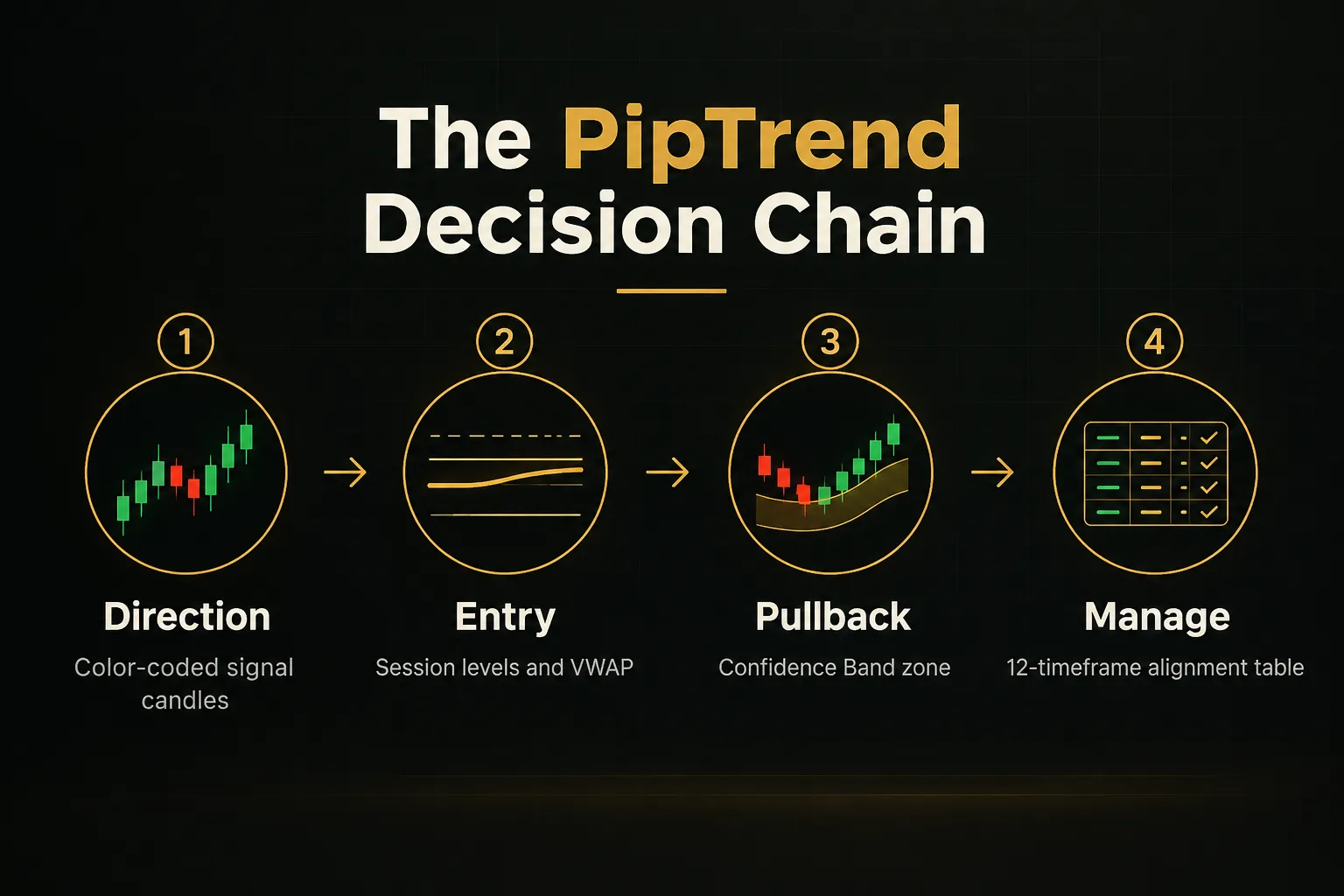
The smart signal engine gives direction through color-coded candles: green for bullish momentum, red for bearish pressure, and gray while a trend is still forming.
Entries come from marked price levels, including session highs and lows, VWAP, supply and demand zones with mitigation tracking, and fair value gaps. Exits come from a multi-timeframe table showing BUY, SELL or NEUTRAL across 12 timeframes, from 1-minute to Monthly.
That separation is the whole point.
The signal tells you direction only, so you stop chasing the candle the moment an arrow prints and wait for price to reach a level instead.
For futures, the session killzones matter most. Asian, London, New York AM and New York PM windows are highlighted automatically and adjusted to your timezone, which most competitors leave to the trader.
Signals also confirm on candle close, so a printed signal never changes afterward.
Pricing: $59.99/mo monthly, $45/mo quarterly ($134.99 billed), or $40/mo yearly ($479.99 billed). Every plan includes a 3-day free trial and a 30-day money-back guarantee.
Best for: day traders working session liquidity and VWAP on 1 to 15-minute charts, swing traders confirming H8 and Daily alignment, and prop firm traders who need fixed rules to stay inside drawdown limits.
Drawback: PipTrend covers forex, crypto, indices, commodities and stocks rather than futures alone. It has no dedicated rollover or back-adjustment toggle, so you’ll need your own contract-roll routine.
Where it pulls ahead is transparency.
Trade ideas and outcomes go on a public results page with verified cTrader statements, losses and break-evens included.
LuxAlgo: best for a broad all-in-one ecosystem with futures data
LuxAlgo is the deepest toolkit on this list, and it’s one of the few that bundles real CME futures data.
Its flagship TradingView suites, Signals & Overlays, Price Action Concepts and Oscillator Matrix, sit alongside order-flow tools on its Vela charting platform. Those include footprints, volume profile futures analysis, TPO and delta.
That combination is rare.
Order flow and session-based volume profile are core tools for ES and NQ traders, and few indicator vendors offer them in one subscription. Live CME futures data comes with paid plans.
The extras keep going.
Backtesting, strategy alerts, webhook automation, paper trading, journaling, and Quant AI coding assistance are all part of the ecosystem.
Pricing: a free plan is available. Promotional pricing has appeared from roughly $16.24/mo for Essential and $21.99/mo for Premium.
Standard Premium pricing is listed at $67.99/mo monthly or $39.99/mo billed annually, with higher Ultimate and AI Ultra tiers above that. A 30-day money-back guarantee covers paid plans.
Best for: advanced traders who want order flow, backtesting and AI coding help in one ecosystem rather than a single TradingView suite.
Drawback: all that breadth means a steep learning curve, and the most futures-relevant features (CME data and order flow) often sit behind the pricier tiers.
If you want one focused, low-clutter chart, this is more than you need.
Flux Charts: best for smart-money and price-action futures traders
Flux Charts is the best fit if you already read the market through structure and liquidity.
The SFX Algo Toolkit delivers real-time signals, trend overlays and volatility bands. Its Price Action Toolkit maps fair value gaps, order blocks, breaker blocks, liquidity grabs, BOS and CHoCH, plus sessions and multi-timeframe analysis.
The real differentiator is validation.
Flux includes three visual backtesters, covering signals, supply and demand, and price action setups, so you can test a smart money concepts indicator setup on NQ or GC before risking a contract.
Screeners for SFX, the Price Action Toolkit, and supply and demand round it out. Live educational classes, a strategy library and a Discord community are included too.
It works across stocks, forex, futures and crypto.
Pricing: the Pro plan is listed at $59.99/mo billed annually, or $719.88 per year. Monthly options appear in the pricing section.
Best for: traders who think in smart-money and market-structure terms and want screeners and backtesting next to their overlays.
Drawback: the heavy SMC focus brings a real learning curve. If you prefer simple trend or momentum signals, you’ll spend time on education and configuration first.
And session and rollover handling isn’t a headline feature, so futures-specific context is mostly on you.
ChartPrime: best for a feature-rich visual suite with automation
ChartPrime packs the most signal types into one suite, and it adds optional automation.
Market Dynamics maps liquidity, market structure, support and resistance, reaction zones and breakout targets. Market Oracle layers on buy and sell signals, reversal warnings, profit-taking signals and trailing-stop zones.
Prime Oscillators covers divergence, momentum shifts and exhaustion signals. The suite also includes fair value gaps, order blocks, volume profile, quantum bands and fakeout filtering, with real-time signals that carry take-profit and stop-loss levels.
Then there’s Prime Automation, with strategy selection and one-click bot activation. A screener, live trading sessions, daily market insights and a private community come bundled.
Pricing: Pro is listed at $67/mo monthly or $40/mo billed annually ($489/year). Plus runs $117/mo monthly or $59/mo billed annually ($708/year).
Promotions may change displayed prices.
Best for: traders comfortable with a higher monthly cost who want education, screeners and optional automation in one package.
Drawback: more isn’t always better.
A discretionary ES trader may find the volume of signals and automation settings adds execution complexity instead of simplifying decisions.
Zeiierman Trading: best for traders who want a large indicator library
Zeiierman offers the biggest catalog here, with 80+ premium TradingView indicators and multiple toolkits.
Smart Money Concepts tools cover order blocks, liquidity pools, market structure, and equal highs and lows. Nine buy and sell algorithms sit alongside liquidity signals, bots, backtested strategies, higher-timeframe tools and take-profit indicators.
The vendor states its indicators don’t repaint after confirmation.
That’s a useful baseline for any non-repainting trading indicator claim, though you should still check it on your own charts.
A Discord VIP community, tutorials and a setup library support the catalog. Coverage spans stocks, forex, crypto, commodities and indices across multiple timeframes.
Pricing: roughly $95.20/mo monthly, $59.99/mo quarterly before promotional discounts, and $37.99/mo equivalent billed annually. A lifetime option is also promoted, with final pricing subject to current offers.
Best for: experienced traders who enjoy testing tools and want to build a custom futures workflow from a large menu.
Drawback: choice has a cost.
With 80+ tools, setup and selection take time. There’s also no single guided system tying direction, entry and exit together, so you’ll be the one assembling the process.
SMRT Algo: best for a structured entry, stop, and target plan
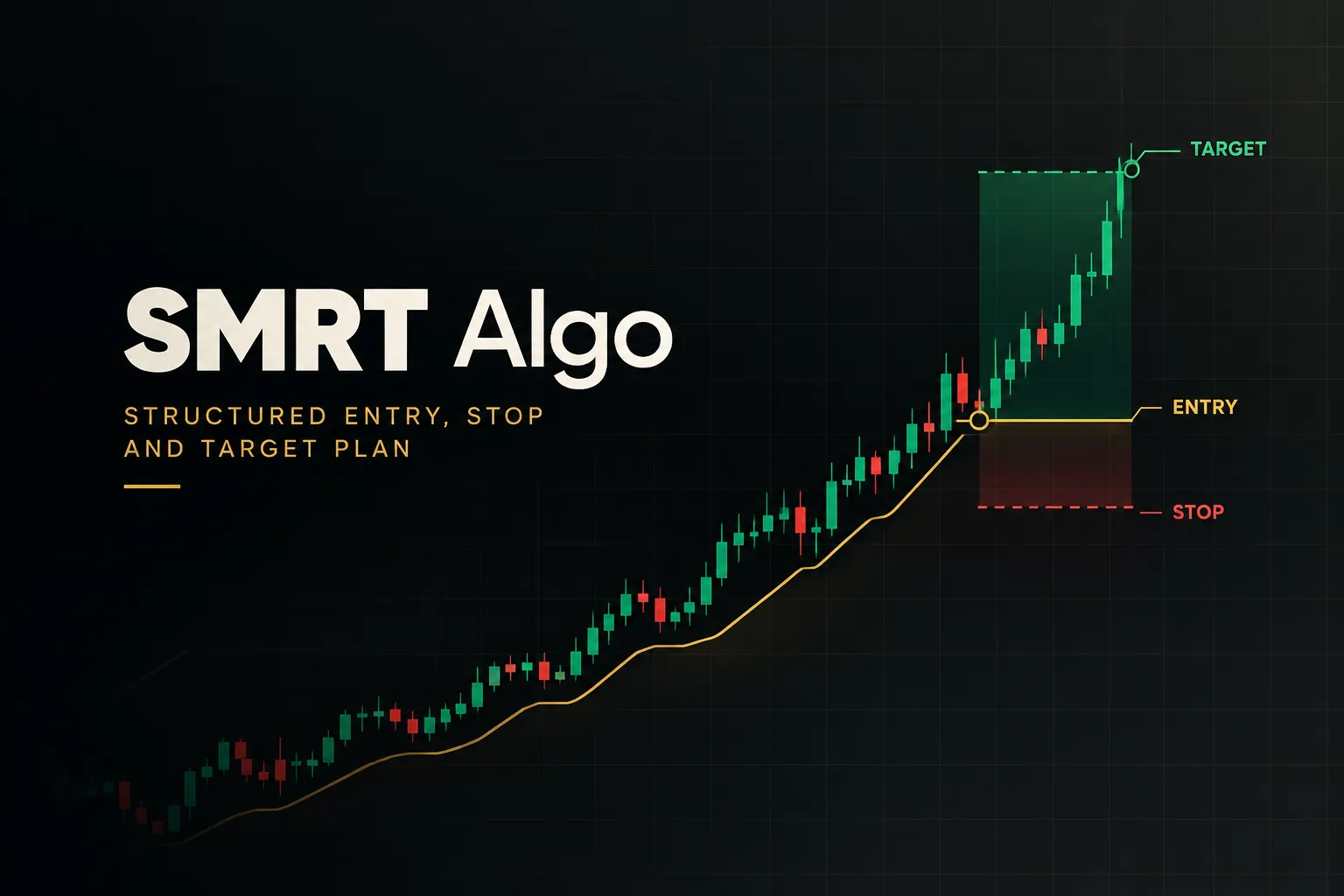
SMRT Algo is built for traders who want the whole plan drawn on the chart.
Its Pro V5 confluence engine waits for agreement across momentum, volume, volatility, structure and trend.
Only then does it mark an entry, a stop and three targets.
That structure suits futures well, because you can see your dollar risk per trade before you click. A multi-timeframe panel covers market state from the 5-minute through the daily chart.
The Smart Money Toolkit adds order blocks, fair value gaps, liquidity, premium and discount zones, and volume levels. You also get a multi-asset screener, volume profile, oscillators and a reversal finder.
The vendor states alerts and candle-close levels don’t repaint.
Pricing: promotional pricing has shown $29.10 for the first month, then $97/mo recurring. Annual pricing appeared at $149.10 for the first year before a $497 renewal, and a lifetime option at $238.50 before discounts.
Best for: rules-oriented traders who want a single structured plan rather than piecing signals together by hand.
Drawback: product examples lean toward 1-minute to 4-hour charts. Verify the fit for your contract, session and TradingView data feed before committing past the promo month.
AlgoAlpha: best for indicator analysis plus no-code strategy testing
AlgoAlpha is the best pick if you want to test an idea before you trade it.
The Smart Signals Assistant handles trend detection, reversal identification, scalping modes and confluence modules. Institutional Liquidity and Price Action Concepts add liquidity zones, BOS and CHoCH.
The standout is the no-code Strategy Builder, with AND/OR logic and profit-and-loss reporting. Atlas AI extends that into strategy research and backtesting across markets, timeframes and indicators.
That makes it one of the more accessible futures backtesting tools for non-coders.
Companion screeners monitor multiple tickers, and the platform supports TradingView futures, forex, stocks, indices, commodities and crypto.
Pricing: the Indicators plan is listed at $28.72/mo equivalent billed annually ($344.64 for the first year including a one-time fee). The VIP Bundle runs about $79.32/mo billed annually.
Best for: traders who want to validate ideas with no-code backtesting before applying them to ES or NQ charts.
Drawback: the premium Signals and Echo automation are mainly built and marketed for crypto. Futures traders should buy the TradingView Indicators plan specifically and skip the crypto add-ons.
EXCAVO: best for traders who want alerts delivered outside TradingView
EXCAVO suits traders who want signals pushed to their phone, not just painted on a chart.
The PRO plan bundles 13 TradingView indicators with real-time Telegram alerts, backtest results, performance summaries and automatic access to new indicators.
PULSE goes further.
It adds full trade setups with entry points, chart analysis, targets and trailing stops, plus setup history and a Mini App with forward tracking. The vendor presents those results net of exchange fees, slippage and perpetual funding.
That forward-tracked history is a plus.
But notice the reference to perpetual funding… the communication leans heavily toward crypto, so futures traders should confirm fit for their contracts.
Pricing: PRO is listed at $79/mo and PULSE at $299/mo. A promotional display also showed $49/mo for one plan, so check the final TradingView Marketplace price before buying.
Best for: traders who want setup delivery and forward-tracked performance history alongside their chart indicators.
Drawback: PULSE costs far more than an indicator-only subscription. It can also reduce independent decision-making, which works against traders trying to build their own repeatable futures process.
BigBeluga: best for a multi-tool ecosystem with AI assistance
BigBeluga is a large, fast-growing toolkit with an AI layer on top.
Core tools include the Market Core and Waves Toolkits, Smart Money Toolkit, Backtester, Nautilus Pro Oscillator, Ultimate MACD Suite and Ultimate RSI Suite.
The Sonar AI browser extension analyzes chart screenshots and generates market observations. The lifetime plan adds the Market Echo Screener and Strategy Builder Pro.
Support runs through premium Discord, Telegram and 24/7 channels.
The vendor states confirmed signals don’t repaint after candle close. Coverage includes crypto, forex, indices, stocks, commodities and futures.
Pricing: about $66.47/mo monthly, $149 per quarter, $469/year, or $1,999 lifetime, per the vendor’s 2026 FAQ. AI extension credits can require separate purchases.
Best for: traders who want a large, evolving toolkit with AI-assisted observations rather than one focused futures workflow.
Drawback: volume needs vetting.
You’ll have to work out which tools actually help futures execution, and you should test non-repainting claims indicator by indicator rather than assume them across the suite.
How to choose the right futures indicator for your trading style
Start with your timeframe.
Scalpers on the 1 to 5-minute chart need session highs and lows and VWAP precision, because the opening drive and session transitions drive most intraday moves. Swing traders need higher-timeframe alignment tools that keep them on the right side of the daily trend.
Next, check whether the vendor actually shows the tool on futures symbols like ES, NQ, CL and GC. Many products only show crypto or forex examples.
Behavior on a 23-hour futures session with a daily maintenance break can differ from 24/7 crypto.
Then think about contract handling.
Continuous charts like ES1! stitch quarterly contracts together, and back-adjustment shifts historical prices at each roll. That affects VWAP, volume profile and pivot accuracy, so make sure your chart settings match the contract you actually trade.
Test non-repainting behavior live.
Does the signal lock on candle close, or does it shift after structure changes? A replay test on a few weeks of data answers that quickly.
Separate direction from entry, too.
A correct trend call with a late entry still damages your risk-reward, which is why tools that mark specific supply and demand zones or session levels beat a lone arrow.
Favor verified live or forward-tracked results over backtest-only claims. Backtests are easy to curve-fit.
Published outcomes with losses included are much harder to fake.
Weigh chart clutter against your experience. More indicators isn’t automatically better, and a beginner with 30 overlays usually trades worse, not better.
Finally, check what the price really includes. Look for futures data, TradingView futures alerts, screeners, backtesting and community access, and whether CME data costs extra.
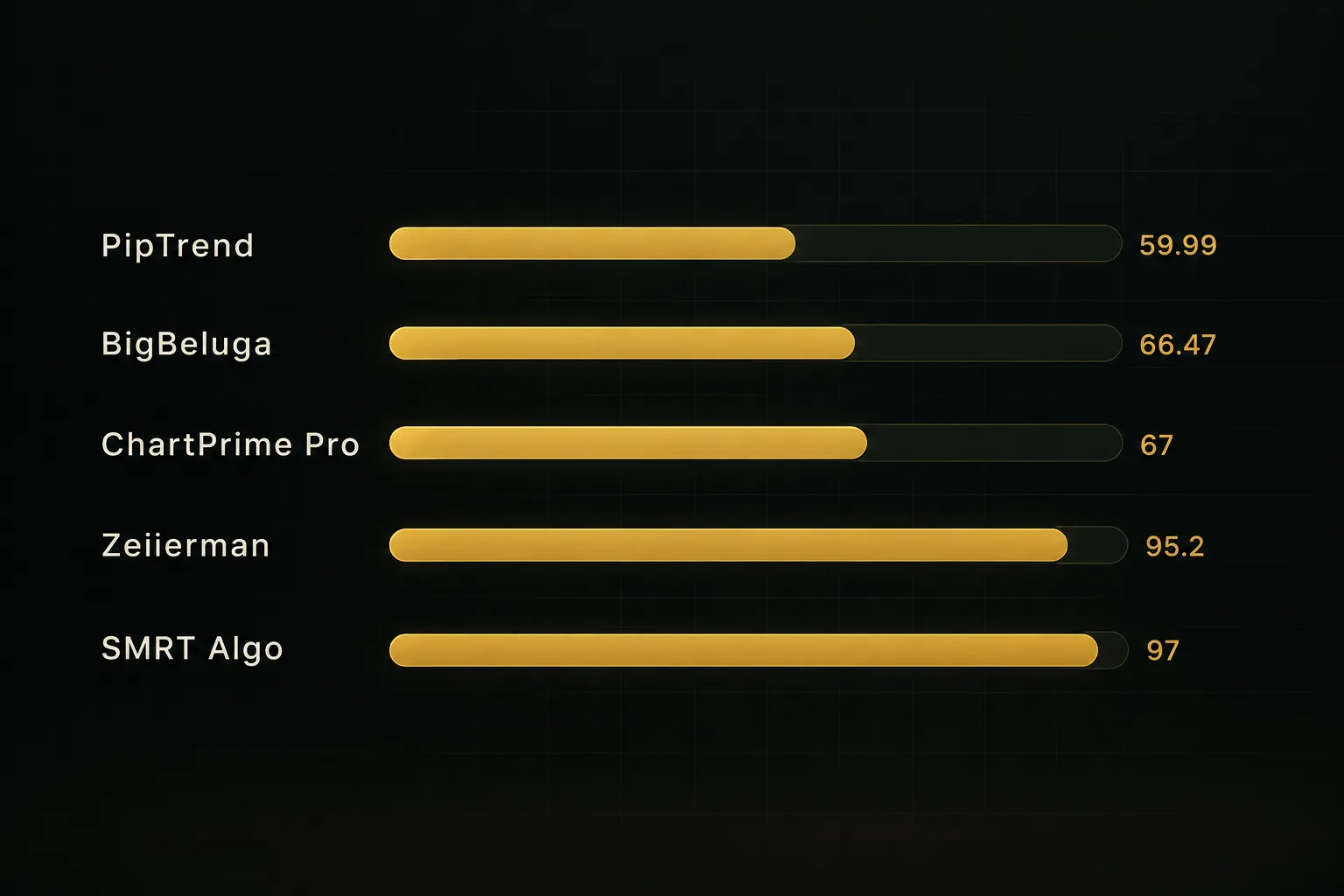
Monthly sticker prices vary more than most buyers expect.
And confirm risk tools are part of the package.
A single ES tick is worth $12.50 and an NQ tick is $5, so position sizing and risk-reward math matter on every trade. PipTrend, for example, includes free position size and risk-reward calculators, though futures traders should still convert to tick value themselves.
Final verdict: which futures indicator should you choose
PipTrend is the best TradingView indicator for futures trading for most traders in 2026.
It gives you one connected system: direction from the smart signal engine, entry from session levels, VWAP and the Confidence Band, and trade management from the 12-timeframe table. Add timezone-aware session killzones, candle-close signals, and a public results page with verified statements, and it covers more of the decision chain than anything else here.
Our top pick: PipTrend, from $40/mo on the yearly plan, with a 3-day free trial and a 30-day money-back guarantee. The best choice if you want a repeatable process rather than another signal to second-guess.
Is it perfect?
No.
You’ll need your own rollover routine, since there’s no dedicated back-adjustment toggle.
But that’s true of every product on this list.
LuxAlgo or ChartPrime fit traders who want a broader ecosystem. LuxAlgo wins on order flow and live CME data, while ChartPrime wins on automation.
Both demand patience with the learning curve.
Flux Charts, Zeiierman and SMRT Algo suit traders already comfortable with smart-money concepts or structured plans. Pick Flux for backtesting SMC setups, Zeiierman for catalog depth, and SMRT Algo for entry, stop and target levels drawn for you.
AlgoAlpha and BigBeluga make sense if no-code backtesting or AI-assisted research is your priority. EXCAVO fits traders who prefer delivered setups over building their own analysis.
Whichever you choose, start with a free trial or free plan where one exists. Run the indicator on a live ES or NQ chart for several sessions, watch whether signals hold after candle close, and only then commit budget.
Simple advice.
Most traders skip it.
FAQ: best TradingView indicators for futures trading
What is the most accurate indicator for futures trading?
The most accurate setup is a non-repainting directional signal confirmed by multi-timeframe confirmation, with entries taken at defined price levels.
No single indicator is accurate on its own.
PipTrend is our top pick because it combines candle-close signals, a 12-timeframe alignment table and marked entry levels, and it publishes verified live results.
What is the best combination of indicators for futures day trading?
The best combination for futures day trading indicators is a trend filter, VWAP, session highs and lows, and a higher-timeframe alignment check. The trend filter sets bias, VWAP and session levels mark entries, and the higher timeframe tells you when to hold or exit.
PipTrend packages all four in one suite, which keeps the chart clean.
Do professional futures traders use VWAP?
Yes, VWAP is one of the most widely used tools in VWAP futures trading, especially on ES and NQ. Institutions benchmark execution quality against it, so price often reacts around it intraday.
Retail traders use it as a fair-value reference and pullback entry level.
What is the best indicator for NQ scalping?
For NQ scalping, use VWAP plus session highs and lows on a 1 to 5-minute chart, filtered by a higher-timeframe trend.
NQ moves fast, so signals must lock on candle close.
PipTrend’s session killzones and VWAP levels fit this well, and LuxAlgo is a strong alternative if you also want footprint and delta data among your NQ futures indicators.
Are TradingView indicators good for futures trading?
Yes, TradingView indicators work well for futures, provided you check how they handle continuous contracts and sessions. Most premium suites run on ES1!, NQ1! and other continuous charts.
Confirm non-repainting behavior and match chart settings to the contract you actually trade.
What is the best free futures indicator on TradingView?
TradingView’s built-in VWAP is the best free starting point for futures traders. For more depth, LuxAlgo offers a free plan, and PipTrend’s 3-day free trial lets you test the full paid system on a live chart at no cost.
Use the free period to check signal stability before paying.
Sources
Risk Disclaimer: Trading involves risk. Past performance doesn't guarantee future results. Only trade with money you can afford to lose. PipTrend is a tool to assist your trading decisions, not financial advice.