Best Trend Indicator for TradingView in 2026: Top Picks Compared
On this page
Introduction
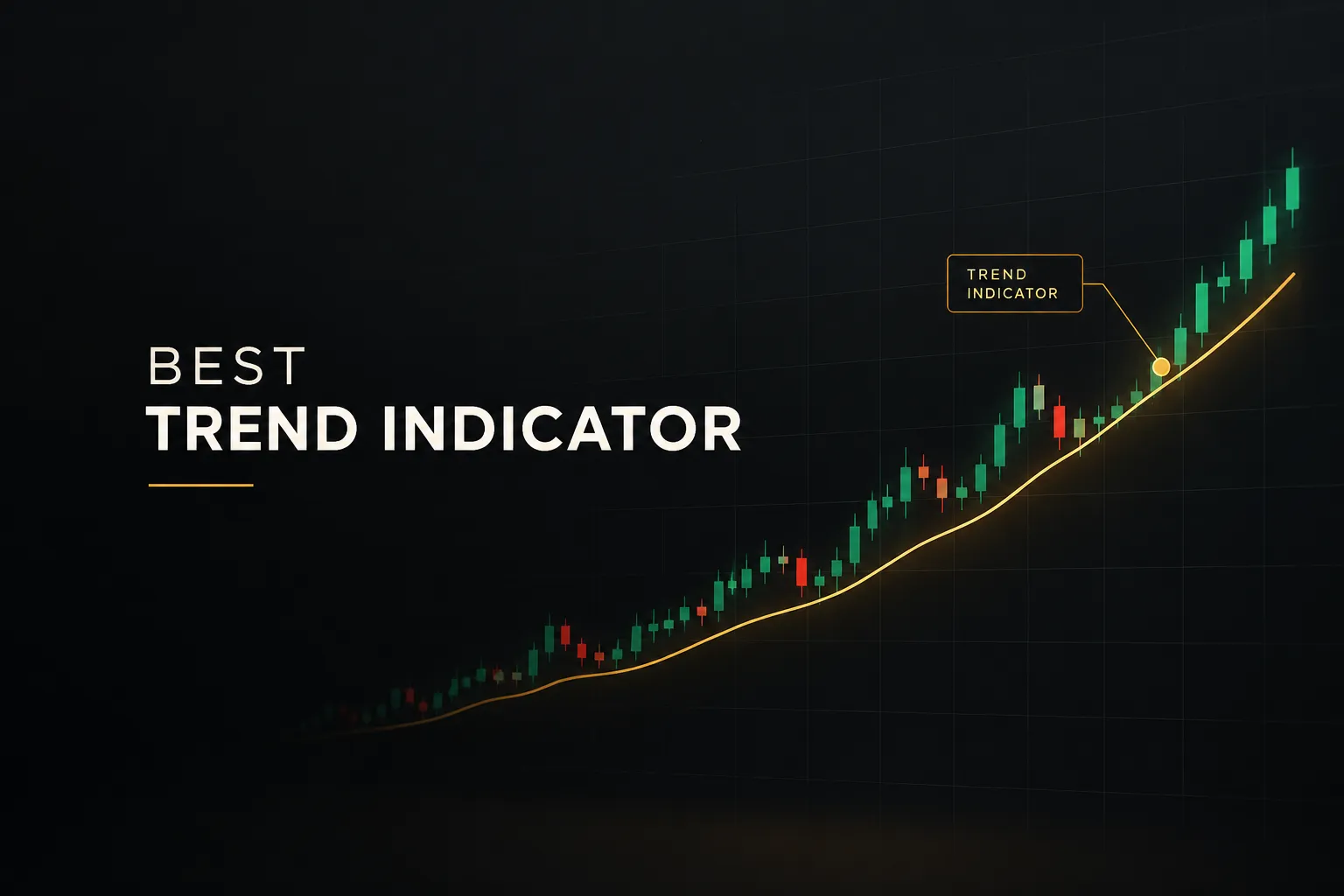
The best trend indicator for TradingView in 2026 is the one that tells you three things clearly: which direction to trade, where to enter, and when to get out. Most tools answer only the first question.
Some answer none of them, and just paint attractive candles on your chart.
This guide is written for retail traders, swing traders, long-term investors, and prop-firm traders comparing TradingView trend indicator options. We evaluated each tool against one practical test.
Does it help you act with fixed rules, or does it only look convincing in a backtest screenshot?
We also looked closely at signal behavior.
A non-repainting indicator uses candle-close confirmation, so once a bar closes, the signal stays put. Live-bar signals can appear and vanish mid-candle, which means your trend signal alerts might fire on a setup that no longer exists five minutes later.
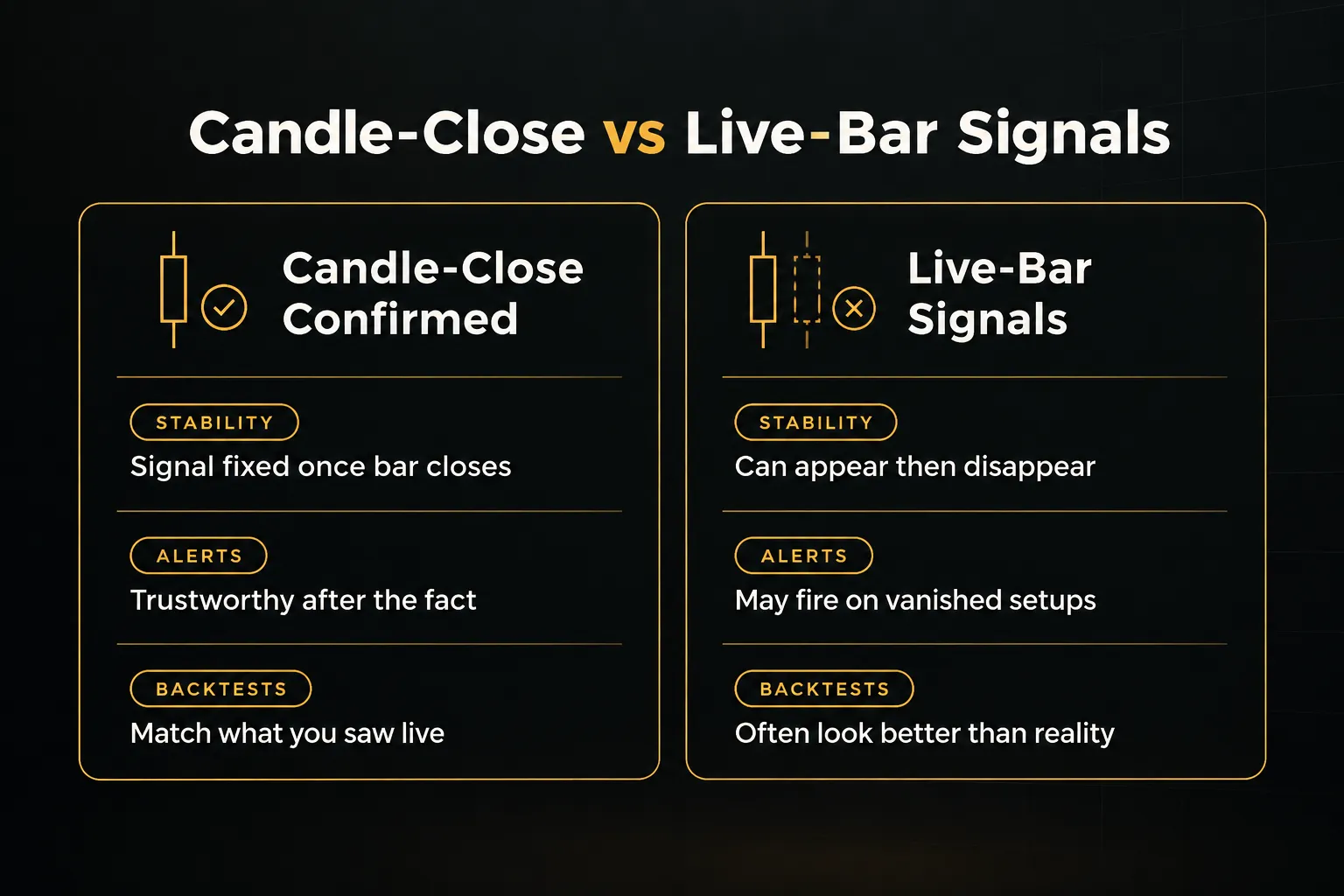
That distinction matters more than any feature list.
And it shaped our rankings.
Here is the short version.
PipTrend takes the top spot because it separates the directional signal from the marked entry level, confirms signals on candle close, and publishes live trade results, losses included. Six strong competitors follow, each with a genuine niche where it outperforms.
Quick Picks: Best Trend Indicators at a Glance
The table below summarizes our picks as of 2026. Pricing reflects publicly listed rates at the time of writing, so confirm at checkout because several vendors run rotating promotions.
| Name | Best For | Signal Confirmation | Starting Price | Free TradingView Plan Compatible |
|---|---|---|---|---|
| PipTrend | Best Overall / Best for Direction + Entry + Exit in One System | Candle-close confirmed (signal does not change after close) | $40/mo billed yearly ($59.99 monthly), 3-day free trial | Delivered as a TradingView indicator suite; check slot needs for your plan |
| LuxAlgo | Feature breadth and price-action ecosystem | Confirmation signals within toolkits; verify per tool | Free plan; Premium $39.99/mo billed annually | Not stated; flagship toolkits available on TradingView |
| Flux Charts | Screeners plus indicators combo | Real-time signals; verify repaint behavior per tool | Pro $59.99/mo ($719.88 billed yearly) | Yes, designed for the free plan |
| ChartPrime | All-in-one membership with community and automation | Not clearly documented; verify before relying on alerts | Plus ~$59/mo ($708 billed yearly) | Not stated |
| Zeiierman Trading | Indicator breadth and smart money concepts | Documented as designed not to repaint | $37.99/mo billed annually (verify checkout) | Yes, per documentation |
| Market Cipher | Oscillator and momentum-focused crypto trading | Oscillator signal dots; verify repaint behavior | $600 for 12 months | Not stated |
| AlgoXpert Trading System | Structured session and order-flow trading on XAUUSD | Confirmed M5 entries via 35-check engine | $58/mo billed yearly ($79 monthly) | Yes |
Two patterns stand out.
Pricing clusters around $40 to $60 per month on annual plans, with Market Cipher as the upfront-cost outlier.
And only a few vendors clearly document how their signals behave on an open candle.
PipTrend: Best Overall for Direction, Entry, and Exit in One System
Verdict: PipTrend is the best trend indicator for TradingView in 2026 for traders who want one repeatable system instead of a pile of overlapping tools. It answers direction, entry, and exit with separate components, each with one job.
The result is a process you can follow on every chart, not a judgment call on every candle.
What you get in one subscription:
- Smart signal engine: BUY and SELL direction signals with color-coded candles (green for bullish momentum, red for bearish pressure, gray while a trend is forming), plus a whipsaw filter that keeps you out of choppy conditions.
- Precision entry levels: session highs and lows, previous day high and low, VWAP, supply and demand zones with mitigation tracking, and fair value gap detection, all painted on the chart.
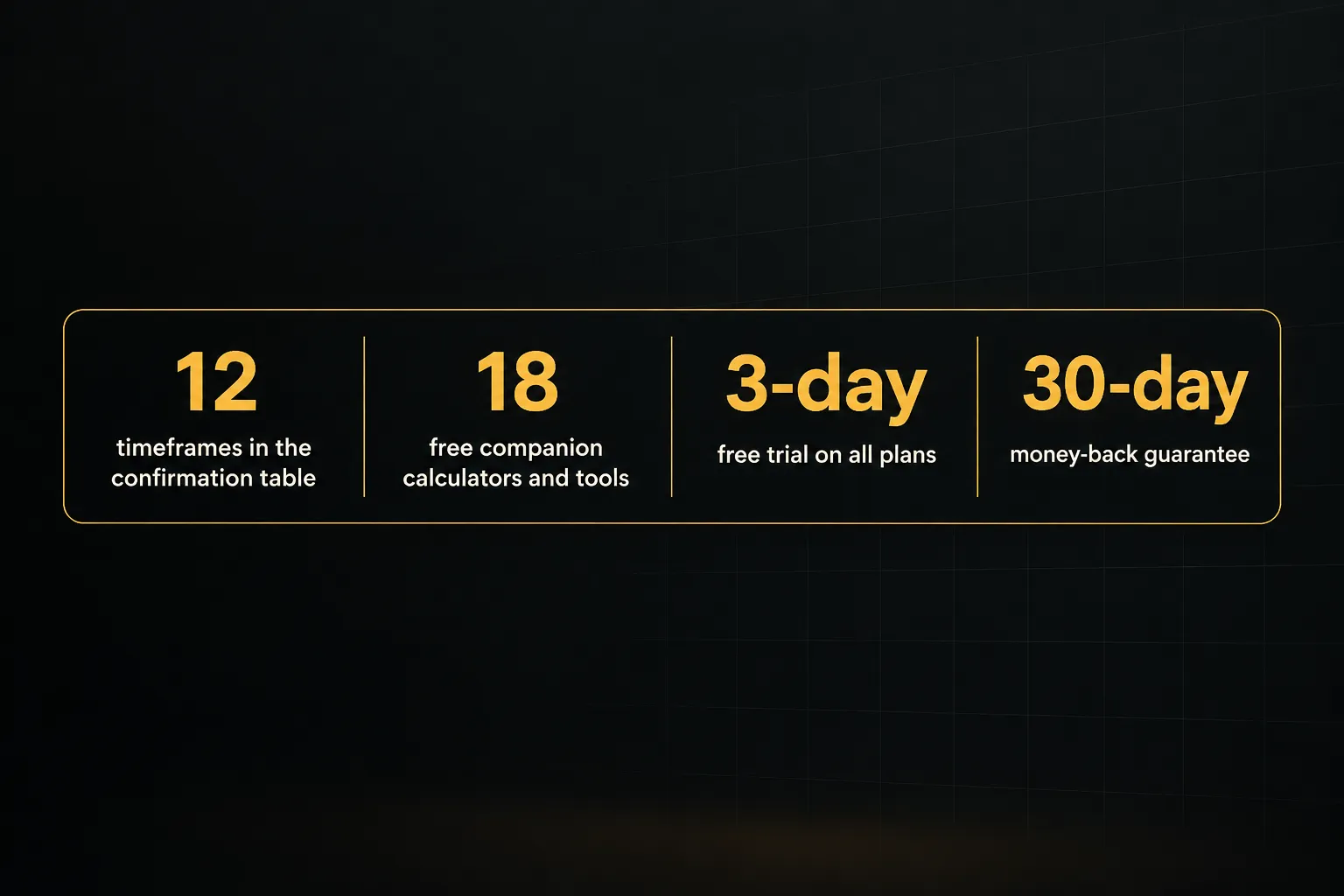
- Multi-timeframe confirmation table: BUY, SELL, or NEUTRAL status across 12 timeframes, from 1-minute to Monthly, used to confirm confluence and decide when to hold or take profit.
- Confidence Band: a dynamic pullback zone that acts as support in uptrends and resistance in downtrends.
- Session killzones: Asian, London, New York AM, and New York PM windows highlighted automatically in your timezone.
- Real-time alerts: push, email, and desktop notifications on any timeframe and instrument. Because signals confirm on candle close, alerts don’t change after the fact.
- Transparent results: trade ideas taken with the indicator appear on a public results page with verified cTrader statements, losses and break-evens included. Not a highlight reel.
- Broad market coverage: Forex, Crypto, Indices, Commodities, and Stocks, including EUR/USD, GBP/JPY, XAU/USD, BTC/USD, US30, and NAS100.
- 18 free companion tools: position size, pip value, risk-reward, trade expectancy, and streak probability calculators, plus a currency strength meter, correlation matrix, and economic calendar.
Best for: day traders working 1-minute to 15-minute charts, swing traders reading H8 and Daily direction, long-term investors timing entries on Weekly and Monthly candles, and prop-firm traders who need fixed rules to stay inside drawdown limits.
Honest drawbacks:
- Newer brand: PipTrend doesn’t have the name recognition of long-established vendors like LuxAlgo or Market Cipher. The public results page helps offset this, but some traders will want a longer track record.
- Learning curve on the table: reading 12 timeframes at once takes a few sessions before it becomes second nature. Expect to spend your trial week learning which timeframes matter for your style.
How PipTrend Separates Signal From Entry
This is the core design choice, and the reason PipTrend ranks first.
The signal tells you direction only. The entry comes from a marked price level.
Why does that matter?
Most traders using a buy and sell signals indicator hit the button the moment an arrow prints.
That’s how you end up buying tops and selling bottoms, because the signal often appears after the move has already stretched.
PipTrend breaks that habit.
A green candle says “look for longs.” You then wait for price to pull back into a VWAP line, a session low, a demand zone, a fair value gap indicator level, or the Confidence Band before entering.
Gray candles flag the forming phase of a trend, so you can enter on a pullback before the move is confirmed and crowded.
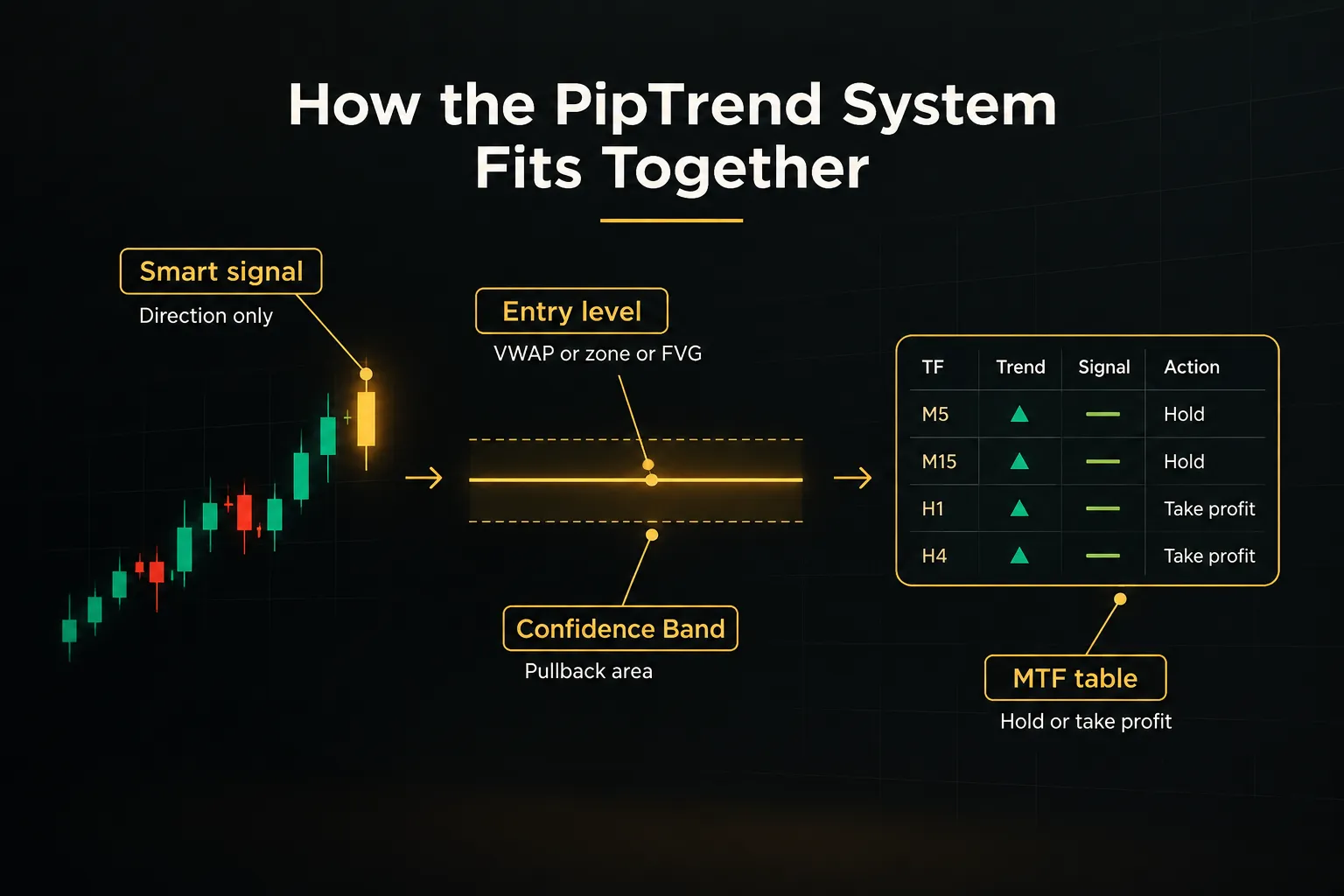
Exits follow the same logic. When the multi-timeframe table flips from aligned to mixed, you tighten up or take profit.
Each tool has one job.
Pricing Tiers and Guarantee
PipTrend keeps pricing simple, with every plan including all indicators, real-time alerts, all markets, community access, and future updates:
- Monthly: $59.99/mo, billed monthly (listed to increase to $83.99/mo).
- Quarterly: $45/mo, billed as $134.99 every 3 months, saving $180 per year versus monthly.
- Yearly: $40/mo, billed as $479.99 once per year, saving $240 per year versus monthly.
- Risk reversal: a 3-day free trial on all plans plus a 30-day money-back guarantee. Checkout runs through Whop and accepts major cards and PayPal.
The yearly plan at $40/mo is the smart choice once your trial confirms the workflow fits. You get the full system for roughly the price of LuxAlgo’s entry Premium tier.
LuxAlgo: Best for Traders Who Want a Large, Full-Featured Ecosystem
LuxAlgo is the best pick for experienced traders who want the widest toolset in one ecosystem. Its Signals & Overlays toolkit includes confirmation signals, Smart Trail, Trend Catcher, candle coloring, reversal zones, and take-profit or stop-loss tools.
Pair it with the Price Action Concepts toolkit and you get market structure, liquidity, fair value gaps, and order blocks.
It goes further than most.
LuxAlgo adds an Oscillator Matrix, order-flow tools, webhook automation, a Quant coding agent, and a Backtesting Assistant. Some functionality lives on LuxAlgo’s own charting platform, while the flagship toolkits run on TradingView.
Pricing as of 2026 spans four tiers:
Free plan available.
Premium costs $67.99/month or $39.99/month billed annually. Ultimate runs $119.99/month or $59.99/month annually, and AI Ultra is $229.99/month or $119.99/month annually.
A 30-day money-back guarantee covers your first payment.
That’s a fair safety net for a tool this deep.
Best for: traders who already have a defined strategy and want breadth across signals, price action, and order flow without juggling multiple vendors. Quant-minded users who want AI-assisted coding and backtesting will get the most from the higher tiers.
The drawback is density.
LuxAlgo can overwhelm traders who just want one clear directional workflow, because there are so many overlapping signals and settings to reconcile.
And the top tiers cost significantly more than PipTrend’s unified system; Ultimate on annual billing is about $20/month more than PipTrend’s yearly plan, and AI Ultra is triple.
Choose LuxAlgo if you want everything. Choose PipTrend if you want a system.
Flux Charts: Best for Combining Indicators With Screeners and Backtesting
Flux Charts is the strongest option for traders who want screeners working alongside their trend indicator. Its SFX Algo Toolkit delivers real-time signals, trend overlays, and volatility bands.
The real differentiator is the screener stack: SFX Screener, Supply and Demand Screener, and Price Action Toolkit Screener.
That combination lets you monitor multiple assets and timeframes from one view. If you trade a watchlist of 20 pairs, it saves real time.
Flux Charts also includes three toolkit backtesters, a strategy library, daily live educational classes, and priority 24/7 support.
A practical advantage: everything is designed to run on the free TradingView plan. For traders who don’t want to pay for TradingView Premium on top of an indicator subscription, that matters.
Pricing is Pro at $59.99/month, shown as $719.88 billed yearly. The current public page promotes a 50% saving, so check the exact billing presentation at checkout because promotional framing can shift what you actually pay.
Best for: active traders scanning many markets who want screeners to surface setups, then directional signals to filter them. It also suits traders who value daily live classes as part of their subscription.
The drawback? Complexity.
A broad toolkit plus multiple screeners adds layers, and Flux Charts isn’t built around a single bias-entry-exit decision framework. You’ll need to define your own rules for how screener output, signals, and backtests connect.
That’s fine for experienced traders.
For anyone struggling with consistency, more inputs usually means more second-guessing… not less.
ChartPrime: Best for an All-in-One Membership With Education and Community
ChartPrime is the best fit for traders who want a membership experience, not just an indicator. The Pro package includes four main indicators, anchored by Market Dynamics tools covering liquidity, market structure, imbalances, and key levels.
Automation is the standout extra.
Prime Automation offers strategy selection, one-click bot activation, and real-time tracking. For traders curious about automating rules without writing code, that’s a meaningful draw.
The membership side is just as central.
You get daily market insights, weekly trading strategy sessions, and Discord community access. ChartPrime Plus layers on extra indicators, influencer indicators, custom signal creation, and early access to new tools.
Pricing needs a caveat.
The current public page shows ChartPrime Plus at about $59/month or $708 billed yearly. Pro pricing isn’t clearly displayed (older pages showed roughly $67/month or $40/month annually), so verify at checkout.
A 7-day risk-free trial is advertised on the current site. That gives you a week to test the community and tools together.
Best for: newer traders who learn best from structured sessions and peer discussion, and traders who want to experiment with bot automation inside the same subscription.
The honest limitation: ChartPrime places less emphasis on a narrowly defined separation between directional signal and entry level. If your problem is impulsive entries the moment a signal prints, a unified approach like PipTrend’s (signal for direction, marked level for entry, table for exit) addresses that more directly.
Zeiierman Trading: Best for Traders Who Want Maximum Indicator Variety
Zeiierman Trading offers the most indicator variety of any vendor on this list. You get 80+ premium TradingView indicators, including nine advanced buy-and-sell algorithms covering trend, reversal, contrarian, momentum, and ATR or PSAR approaches.
The Smart Money Concepts toolkit is a highlight.
It maps market structure, CHoCH, breaks of structure, liquidity zones, fair value gaps, order blocks, and supply and demand, all with alerts. Zeiierman’s documentation states the indicators are designed not to repaint and work with the free TradingView plan, which is exactly the kind of disclosure more vendors should publish.
The package also includes two automated strategy bots, predefined strategies, tutorials, and Discord VIP access. Markets cover stocks, Forex, crypto, commodities, and indices.
Pricing is where you need care. The current public page shows $37.99/month billed annually, $59.99/month billed quarterly, and $49/month billed monthly. But separate documentation lists higher standard amounts, including $95.20 monthly, $455.82 yearly, and $1,999 lifetime, so confirm the checkout price and promotional terms before you buy.
Best for: experimenters who enjoy testing many specialized tools and want a large Discord community to compare notes with. Smart money concept traders will find the SMC toolkit especially thorough.
The risk is analysis paralysis.
With 80+ indicators, it’s easy to stack a dozen tools on one chart and end up with conflicting reads. Picking a coherent subset takes discipline and education, and many traders never get there.
Variety is a feature for researchers. For traders chasing consistency, it’s often the problem.
Market Cipher: Best for Momentum and Money-Flow Analysis in Crypto
Market Cipher is the most recognizable momentum oscillator suite, and the best choice for crypto traders who read oscillators rather than price levels. The flagship Market Cipher B combines multiple algorithms, money-flow analysis, momentum waves, and signal dots into one panel.
The broader ecosystem adds context.
Market Cipher A handles trend analysis, price-action symbols, and visual warnings. Market Cipher SR covers lower-timeframe support, resistance, and VWAP, while DBSI scores bullish or bearish pressure across multiple indicators.
You also get TradingView alerts, a risk calculator, tutorials, and Discord access. It works across crypto, indices, Forex, and other TradingView-supported markets, though its reputation was built in crypto.
Pricing is upfront rather than monthly.
Professional costs $600 for 12 months (discounted from $1,000), and Lifetime costs $1,500 (discounted from $3,000). Enterprise pricing is custom.
Best for: crypto and lower-timeframe traders who are comfortable interpreting oscillator divergences, money flow, and wave patterns. If you already think in momentum, Market Cipher speaks your language.
The drawbacks are cost and workflow.
$600 upfront is a big commitment compared with monthly alternatives you can cancel after a trial.
And the core tools emphasize momentum interpretation over a unified entry-level and multi-timeframe exit process, so you still need to decide where exactly to enter and when to leave.
At $600 per year, you’re paying about $50/month equivalent. PipTrend’s yearly plan is cheaper and includes defined entry levels plus a 12-timeframe exit table.
AlgoXpert Trading System: Best for Structured Session and Order-Flow Trading
AlgoXpert is the most structured intraday order-flow system here, and a strong specialist for session traders on XAUUSD. It packs 61 modules into a single TradingView indicator slot, which is a clever answer to slot limits on lower TradingView plans.
The module list is deep.
Volume profiles, value-area high and low, point of control, untested POCs, session and composite VWAP, initial balance, and previous-day levels are all included. The POI Matrix tracks directional points of interest, trap levels, and target levels with live or tested status.
Entries come from a 35-check entry engine tuned for confirmed M5 entries. A Command Deck shows structure across 10 timeframes with aggressive, standard, or conservative modes.
Pricing: Monthly $79 after a 7-day free trial, Quarterly $198 (about $66/month), and Yearly $696 (about $58/month). It includes free TradingView compatibility, a community, a course, live webinars, and support.
Best for: intraday traders who trade specific sessions, particularly gold, and want highly rule-bound order-flow logic. Prop-firm traders on M5 setups will appreciate the confirmation checklist.
The limitations are real, though.
AlgoXpert is less flexible for swing trading and long-term investing, since its engine is tuned for M5 execution.
And 61 modules demand significant onboarding time before you can trust your read.
It’s also pricier.
At $58/month on yearly billing versus PipTrend’s $40/month, you pay more for a narrower timeframe focus.
How to Choose the Right Trend Indicator for Your Trading Style
The right trend indicator depends on how much of the trade you need it to handle. Start by deciding which of three categories you need: direction only, direction plus entry, or a full bias-entry-exit-risk system.
A pure market direction indicator like a Supertrend indicator or moving average crossover tells you which way to lean. That’s useful, but it leaves entry timing and exits to your judgment.
Tools that add marked levels (VWAP, session highs and lows, zones) cover entry. Only a few, like PipTrend, add a structured exit framework through multi-timeframe analysis.
Day traders and prop-firm traders benefit most from candle-close confirmed signals, session levels, and fixed multi-timeframe rules. A VWAP trading indicator and session killzones give intraday entries a precise anchor.
PipTrend and AlgoXpert both fit here, with AlgoXpert leaning harder into order flow and PipTrend covering more timeframes.
Swing traders and long-term investors should prioritize higher-timeframe confirmation over intraday order-flow detail. Reading H8, Daily, Weekly, and Monthly alignment matters more than volume-profile nodes on a 5-minute chart.
A 12-timeframe table suits this better than an M5-tuned entry engine.
Budget-conscious traders should compare monthly and annual pricing carefully. The gap is large: PipTrend drops from $59.99 to $40/month on yearly billing, and LuxAlgo Premium falls from $67.99 to $39.99.
Also factor in TradingView indicator slot limits and free-plan compatibility, since upgrading TradingView adds to your real cost.
Before you trust any indicator pricing and reviews, check two things. First, verify repainting behavior by watching signals on a live candle during your trial. Second, ask whether results are live or forward-tested, or purely backtested.
Backtests can be curve-fit; a public record with losses is much harder to fake.
You can also add ADX trend strength readings as a secondary filter if your chosen tool lacks a whipsaw filter.
But adding filters to a weak system rarely beats starting with a coherent one.
Final take: PipTrend suits traders who want one repeatable, transparent system across direction, entry, and exit. Specialists like Market Cipher (momentum in crypto) or AlgoXpert (session order flow on gold) suit narrower workflows.
Frequently Asked Questions
What is the most accurate trend indicator?
The most accurate trend indicator is one that confirms on candle close, filters whipsaws, and pairs its signal with a marked entry level. No indicator is 100% accurate, and any vendor claiming otherwise is selling a backtest.
PipTrend combines all three elements and publishes live results, losses included, so you can judge accuracy yourself.
Accuracy also depends on execution.
A correct directional signal still loses money if you enter at an extreme.
Which indicator is best for catching trends early?
PipTrend is the best choice for catching trends early, because its gray candles mark the forming phase before a trend is confirmed. That lets you position before the move gets crowded.
But early detection needs a pullback into a marked level for confirmation, otherwise you risk false starts in choppy markets.
What is the best indicator for trend direction?
The best indicator for trend direction is a trend-following indicator used alongside a separate entry mechanism.
Direction alone doesn’t tell you where to buy.
PipTrend’s color-coded candles handle direction while VWAP, session levels, and supply and demand zones handle entry, which keeps you from chasing signals.
Is Supertrend better than moving averages?
Neither is strictly better; Supertrend suits traders who want clearer flip points, while moving averages suit traders who prefer smoother trend context.
Both lag price.
Supertrend uses ATR-based bands and flips less often in steady trends, while moving average crossovers can whipsaw in ranges.
The better question is whether your entries come from price levels. If they do, the lag matters far less.
What is the best TradingView indicator for buy and sell signals?
The best TradingView indicator for buy and sell signals in 2026 is PipTrend, because it pairs directional signals with precise entry markers and a 12-timeframe confirmation table.
Signals confirm on candle close, so alerts stay reliable. LuxAlgo and Zeiierman are strong alternatives if you want more tool variety.
Do professional traders use trend indicators?
Yes, professional and prop-firm traders use trend indicators, but as one part of a rules-based system rather than in isolation. They combine directional bias with price levels, position sizing, and strict risk limits.
That’s the structure PipTrend is built around: signal for direction, liquidity level for entry, multi-timeframe table for exits, and companion calculators for risk.
Try it on a live chart with the 3-day free trial.
If the workflow doesn’t fit, the 30-day money-back guarantee covers you.
Risk Disclaimer: Trading involves risk. Past performance doesn't guarantee future results. Only trade with money you can afford to lose. PipTrend is a tool to assist your trading decisions, not financial advice.