MetaTrader 4 Indicators: A Practical Guide for Traders
On this page
What MT4 Indicators Actually Do
An indicator is a calculator with a screen.
It takes price and volume data you already have, runs a formula over it, and draws the result as a line, histogram, arrow, or oscillator either on top of the candles or in a separate window below them.
That’s it.
No magic.
A MetaTrader 4 indicator transforms existing market data into a visual signal; it does not forecast future price.
A 50-period moving average tells you where the average closing price has been.
It says nothing about tomorrow.
The same is true of the relative strength index, the MACD histogram, and every one of the 30-odd tools shipped with the terminal.
This distinction matters because most losing trades start with a misplaced belief.
Traders treat a crossover as a prediction rather than a description of what already happened.
The indicator was right about the past and silent about the future.
Indicators compress information so your eyes can process it faster. They do not add information that wasn’t already in the price.
Worth clearing up early: indicators and Expert Advisors are different animals.
An indicator displays.
An EA executes.
Both are written in MQL4 and both live in your MT4 data folder, but only an EA can open, modify, and close positions without you touching the mouse.
If someone sells you an “indicator” that places trades automatically, it’s an EA wearing a costume.
The rest of this guide is deliberately practical.
Which indicator families measure genuinely different things. How to install a custom .mq4 or .ex4 file without breaking your Navigator window. How to tune parameters for the instrument and timeframe you actually trade. And how to validate a signal through backtesting, forward testing, and a journal before a single dollar of real capital is exposed.
The Four Indicator Families
MT4 ships with roughly 30 built-in tools, and beginners often assume that means 30 independent opinions.
It doesn’t.
Strip away the branding and almost everything collapses into four categories: direction, speed of change, dispersion, and participation.
The built-in set most traders actually use: Moving Averages, MACD, RSI, Stochastic Oscillator, Bollinger Bands, ADX, ATR, Parabolic SAR, Volumes, and Ichimoku Kinko Hyo. Learn what each one measures and you’ll immediately see which combinations are redundant.
Trend-Following Tools
Trend-following indicators answer one question: which way has price been leaning? Moving averages, ADX, Parabolic SAR, and Ichimoku all belong here.
They are, by construction, backward-looking.
A moving average crossover confirms a shift in direction only after enough closes have accumulated to drag the average across. On a Daily chart in a clean trend, that lag is acceptable.
In a choppy 20-pip range, it produces whipsaw after whipsaw.
ADX is the useful outlier here because it measures trend strength without telling you direction. Readings below 20 typically mean no trend worth following.
That single filter kills a lot of bad crossover trades.
Momentum Oscillators
A momentum oscillator measures the speed and magnitude of recent price change, usually on a bounded scale.
RSI and Stochastic run 0 to 100.
MACD is unbounded but still fundamentally a momentum measure, built from the difference between two exponential moving averages.
Their failure mode is well documented.
In a strong trend, RSI can sit above 70 for weeks while price keeps climbing.
Selling “overbought” into a genuine trend is one of the fastest ways to lose money in MetaTrader 4 technical analysis.
And here is the redundancy trap: stacking RSI, Stochastic, and the MACD histogram on one chart feels like three-way confirmation.
It isn’t.
All three are reading the same underlying momentum, so they agree and disagree together.
You’ve tripled the screen clutter and added roughly zero new information.
Volatility and Volume Measures
Volatility measurement is the most underused family and arguably the most valuable. Average True Range and Bollinger Bands tell you how far price typically moves, which is exactly what you need for stop placement and position sizing.
ATR on the Daily chart of EUR/USD might read 60 pips. Put your stop 15 pips away and you’re not managing risk, you’re donating to the spread.
That’s a decision the indicator can genuinely help with.
Bollinger Bands have a timing quirk worth knowing: the bands widen after volatility has already expanded, because standard deviation is calculated on completed data. They describe the current environment well and warn you of the next spike poorly.
Volumes in MT4 forex charts show tick volume, not real traded contracts, since spot forex has no central exchange. It’s a proxy for participation and useful for spotting session activity, but don’t confuse it with equity-style volume.
| Category | Example Indicators | What It Measures | Weak Market Condition |
|---|---|---|---|
| Trend | Moving Averages, ADX, Parabolic SAR, Ichimoku | Direction and persistence of price movement | Sideways ranges; averages lag and produce repeated false crossovers |
| Momentum | RSI, Stochastic Oscillator, MACD, CCI | Speed and magnitude of recent price change | Strong trends; oscillators stay pinned in overbought or oversold zones |
| Volatility | Bollinger Bands, ATR, Standard Deviation | Dispersion of price around its average | Turning points; bands widen only after the volatility spike has occurred |
| Volume | Volumes, On Balance Volume, Money Flow Index | Market participation and conviction behind a move | Spot forex; tick volume is broker-specific, not true exchange volume |
One indicator per row.
That’s the discipline.
Pick a trend tool, a momentum tool, and a volatility tool and you have genuine confluence, because each is answering a different question about the same chart.
Adding and Installing Indicators
Installing an indicator is a 60-second job that goes wrong for the same four reasons every time.
Here’s the process, then the fixes.
Attaching Built-In Indicators
- Open the Insert menu. Go to Insert > Indicators and choose a category (Trend, Oscillators, Volumes, Bill Williams, Custom). Click the indicator name and the parameter dialog opens immediately.
- Or drag from the Navigator window. Press Ctrl+N to open the Navigator, expand Indicators, then drag your chosen tool directly onto the chart. Same result, fewer clicks.
- Set the Parameters tab. This is where period length, applied price (Close, Open, Median, Typical), and shift live. Change the period here, not after the fact.
- Set the Colors and Levels tabs. Colors controls line weight and style for each of the indicator’s buffers. Levels lets you add horizontal lines, useful for RSI 70/30 or custom thresholds like 60/40.
- Save a chart template. Right-click the chart, choose Template > Save Template. Your indicator set, colors, and parameters reload on any chart in one click. Chart templates save hours over a trading year.
Installing Custom .mq4 and .ex4 Files
Custom tools arrive as one of two file types, and knowing the difference prevents most installation failures.
- Understand .mq4 versus .ex4. An .mq4 file is editable MQL4 source code. An .ex4 file is the compiled binary that MT4 actually executes. If you only have the .mq4, it must be compiled before the terminal will run it.
- Open the correct Data Folder. In MT4, click File > Open Data Folder. Do not guess the path in Program Files; MT4 often stores user files in a hashed AppData directory instead.
- Drop the file into MQL4/Indicators. Both .mq4 and .ex4 files go here. Scripts go in MQL4/Scripts, EAs in MQL4/Experts. Wrong folder, no Navigator entry.
- Compile with MetaEditor if needed. Press F4 to launch MetaEditor, open the .mq4, and hit Compile (F7). A clean compile produces the matching .ex4 in the same folder. Errors appear in the bottom panel and must be fixed before the indicator will load.
- Restart or refresh the Navigator. Right-click Indicators in the Navigator window and select Refresh, or restart the terminal. The new entry should now appear under Custom Indicators.
- Do not expect MT4 files to work in MT5. MQL4 and MQL5 are different languages with different indicator buffer handling and function signatures. An MQL4 custom indicator must be rewritten for MT5, not copied across. This catches a lot of traders migrating platforms in 2026.
Fixing a Missing Navigator Entry
Indicator installed and still nothing on the chart? Work through this list in order.
- Wrong data folder. If you run multiple broker installations, each has its own data folder. You may have installed to the terminal you’re not looking at.
- Disabled after a terminal update. MT4 build updates occasionally clear or relocate custom files. Check MQL4/Indicators still contains your .ex4 after any update prompt.
- DLL imports not allowed. Some commercial indicators call external libraries. Enable this under Tools > Options > Expert Advisors > Allow DLL imports, and only for files you trust.
- AutoTrading confusion. The “Allow AutoTrading” button governs EAs and scripts, not indicator display. If your indicator needs it, it is probably an EA or contains trading logic.
- Blank chart from a compile error. A failed compile leaves an outdated or absent .ex4. Open MetaEditor, recompile, and read the errors rather than the warnings.
- Buffer or timeframe restriction. Some indicators are hard-coded to specific timeframes or symbol names and silently draw nothing elsewhere. Check the Inputs tab and the source comments.
Tuning Settings and Building a Workflow
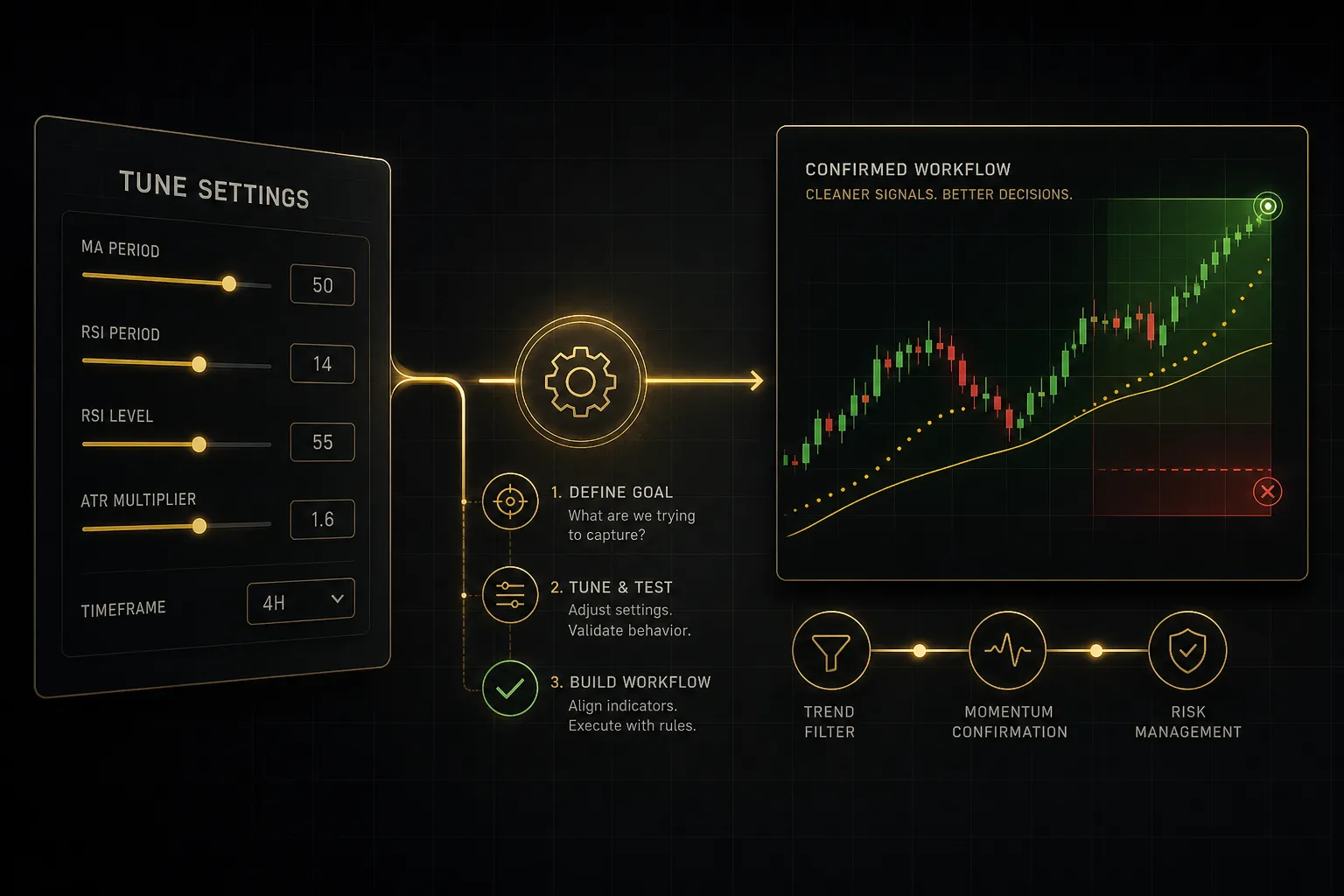
Default settings are historical accidents, not optimised truths.
RSI 14 came from J. Welles Wilder’s work in the 1970s, calculated by hand on daily commodity charts. MACD 12-26-9 reflects a six-day trading week that no longer exists.
Parameters Depend on Timeframe and Volatility
These defaults survive because they’re familiar, not because they’re right for your chart. A 1-minute gold chart and a Daily EUR/USD chart are entirely different statistical environments, and feeding both the same 14-period lookback is a choice you should make consciously.
Consider what changes across those two charts.
Gold on M1 can move its full daily ATR in a 20-minute burst around a data release.
EUR/USD on the Daily grinds.
The number of bars needed to describe “recent momentum” is not the same in both cases.
Threshold levels need the same treatment.
On a volatile instrument, RSI 70/30 triggers constantly and most triggers mean nothing.
Shifting to 80/20 filters noise.
On a slow-moving Daily chart, 60/40 may catch turns that 70/30 never registers.
The practical rule: shorter timeframes and higher volatility need longer lookbacks and wider thresholds to stay meaningful.
Counterintuitive, but it follows directly from the noise-to-signal ratio.
More noise requires more smoothing.
Test changes one variable at a time.
Change the RSI period and the thresholds simultaneously and you will never know which adjustment helped.
A Three-Part Signal Workflow
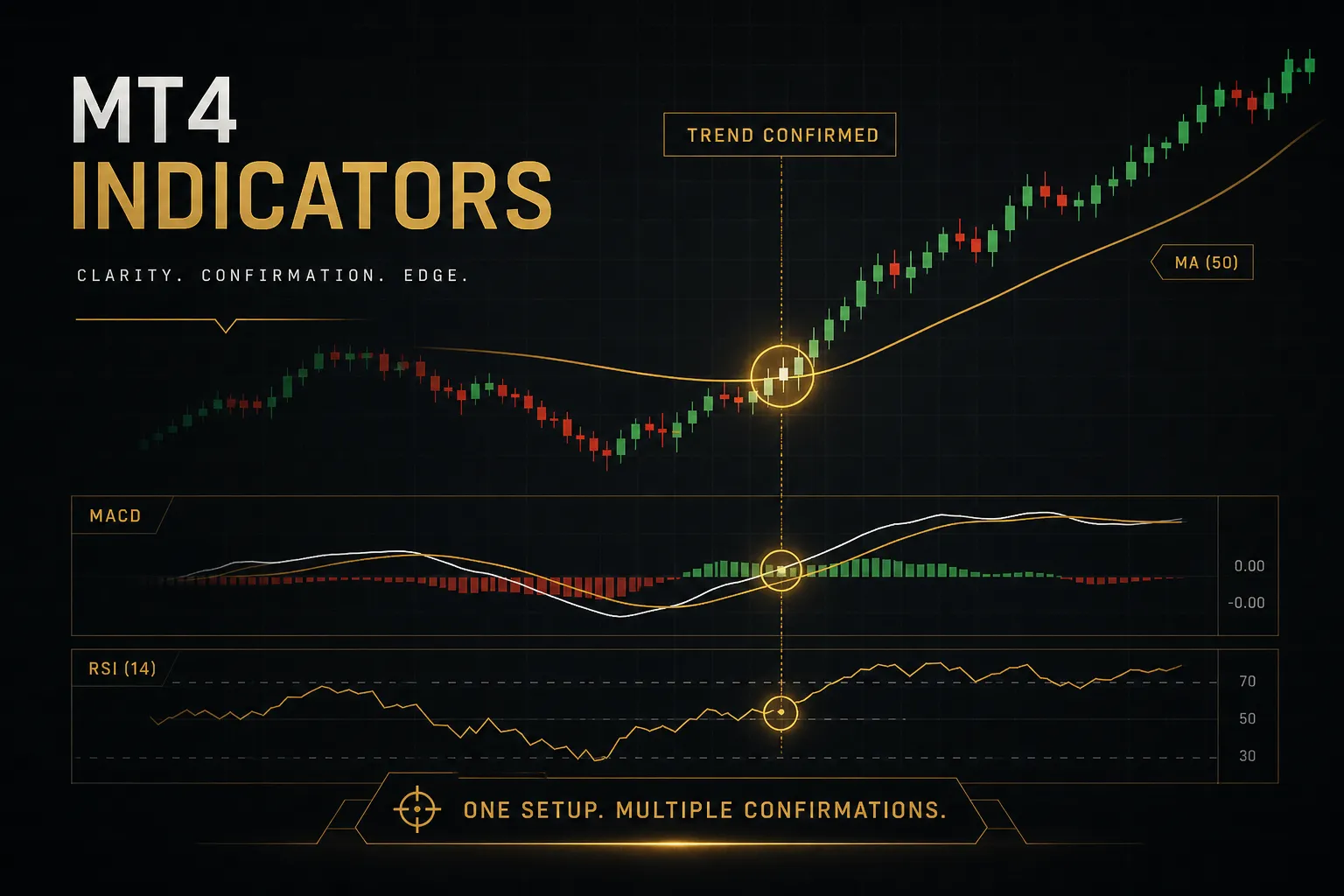
Chart clutter is a symptom of an unclear question. If you can’t state what each indicator on your screen is for, it shouldn’t be there.
A structure that holds up across trading styles uses exactly three roles:
One trend tool sets direction.
A 50 or 200-period moving average, or ADX above 25, decides whether you’re looking for longs, shorts, or nothing at all. This runs on a higher timeframe than your entry chart.
One confirmation tool times the entry.
RSI crossing back above 40 in an uptrend, a MACD histogram flip, or a Stochastic exit from oversold. Its only job is to answer “now?” once direction is already decided.
One volatility tool manages the trade.
ATR sets stop distance and therefore position sizing. Bollinger Band width flags whether the environment supports your target at all.
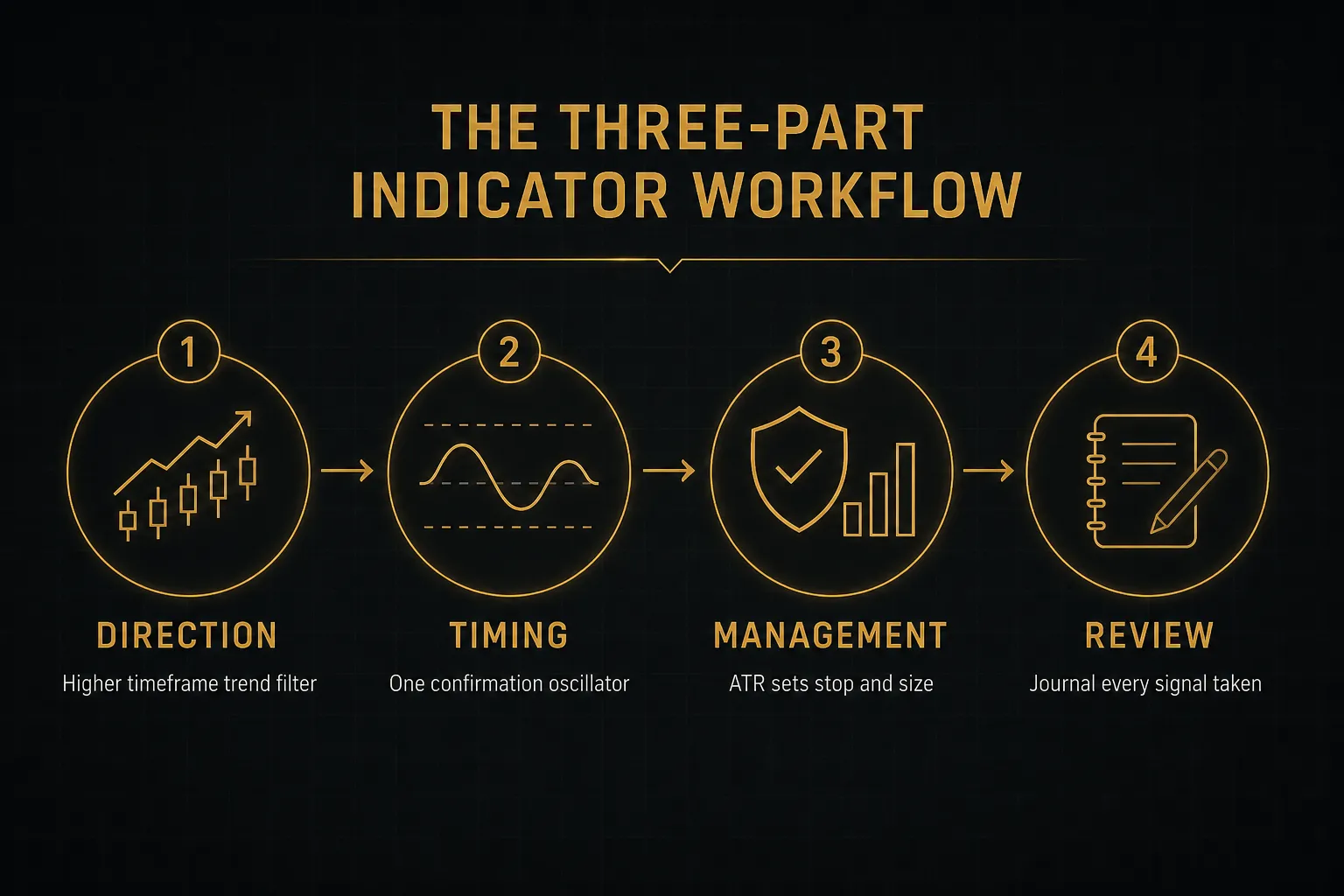
Two to four indicators total.
That’s the ceiling.
Each one must answer a question the others don’t, and if two tools disagree constantly, one of them is redundant or wrongly tuned.
This is also the logic behind unified signal systems rather than loose indicator collections. PipTrend, for example, presents a multi-timeframe analysis table alongside a clear separation between signal generation and entry management, so direction is established on a higher timeframe before an entry level and its risk parameters are defined.
Same three-part structure, packaged as one process instead of three indicators you have to reconcile manually.
The packaging matters less than the discipline.
What kills accounts is a chart with nine tools and no hierarchy between them.
Validating Signals Before Risking Capital
Here is the uncomfortable statistic: the majority of “90% win rate” indicators sold online look flawless on historical charts and fall apart in live trading. The mechanism behind that gap has a name.
Repainting and Hindsight Bias
Repainting is when an indicator changes or removes its historical signals as new data arrives. An arrow appears at the exact bottom of every swing on your backtest chart, because the indicator recalculated once it knew where the bottom was.
You cannot trade that arrow.
It didn’t exist at the time.
Detecting repainting is straightforward.
Attach the indicator to a live chart and watch a signal form intrabar. If the arrow flickers, moves, or vanishes before the candle closes, it repaints.
A non-repainting indicator locks its signal at the close and never touches it again.
The defence is candle-close confirmation.
Treat no signal as final until the bar that produced it has closed.
You’ll enter a few pips later.
You’ll also stop taking trades that never actually triggered.
Backtesting, Demo Trading, and a Journal
Validation is a sequence, and skipping steps is what makes traders blame indicators for their own process gaps.
Step one: MT4 Strategy Tester.
Press Ctrl+R, load historical data, and check whether the logic produced anything on the period you optimised. Use tick data quality of 90% or better; anything less on lower timeframes is fiction.
Step two: out-of-sample testing.
Reserve a chunk of history the settings never saw, typically the most recent 20 to 30%.
If performance collapses there, you curve-fitted.
This step is skipped more often than any other and it’s the one that catches the most self-deception.
Step three: forward testing on demo.
Two to four weeks minimum, on the same instrument and session you plan to trade.
Demo introduces the things backtests hide: your own hesitation, your own overrides.
Step four: a written journal.
Log the entry, the exit, the indicator readings, and crucially the reasoning before the outcome is known.
Twenty entries in, patterns in your own behaviour become impossible to ignore.
Instruments, Timeframes, and Devices
An RSI formula behaves identically on EUR/USD, the Nasdaq 100, spot gold, and Bitcoin.
The markets do not.
Gold routinely moves multiples of a major forex pair’s daily range. Crypto trades 24/7 with no session structure, so your London-open filter is meaningless. Indices gap over weekends and around earnings.
Copy-pasting settings between these instruments is the single most common tuning error, and it produces stop distances that are either absurdly tight or wastefully wide.
Reassess three things per instrument: lookback period, threshold levels, and stop distance in ATR multiples.
Never assume portability.
Device limits matter too.
MT4 mobile displays indicators already attached to a chart but cannot install or compile custom ones.
No MetaEditor, no data folder access, no MQL4 compilation on iOS or Android.
Installation is a desktop terminal job, and any vendor claiming mobile-only installation is describing something other than a standard MT4 indicator.
Finally, remember what the indicator doesn’t see.
Spread and slippage can consume the entire edge of a scalping signal.
News volatility can gap through your stop.
A signal is only tradeable when position size, stop placement, and execution costs all support it.
The indicator gives you an opinion; risk management decides whether that opinion is worth acting on.
Frequently Asked Questions
What is the most accurate indicator for MetaTrader 4?
No MT4 indicator is provably the most accurate, and any product claiming a fixed accuracy percentage is making a marketing claim rather than a statistical one. Accuracy depends on market regime, timeframe, instrument, and how the signal is confirmed and managed.
The same moving average crossover that performs well in a trending market bleeds in a range. ADX above 25 might make an oscillator signal reliable; ADX at 12 makes it noise.
Accuracy is a property of the whole process, not the formula.
What are the best indicators to use on MT4 for forex?
The best combination is one trend tool, one confirmation tool, and one volatility tool, matched to your holding period. That structure covers every style; only the parameters change.
- Day trading: 50 EMA for direction on H1, RSI or Stochastic on M15 for timing, ATR for stop distance.
- Swing trading: 200 SMA or Ichimoku cloud on Daily, MACD histogram on H4, Bollinger Band width for target realism.
- Position trading: Daily and Weekly moving average structure, ADX for trend strength, ATR for sizing across wide stops.
How do I download and install indicators on MetaTrader 4?
Place the .ex4 or .mq4 file in the MQL4/Indicators folder inside your MT4 Data Folder, then refresh the Navigator window. Quick reference:
- In MT4, click File > Open Data Folder.
- Open MQL4, then Indicators.
- Copy your .ex4 or .mq4 file in.
- If you only have .mq4, press F4 for MetaEditor and compile with F7.
- Right-click Indicators in the Navigator and choose Refresh, or restart MT4.
- Drag the new entry from Custom Indicators onto your chart.
Why is my indicator not showing on MetaTrader 4?
Nine times out of ten it’s the wrong folder or an uncompiled file. Run this checklist:
- File is in MQL4/Indicators, not MQL4/Experts or MQL4/Scripts.
- You opened the Data Folder of the correct broker installation.
- The .mq4 has been compiled into a matching .ex4 without errors.
- Navigator has been refreshed or the terminal restarted.
- Allow DLL imports is enabled if the indicator requires external libraries.
- The indicator isn’t restricted to a specific timeframe or symbol name.
Can you use multiple indicators on MT4?
Yes, and MT4 imposes no practical limit, but useful confluence requires that each indicator measure something different.
Two to four is the working ceiling.
RSI plus Stochastic plus MACD is not three confirmations; it’s one momentum reading displayed three ways. Trend plus momentum plus volatility gives you three genuinely independent inputs and a chart you can still read at a glance.
Do trading indicators really work?
Indicators work as decision-support tools, not as profit guarantees. They organise price data into something a human can act on consistently, which is valuable, but they contain no information price didn’t already have.
The edge comes from the surrounding process: signal confirmation at candle close, tested parameters, defined position sizing, and honest record-keeping. Traders who lose with indicators usually lose because those four elements were missing, not because the formula was flawed.
Building a Cleaner MT4 Chart
One action tonight.
Open your main chart and delete every indicator except three: one trend tool, one confirmation tool, one volatility tool.
Save it as a chart template so you can reload it in a click.
Then leave it alone for two weeks on a demo account.
Not one week.
Two.
Log every signal in a journal with your reasoning written before the outcome, and note whether you’d have taken the trade after candle-close confirmation rather than intrabar.
Most traders will find the sparse chart uncomfortable at first. Fewer indicators means fewer excuses and clearer accountability for each decision.
That discomfort is the point.
The goal was never to find the perfect indicator.
It doesn’t exist, and the search for it is what keeps traders cycling through downloads instead of building competence.
A repeatable process with three mediocre tools beats a brilliant tool used inconsistently.
Every time.
And when you do evaluate a new indicator or signal service in 2026, judge it on one criterion above all others: does it show you transparent, verifiable validation?
Out-of-sample results, non-repainting behaviour, honest drawdown figures.
Marketing claims are free to make.
Transparent validation costs something, which is exactly why it separates a useful signal system from noise.
Sources
Risk Disclaimer: Trading involves risk. Past performance doesn't guarantee future results. Only trade with money you can afford to lose. PipTrend is a tool to assist your trading decisions, not financial advice.