
MetaTrader indicators are rapidly evolving, and traders in 2026 must adapt to stay ahead in the competitive financial markets. With countless metatrader indicators available, choosing the right ones can be overwhelming for both beginners and seasoned traders.
Mastering the selection and use of these tools leads to more informed decisions and improved trading results. This article offers an expert guide to the latest trends in MetaTrader indicators for 2026, along with actionable tips for every skill level.
You will discover the main types of indicators, how to choose and apply them, top recommendations for the year, advanced strategies, and essential risk management advice. Empower yourself with the insights and strategies needed to achieve consistent trading success in 2026.
Understanding MetaTrader Indicators: Foundations for 2026
MetaTrader indicators are at the core of modern trading, giving traders precise tools to analyze price action and forecast potential moves. As the market grows more competitive, understanding these tools is essential for building a robust trading strategy. This section explores what metatrader indicators are, their major types, how they function within MetaTrader 4 and 5, and the latest innovations shaping their evolution for 2026.
What Are MetaTrader Indicators?
Metatrader indicators are mathematical tools designed to analyze historical price data and present it visually on trading charts. Their main role is to help traders spot patterns, forecast price changes, and make informed trading decisions. There are two main types: built-in indicators, which come standard with MetaTrader platforms, and custom indicators, which can be added for specialized analysis.
A classic example is the Moving Average, which smooths out price data to reveal the underlying trend. Integration of metatrader indicators is seamless, as highlighted in the MetaTrader 4 Indicators Guide, enabling traders to enhance their strategies with just a few clicks. These tools are vital for systematic trading, providing objective signals and reducing emotional bias in decision-making.
Types of MetaTrader Indicators
There is a broad spectrum of metatrader indicators, each serving a unique analytical purpose. The main categories include:
- Trend indicators: Moving Average, Trend AI
- Oscillators: RSI, Stochastic
- Volume-based: Advanced Currency Strength28
- Channels and levels: Bollinger Bands, Fibonacci Levels
- Patterns and multi-timeframe tools: Gann Made Easy
Multi-timeframe and multicurrency indicators are gaining traction, allowing for a more comprehensive market view. For instance, Gann Made Easy is favored by trend traders. The key is to match the indicator type to your trading style, ensuring alignment with your objectives and risk profile.
How Indicators Work in MetaTrader 4 and 5
Applying metatrader indicators in MetaTrader 4 and 5 is straightforward, making them accessible for traders at any level. Users select indicators from the built-in library or download new ones from the MetaTrader Market, which features over 1,800 pages of options for MT4 alone. After installation, indicators are easily added to charts via the Navigator panel.
For example, installing the Advanced Dashboard for Currency Strength involves downloading the file, placing it in the 'Indicators' folder, and restarting the platform. Both MT4 and MT5 are compatible with a vast array of metatrader indicators, and the integration process encourages experimentation, helping traders tailor their setups to their needs.
The Evolution of Indicators: What’s New for 2026?
In 2026, metatrader indicators are evolving rapidly, embracing artificial intelligence, automation, and real-time alert systems. Developers are introducing proprietary algorithms with non-repainting and non-lagging features, giving traders more reliable signals. The Smart Trend Trading System, for example, continues to receive updates that integrate AI-driven insights for improved accuracy.
Community-driven innovation is thriving, with platforms like CodeBase and Algo Forge enabling collaborative indicator development. Staying informed about these advancements is crucial, as the landscape of metatrader indicators is constantly shifting, and those who adapt quickly gain a significant edge in the market.
How to Select the Right MetaTrader Indicators for Your Strategy
Selecting the most effective metatrader indicators can make a significant difference in your trading results. With so many options available, it is essential to match your tools with your strategy, risk tolerance, and trading style. Let us break down the key factors every trader should consider.

Assessing Your Trading Goals and Style
Start by identifying your trading style—are you a scalper, day trader, swing trader, or long-term investor? Each approach benefits from different metatrader indicators, and the timeframe you trade on is critical. For example, scalpers often rely on fast-reacting indicators like M1 Sniper, while swing traders may prefer multi-currency tools such as Dynamic Forex28 Navigator.
Clarify your objectives. Are you aiming for frequent small wins or larger, less frequent trades? Risk tolerance also plays a major role. Pick indicators that align with both your preferred pace and your comfort with risk.
The right metatrader indicators should enhance your trading plan, not replace it. Use them to reinforce your analysis, add structure to decision-making, and maintain discipline.
Evaluating Indicator Performance and Reliability
Before adding any metatrader indicators to your toolkit, evaluate their performance. Look at criteria such as accuracy, speed (minimal lag), and whether the indicator repaints signals. User reviews and ratings on trusted platforms provide valuable feedback—indicators like Advanced Supply Demand, for example, score high for reliability.
Testing is essential. Try indicators in a demo account before using them live. Leverage MetaTrader’s backtesting features to see how indicators would have performed historically. For an in-depth comparison of highly-rated tools, check out the Best MetaTrader Indicators 2025 resource.
Remember, popular metatrader indicators often have hundreds of verified reviews, which can guide your selection process.
Free vs. Paid Indicators: What Should You Choose?
There is a wide range of both free and paid metatrader indicators on the market. Free options like the basic Moving Average offer simplicity and accessibility, but they may lack advanced features, regular updates, or reliable support.
Paid indicators often provide exclusive algorithms, detailed documentation, and dedicated customer service. For example, Scalper Inside PRO is a premium tool designed for traders who need more sophisticated analysis.
Consider the long-term value. While some free metatrader indicators might suffice for simple strategies, investing in a quality paid indicator can give you an edge, especially as your trading needs grow.
Compatibility and Ease of Use
Always ensure your chosen metatrader indicators are compatible with your platform version, whether MT4 or MT5. Some tools only work on one version, so double-check before purchasing or installing.
User-friendly interfaces and clear documentation make a big difference, especially for complex indicators. For instance, Trend indicator AI is praised for its intuitive signals and easy-to-understand alerts.
Integration with other trading tools or Expert Advisors (EAs) can streamline your workflow. Ultimately, metatrader indicators that are easy to use will increase your confidence and reduce costly mistakes.
Staying Updated with Market Trends
The landscape of metatrader indicators is constantly evolving. Stay informed by following updates from indicator developers and the broader MetaTrader community. Participate in forums, attend webinars, and read tutorials to keep your skills current.
Subscribing to MQL5 articles or YouTube channels ensures you do not miss important updates or new releases. Frequent updates signal that an indicator is actively supported and reliable.
Continuous learning is vital. The most successful traders adapt their metatrader indicators toolkit as markets and technologies change, ensuring long-term success.
Step-by-Step Guide: Installing and Customizing MetaTrader Indicators
Unlocking the full potential of metatrader indicators starts with seamless installation and effective customization. This guide will walk you through each step, ensuring your trading setup is both efficient and tailored to your needs.
How to Find and Download Indicators
Navigating the MetaTrader Market and CodeBase is your first step in accessing a vast library of metatrader indicators. Start by opening the Market tab within MetaTrader, where you can filter by indicator type, rating, and price. Look for indicators with consistently high reviews and recent updates.
For a deeper understanding of indicator types and how they function, visit resources like Technical Indicators Explained. Free and paid options are available, and you can preview screenshots or read user feedback before downloading. Remember, with over 1,800 pages of indicators for MT4 alone, careful selection is crucial.
Installing Indicators on MetaTrader 4 and 5
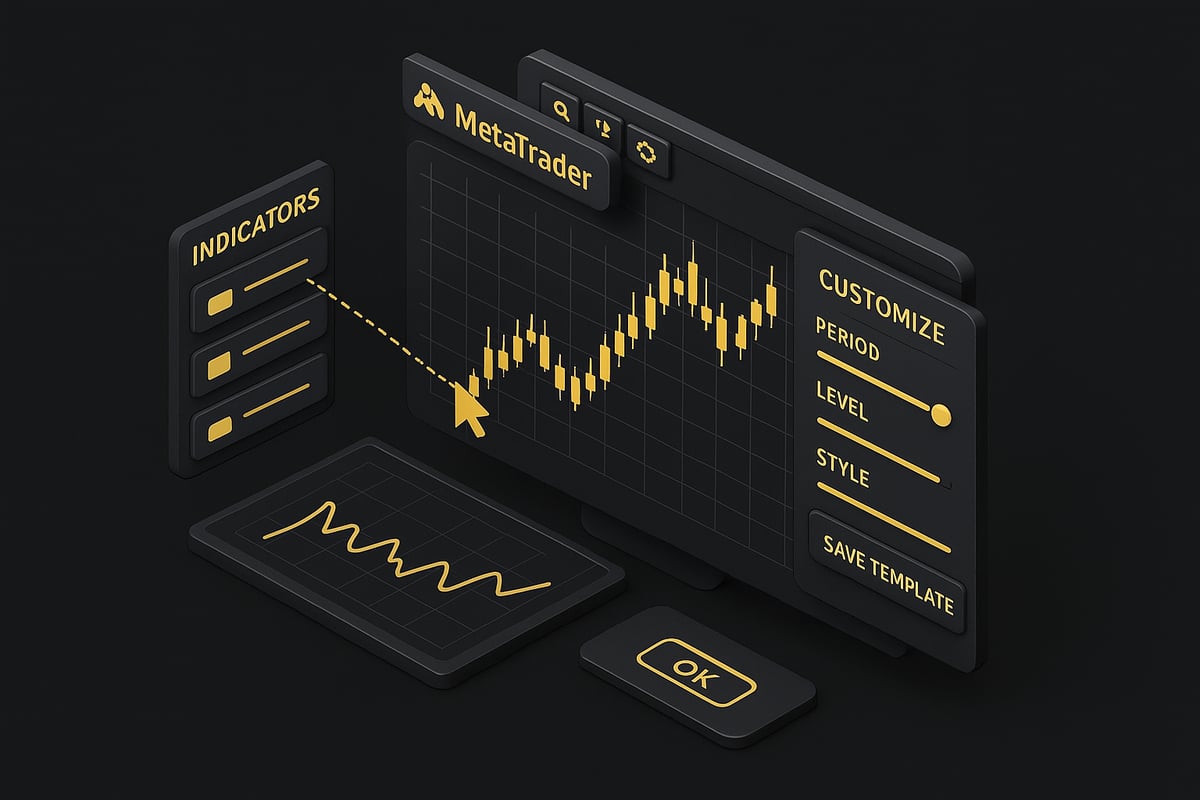
Once you have selected your metatrader indicators, installation is straightforward. Download the indicator file, then copy it into the 'Indicators' folder within your platform's data directory. After restarting MetaTrader, locate the new indicator in the Navigator panel.
Drag and drop the indicator onto your chart to activate it. If you encounter any issues, consult the official MetaTrader documentation or tutorial videos, which provide clear troubleshooting steps. This process supports both MT4 and MT5, making it accessible for all users.
Customizing Indicator Settings for Optimal Performance
Personalizing your metatrader indicators is essential for matching them to your trading strategy. Adjust parameters such as periods, levels, and alert preferences directly from the indicator’s input tab. For example, you might tweak the Advanced Currency IMPULSE settings to better suit specific currency pairs or volatility conditions.
Save your preferred configurations as custom templates for future use. Customization not only improves indicator accuracy but also ensures your tools remain relevant as market conditions change.
Using Templates to Streamline Your Workflow
Templates allow you to apply your favorite metatrader indicators and chart settings instantly across multiple charts. To create a template, set up your indicators, then right-click on the chart and select 'Save Template.' Name your template for easy access later.
When opening a new chart, load your saved template to maintain consistency and save time. For instance, a scalping template might include M1 Arrow and volume indicators, ensuring you never miss a setup. Templates help reduce errors and foster disciplined trading routines.
Top MetaTrader Indicators for 2026: Expert Recommendations
The landscape of metatrader indicators is evolving rapidly, and 2026 brings a new wave of tools designed for precision and adaptability. Traders now have access to advanced features, real-time analytics, and smarter algorithms. Selecting the right indicators can be the difference between consistent gains and missed opportunities. In this section, we highlight the most effective metatrader indicators across key categories, ensuring you choose the best tools for your trading strategy.
Trend Indicators: Identifying Market Direction
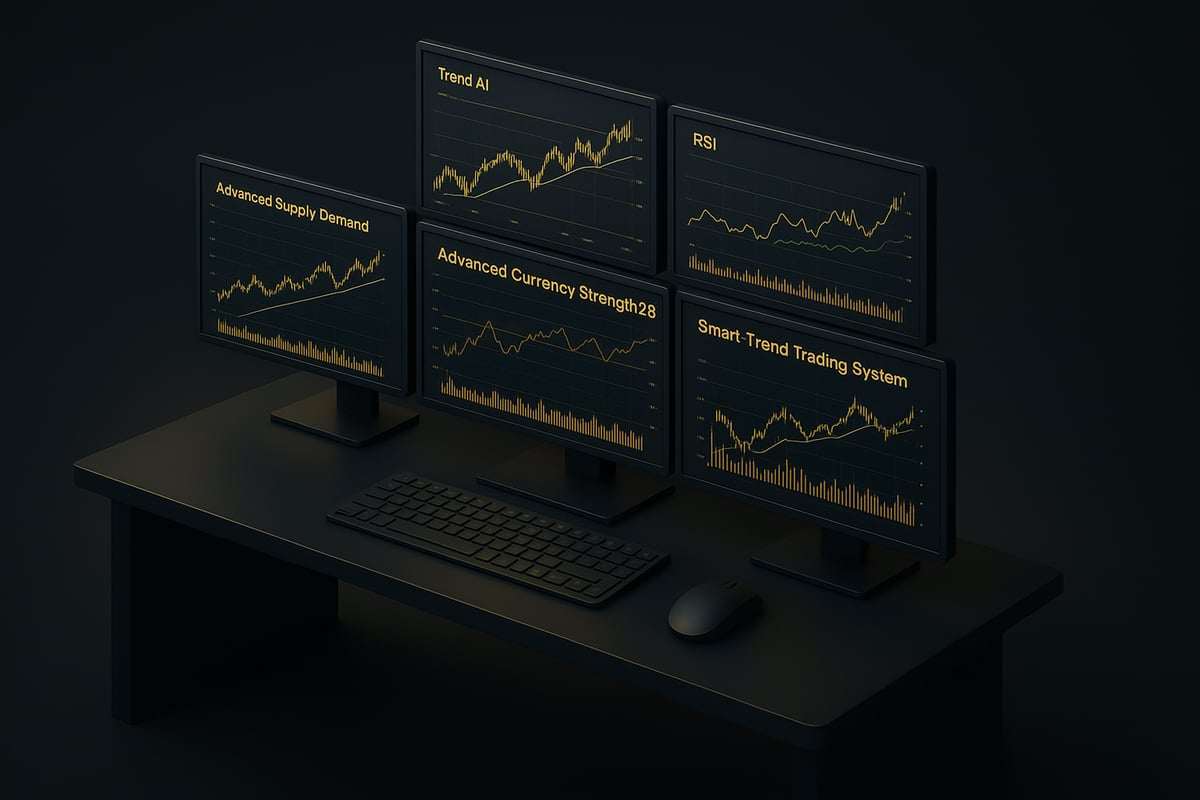
Trend-following remains a cornerstone for successful trading, making trend metatrader indicators essential for 2026. Tools like Trend AI, Gann Made Easy, and Game Changer Indicator lead the pack. These indicators offer non-repainting signals, multi-timeframe support, and real-time alerts, helping traders spot emerging trends early.
For example, Trend indicator AI provides actionable entry and pullback signals, allowing users to ride strong market movements with confidence. According to user data, Trend indicator AI boasts a perfect 5/5 rating, reflecting its reliability and effectiveness.
Utilizing trend metatrader indicators ensures traders can adapt swiftly to market direction, reducing guesswork and maximizing profits.
Oscillators and Momentum Indicators: Timing Entries and Exits
Oscillators are vital metatrader indicators for identifying overbought and oversold conditions, pinpointing reversals, and timing entries and exits. Popular choices for 2026 include RSI, Stochastic, and Dynamic Scalper System. These tools excel in ranging markets where clear trend signals are scarce.
RSI, in particular, is celebrated for its simplicity and accuracy. For a deeper dive into its application, see the RSI Indicator for MetaTrader guide. Meanwhile, Scalper Inside PRO's advanced algorithm detects quick market trends, providing traders with timely opportunities. This indicator is rated 4.74/5 by 69 users.
Combining oscillators with other metatrader indicators enhances timing precision and reduces false signals.
Volume and Currency Strength Indicators: Gauging Market Power
Volume and currency strength metatrader indicators provide critical insights into market momentum and power. Leading options for 2026 include Advanced Currency Strength28 and Advanced Currency IMPULSE, both of which analyze multi-currency flows and volume dynamics.
The Advanced Dashboard for Currency Strength and Speed covers all 28 major pairs, offering real-time signals on currency movements. These metatrader indicators feature multi-currency analysis, speed-of-movement tracking, and instant alerts.
With 656 reviews and a 4.91/5 rating, Advanced Currency Strength28 stands out for reliability and depth. Utilizing these indicators helps traders confirm trade direction and avoid false breakouts.
Support, Resistance, and Supply/Demand Indicators
Support, resistance, and supply/demand metatrader indicators are crucial for identifying entry, exit, and stop-loss levels. Top tools for 2026 include Advanced Supply Demand and Smart Trend Trading System. These indicators provide dual timeframe zones, non-lagging algorithms, and nested level detection.
Advanced Supply Demand, for example, offers precise zone mapping and is highly rated, with 296 reviews and a 4.91/5 score. These metatrader indicators help traders set accurate stops and targets, minimizing risk while maximizing reward.
Relying on these tools can significantly enhance trade planning and execution by highlighting high-probability price levels.
Multi-Timeframe and Multi-Currency Indicators
Holistic market analysis is increasingly important, making multi-timeframe and multi-currency metatrader indicators indispensable in 2026. Tools like Dynamic Forex28 Navigator, Advanced Dashboard, and M1 Sniper combine several analytics into one interface, allowing traders to see the bigger picture.
Dynamic Forex28 Navigator, for instance, integrates three leading indicators for comprehensive cross-pair analysis. These metatrader indicators reduce signal noise and increase trader confidence by confirming setups across multiple timeframes and pairs.
Leveraging multi-timeframe metatrader indicators helps streamline decision-making and ensures strategies remain robust in all market conditions.
AI and Algorithmic Indicators: The Future of MetaTrader
The rise of AI-driven and algorithmic metatrader indicators is one of 2026's most significant trends. These tools adapt in real time, generate instant alerts, and eliminate lag or repaint issues. The Smart Trend Trading System exemplifies this shift, offering AI-driven, non-lagging signals for precise trading.
AI-based metatrader indicators are setting new standards for accuracy and user experience, as traders demand smarter, more adaptive tools. The MetaTrader Market is seeing rapid growth in the number of AI-powered solutions available.
Embracing these innovative metatrader indicators ensures traders stay ahead of the curve and ready for the next evolution in the trading landscape.
Advanced Strategies: Combining MetaTrader Indicators for Maximum Impact
Unlocking the full potential of metatrader indicators requires a strategic approach that goes beyond simply adding tools to your chart. Advanced traders know that success in 2026 depends on how well you combine, test, and automate your indicator setups. This section explores proven methods for maximizing your edge with metatrader indicators, from stacking for confluence to optimizing with data-driven insights.
Building a Robust Indicator Stack
Creating a powerful combination of metatrader indicators starts with understanding indicator confluence. Rather than relying on a single tool, advanced traders stack trend, oscillator, and volume indicators to confirm entry and exit signals. For example, pairing a trend indicator like Trend AI with an oscillator such as RSI and a volume tool can filter out weak signals.
Consider these guidelines for effective stacking:
- Select indicators that complement rather than duplicate each other.
- Ensure each metatrader indicator provides a unique perspective.
- Regularly review your stack for redundancy or conflicting signals.
Avoid overcrowding your charts. Focus on synergy, not quantity. Too many metatrader indicators can create confusion and lead to analysis paralysis.
Multi-Timeframe Analysis Techniques
Multi-timeframe analysis with metatrader indicators enhances signal reliability by aligning trends across different chart intervals. Begin by identifying the dominant trend on a higher timeframe, then use a lower timeframe for precise entries. For instance, confirm a bullish trend on H4, then look for entry signals on M15.
A typical multi-timeframe workflow:
- Start with higher timeframe (e.g., daily or H4) for overall trend.
- Drop to a lower timeframe for entry and exit timing.
- Use dashboards or multi-timeframe indicators for seamless integration.
Explore more about Multi-Timeframe Trading Strategies for a deeper dive into this approach and how leading traders combine metatrader indicators for optimal results. This technique reduces false signals and increases confidence in your trades.
Custom Alerts and Automation
Modern metatrader indicators offer robust alert systems and automation features that help traders react quickly to market movements. Set up custom alerts for indicator crossovers, price levels, or volatility spikes. These can be delivered via push notifications, emails, or pop-ups, ensuring you never miss a key opportunity.
Many metatrader indicators can also be integrated with Expert Advisors (EAs) for automated trading. This reduces the impact of emotions and ensures consistent execution according to your strategy.
Automation and real-time alerts not only save time but also allow you to focus on higher-level analysis, making your trading process more efficient.
Backtesting and Strategy Optimization
Backtesting is essential for evaluating the effectiveness of metatrader indicators before risking capital. Use MetaTrader’s built-in strategy tester to simulate trades with historical data. This helps identify the best parameter settings and reveals how your indicator stack would have performed in various market conditions.
Key steps for optimization:
- Select your metatrader indicators and strategy parameters.
- Run multiple backtests across different pairs and timeframes.
- Analyze results and adjust settings as needed.
Data-driven optimization ensures your trading approach is robust, adaptable, and ready for the dynamic markets of 2026.
Common Mistakes and How to Avoid Them
Even experienced traders can misapply metatrader indicators. A frequent mistake is over-reliance on a single tool without considering broader market context. Others ignore the importance of adapting indicator settings to changing volatility or use trend indicators in choppy, sideways markets.
To avoid these pitfalls:
- Regularly review and adjust your indicator configurations.
- Use metatrader indicators as part of a comprehensive trading plan, not as standalone solutions.
- Keep a log of trades and setups to identify patterns and areas for improvement.
A disciplined, adaptive approach ensures you leverage the strengths of metatrader indicators while minimizing risk.
Risk Management and Best Practices for MetaTrader Indicator Users
Navigating the fast-paced world of trading requires more than just technical expertise. Effective risk management and disciplined practices are crucial when using metatrader indicators. This section explores proven methods to help traders of all levels protect capital, optimize performance, and maintain a consistent edge.
Setting Realistic Expectations
No matter how advanced metatrader indicators become, they cannot guarantee profits. Every indicator, even those rated highest on the market, has limitations. Believing in a "holy grail" can lead to poor decisions and unnecessary risk.
Approach indicator signals as guidance, not certainty. Use them to confirm your analysis, not replace it. For example, Advanced Supply Demand, despite its accuracy, still requires prudent risk controls. Many successful traders blend indicator signals with a robust trading plan. For actionable tips on aligning expectations with effective practices, consult resources like the Top 5 Forex Strategies in 2026.
Remember, consistent results come from a balanced approach. Treat metatrader indicators as tools within a broader strategy.
Position Sizing and Stop Loss Placement
Proper position sizing is fundamental to managing risk with metatrader indicators. Never let indicator confidence override smart capital allocation. Use indicator-identified levels, such as support or resistance, to set logical stop losses and determine position size.
Here is a quick comparison:
| Approach | Position Sizing | Stop Loss Placement |
|---|---|---|
| Aggressive | Larger % per trade | Closer to indicator signal |
| Conservative | Small % per trade (1-2%) | Beyond key indicator levels |
Avoid over-leveraging, even if your metatrader indicators signal a strong trend. A well-placed stop loss can preserve your account during drawdowns and market volatility.
Continuous Learning and Adaptation
The landscape of metatrader indicators is always evolving. Successful traders continuously learn by following updates, joining forums, and attending webinars. New releases, especially AI-driven tools, can offer a competitive edge if you stay informed.
Participate in the MetaTrader community and review user feedback on new indicators. For example, traders who adapt to innovative features often outperform those who rely solely on outdated tools. Treat your indicator toolkit as a living resource that grows with your experience.
Continuous learning ensures your strategies remain effective as markets change.
Record Keeping and Performance Review
Effective use of metatrader indicators requires diligent record keeping. Log every trade, noting which indicators you used, entry and exit points, and the outcome. This habit reveals patterns in your trading and highlights which indicators deliver consistent results.
Consider using MetaTrader’s journal feature or third-party analytics. Regular performance reviews help you identify strengths, address weaknesses, and refine strategies. Objective analysis, rather than memory or emotion, drives improvement.
By tracking your indicator setups, you build a personalized database for future reference and optimization.
Psychological Discipline and Avoiding Overtrading
Emotions can undermine even the best metatrader indicators. Recognize when fear or excitement tempts you to deviate from your plan. Stick to pre-defined setups and avoid revenge trading after a loss or impulsive trades after a win.
Develop checklists and routines to reinforce discipline. Many top-performing traders attribute their success to strict adherence to indicator-based rules, not just to the indicators themselves. Data shows that disciplined traders consistently outperform those who trade impulsively.
Remember, psychological resilience and rule-based execution are as vital as any technical tool.
Resources and Communities for MetaTrader Indicator Traders
Access to the right resources and active communities is essential for mastering metatrader indicators. Whether you are troubleshooting a new tool or seeking strategy inspiration, leveraging these platforms empowers you to maximize every feature of metatrader indicators.
Official MetaTrader Resources
The backbone of any metatrader indicators journey is the official MetaTrader platform and its comprehensive resources. The MQL5 documentation provides step-by-step guides for installing, customizing, and troubleshooting indicators. CodeBase offers access to thousands of free and paid metatrader indicators, allowing traders to experiment and refine their strategies.
If you encounter challenges, the official documentation is an invaluable troubleshooting companion. With the MQL5 Market hosting over 10,000 indicators, you are never short of options. For efficient searching, use filters for rating, type, and compatibility.
Key resources include:
- MQL5 documentation for technical support
- CodeBase for indicator downloads and reviews
- MetaTrader Market for the latest tools
Staying familiar with these resources ensures you always have a solid foundation for your trading toolkit.
Educational Platforms and Tutorials
Learning how to use metatrader indicators effectively requires more than just reading manuals. Visual platforms like YouTube and official MetaTrader tutorial videos break down complex setups, making them accessible to all levels.
Webinars and online courses provide structured learning, often led by seasoned traders who share practical insights. Regularly attending these sessions accelerates your mastery of metatrader indicators and keeps you updated on new features.
Educational avenues to explore:
- YouTube channels focused on MetaTrader strategies
- Live webinars covering indicator installation and usage
- Online courses with interactive modules
Continuous learning is vital. Visual guides and interactive lessons bring clarity, helping you avoid common pitfalls and optimize your indicator settings.
Forums and Peer Support Communities
Engaging with other traders is one of the fastest ways to refine your use of metatrader indicators. The MQL5 forum, Reddit communities, and trading Discord groups are buzzing with real-time discussions, indicator reviews, and live trade analyses.
By participating in these communities, you gain immediate access to peer insights, support for troubleshooting, and honest feedback on indicator performance. Many traders share their metatrader indicators setups, trade results, and lessons learned, providing valuable shortcuts for your own growth.
Benefits of joining communities:
- Direct support from experienced users
- Access to live trading rooms and indicator reviews
- Real-time feedback on new releases
Peer support bridges knowledge gaps and helps you stay adaptable in a fast-evolving market.
Keeping Up with Indicator Trends and Updates
To stay ahead in 2026, it is crucial to monitor trends affecting metatrader indicators. Subscribing to newsletters from indicator developers and following release notes ensures you never miss a major update or new feature.
Market news platforms and dedicated articles, such as the Top Forex Indicators for 2025-2030, offer future-focused analysis, helping you anticipate shifts in indicator technology and adapt your strategy accordingly.
Tips for staying updated:
- Subscribe to developer newsletters for early access to updates
- Monitor release notes on the MetaTrader Market
- Read expert articles and join indicator-focused webinars
Early adoption of new features gives you a competitive edge, and proactive learning ensures you extract maximum value from your metatrader indicators.
After exploring the latest MetaTrader indicator trends and practical strategies for 2026, you now have a clearer path to more confident trading. The right tools can make all the difference—especially when you’re aiming for consistency and better results across forex, crypto, and stock markets. If you’re ready to put these insights into action and experience real-time, AI-powered signals that eliminate guesswork, it’s time to take the next step. See your trading improve with PipTrend’s reliable and easy-to-use platform—designed to help you catch winning trades with clarity and confidence.
See Your Trading Improve With PipTrend