On this page
Introduction
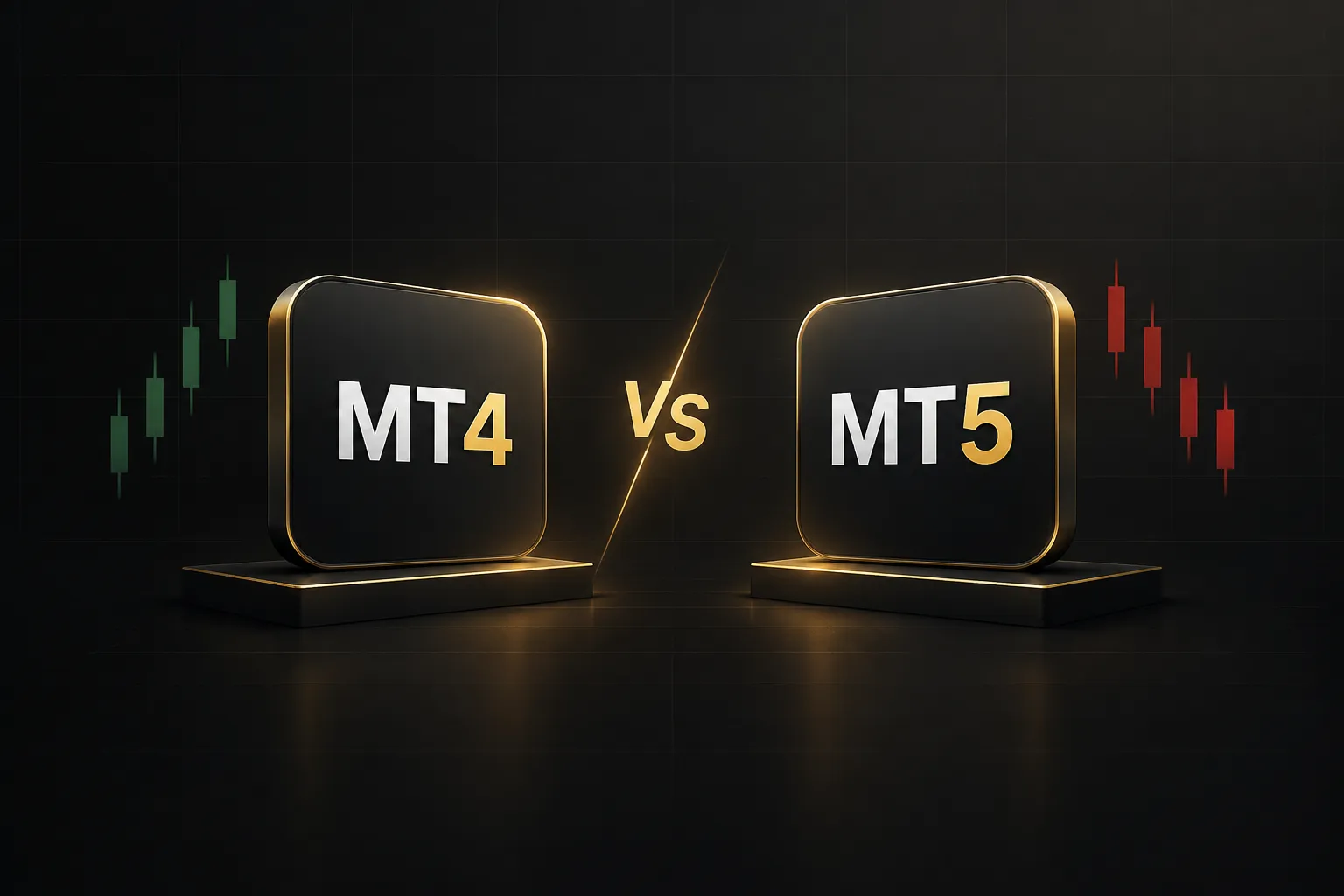
The short answer to MT4 vs MT5 in 2026 is this.
MetaTrader 4 wins if you’re locked into legacy Expert Advisors, trade only forex and CFDs, or have a broker relationship that gives you better conditions on MT4.
MetaTrader 5 wins for multi-asset trading, modern automated trading, deeper backtesting, and long-term platform support.
Most traders don’t realize something important.
MetaTrader itself is free.
Neither platform charges platform fees to the trader. The real cost differences come from broker spreads, commissions, data feeds, and whatever you pay for Expert Advisors and custom indicators.
That’s where most MT4 vs MT5 comparisons fall apart. They blend three separate questions into one:
- Platform capability: what the terminal can technically do (timeframes, order types, strategy tester features).
- Broker account configuration: what your specific broker enables, such as hedging vs netting, available instruments, and execution model.
- EA and indicator portability: whether the tools you already own will actually run on the other platform.
Confuse these, and you’ll make the wrong call.
A trader might switch to MT5 for “better execution” when execution is a broker issue, not a terminal issue. Another might stay on MT4 believing MT5 can’t hedge.
It can.
This guide separates those three layers so you can pick the right MetaTrader for your actual trading. We’ll also cover when the platform isn’t the real problem at all… and what to do instead.
Quick Comparison Table
Here are the core MT4 vs MT5 differences at a glance, updated for 2026.
| Feature | MetaTrader 4 (MT4) | MetaTrader 5 (MT5) |
|---|---|---|
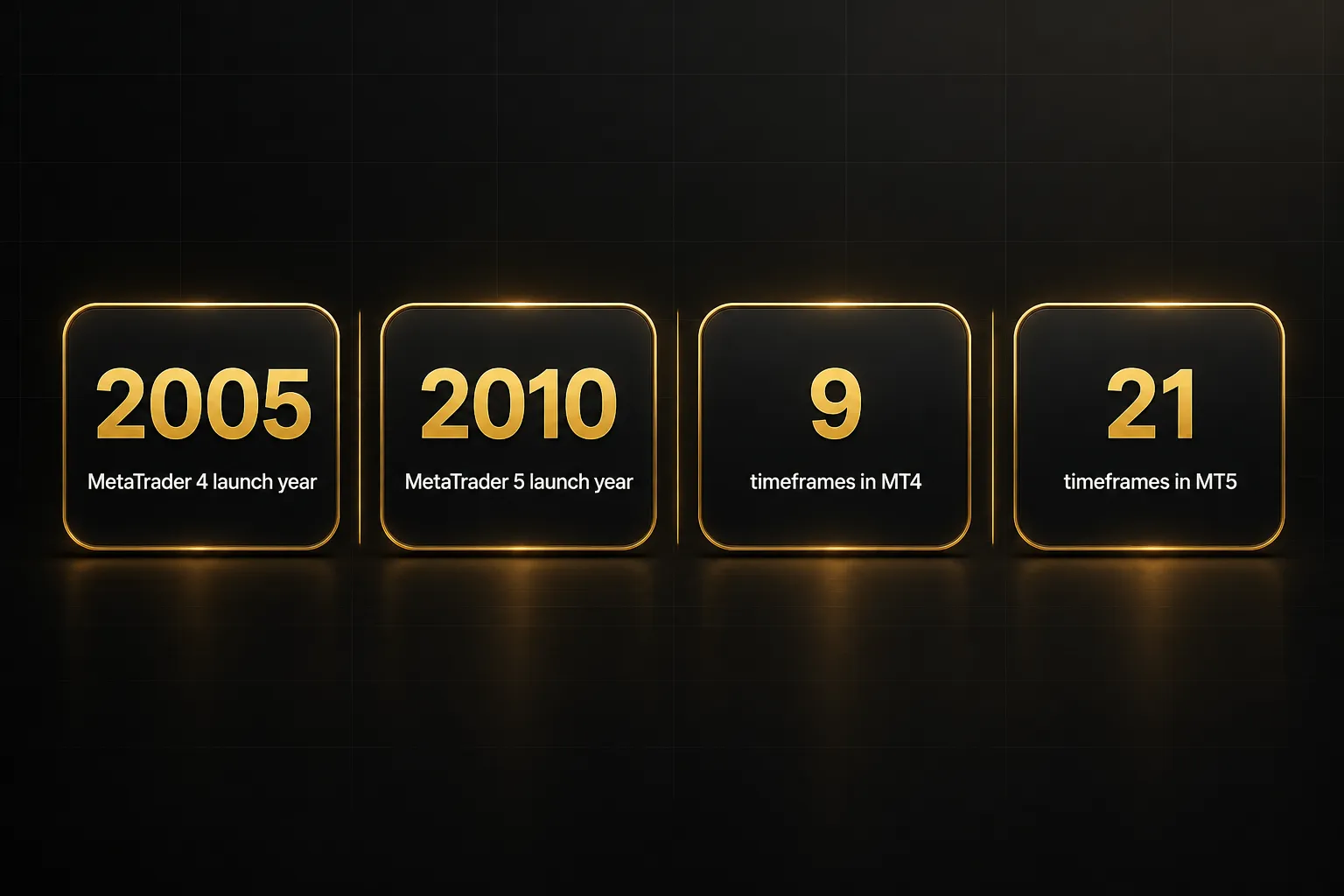
| Release year | 2005 | 2010 |
| Support status (2026) | Maintained, but deprioritized by MetaQuotes; some brokers phasing it out | Active development and primary focus for new broker onboarding |
| Asset classes | Spot forex and CFDs | Forex, CFDs, exchange-traded stocks, futures, options, bonds (broker-dependent) |
| Hedging support | Yes, by default (hedging only) | Yes, on hedging accounts; netting also available |
| Programming language | MQL4 | MQL5 |
| Timeframes | 9 | 21 |
| Pending order types | 4 | 6 (adds Buy Stop Limit and Sell Stop Limit) |
| Strategy Tester | Single-symbol, single-threaded | Multi-currency, multi-threaded backtesting, real-tick mode, cloud optimization |
| Economic calendar and market depth | Not built in (broker plugins only) | Built-in economic calendar and Depth of Market |
| Broker availability | Still very wide among retail forex brokers | Wide and growing; default for many new brokers |
| Platform cost | Free | Free |
| Best for | Legacy EA users, forex-only traders | Multi-asset traders, new traders, serious backtesters |
| Winner | Legacy EA ecosystem and forex-only simplicity | Multi-asset access and modern testing tools |
Both platforms are free to download.
Your real cost is set by your broker account type (spreads, commissions, swaps) and any paid EAs or custom indicators you buy from marketplaces or developers.
Platform Overviews: What MT4 and MT5 Actually Are
Both platforms come from the same developer, MetaQuotes Software. Both are client terminals that connect to your broker’s server.
But they were designed for different jobs, and that design shows up everywhere from order handling to the programming language.
MT4: The Legacy Forex Standard
MetaTrader 4 launched in 2005 as a dedicated forex trading platform. It was built for spot forex and CFDs, and it does that job extremely well.
Simple interface. Fast chart loading. Hedging by default.
Its programming language, MQL4, powers the largest library of Expert Advisors and custom indicators in retail trading. Two decades of developers have built, sold, and shared MQL4 code.
That ecosystem is MT4’s real moat.
On the capability side, MT4 is lean.
It offers 9 timeframes (M1 to MN), 4 pending order types, and roughly 30 built-in technical indicators. There’s no native economic calendar and no native Depth of Market.
And yet it remains the most widely supported platform among retail forex brokers and EA marketplaces. Many traders learned on MT4, and many trading courses still teach it.
Verdict on MT4: A mature, reliable forex tool with an unmatched EA ecosystem. Limited in scope, but not broken.
MT5: The Multi-Asset Successor
MetaTrader 5 arrived in 2010 with a broader goal: multi-asset trading. Depending on your broker, it can handle forex, CFDs, exchange-traded stocks, futures, options, and bonds from one terminal.
It runs on MQL5, a more modern, C++-style language with a richer object model. MT5 also offers 21 timeframes (including M2, M3, H2, H3, H6, H8, and H12), 6 pending order types, and a larger built-in indicator set of around 38 tools.
Two built-in features stand out.
The economic calendar sits directly inside the terminal, and Depth of Market shows the order book for instruments where your broker provides exchange data. On MT4, you’d need third-party plugins for either.
MT5 had a rocky start.
Early versions were netting-only, which pushed many forex traders away. That changed years ago, but the reputation stuck (more on that in the hedging section below).
Verdict on MT5: The more capable terminal on paper and in practice. Its main weakness is that your old MT4 tools don’t come with you.
So who wins at the overview level?
It’s a tie.
MT4 wins on ecosystem maturity.
MT5 wins on native capability breadth.
The right answer depends on which markets you trade and which tools you already rely on.
Markets, Multi-Asset Access & Broker Availability
MT5 is the only MetaTrader that can offer genuine exchange access.
MT4 is effectively forex- and CFD-only regardless of which broker you choose.
But here’s the nuance most comparisons skip: both platforms can show you “stocks” and “indices,” and that doesn’t mean the same thing on each.
| Market / Feature | MT4 | MT5 |
|---|---|---|
| Spot forex | Yes (broker-dependent) | Yes (broker-dependent) |
| CFDs on indices, commodities, crypto, shares | Yes (broker-dependent) | Yes (broker-dependent) |
| Exchange-traded stocks | No | Yes, if broker connects to an exchange |
| Futures | No (CFD versions only) | Yes, if broker offers them |
| Options and bonds | No | Yes, if broker offers them |
| Depth of Market (order book) | No native support | Native, where exchange data is provided |
| Netting account (exchange-style) | No | Yes |
| Broker availability in forex-centric regions | Very high; some brokers are MT4-only or MT4-first | High and growing; standard for newer brokers |
Think of it as two tiers of access.
Tier one is spot forex and CFD access. Both platforms handle this, and what you actually get depends entirely on your broker.
A CFD on Apple shares or the NAS100 index is a broker-issued contract that tracks the price. You don’t own the underlying asset, and there’s no exchange order book behind it.
Tier two is genuine exchange access. Only MT5 supports it, and it’s still broker-dependent.
If your broker routes orders to a real exchange, MT5 can show real Depth of Market and run a netting account that mirrors how exchanges calculate positions. Very few retail forex brokers offer this, so check before you assume.
Broker compatibility is the other half of the story.
In many regions, broker availability still favors MT4. Some brokers offer their tightest spreads or lowest commissions on MT4 accounts only, or they launch new account types on MT4 first.
That means your platform choice may be constrained before you decide anything. If your preferred broker’s raw-spread account runs only on MT4, the “better” terminal may cost you more in trading costs.
The reverse is also increasingly true.
MetaQuotes reportedly stopped selling new MT4 licenses to brokers around 2018, so newer brokers often launch with MT5 only. If you’re opening your first account in 2026, there’s a good chance MT5 is the default.
Winner: MT5 for asset breadth and real exchange access. MT4 for guaranteed broker and account availability in forex-centric regions.
Trading Mechanics: Execution, Automation & Backtesting
This is where the MT4 vs MT5 decision gets real.
Execution speed, fills, and slippage are mostly broker issues, not terminal issues. The terminal-level differences that matter are hedging logic, EA compatibility, backtesting depth, and indicator portability.
Hedging vs Netting: What MT5 Actually Supports
Let’s correct the biggest myth first.
MT5 is not netting-only.
It supports both hedging and netting, and your broker decides which account type you get.
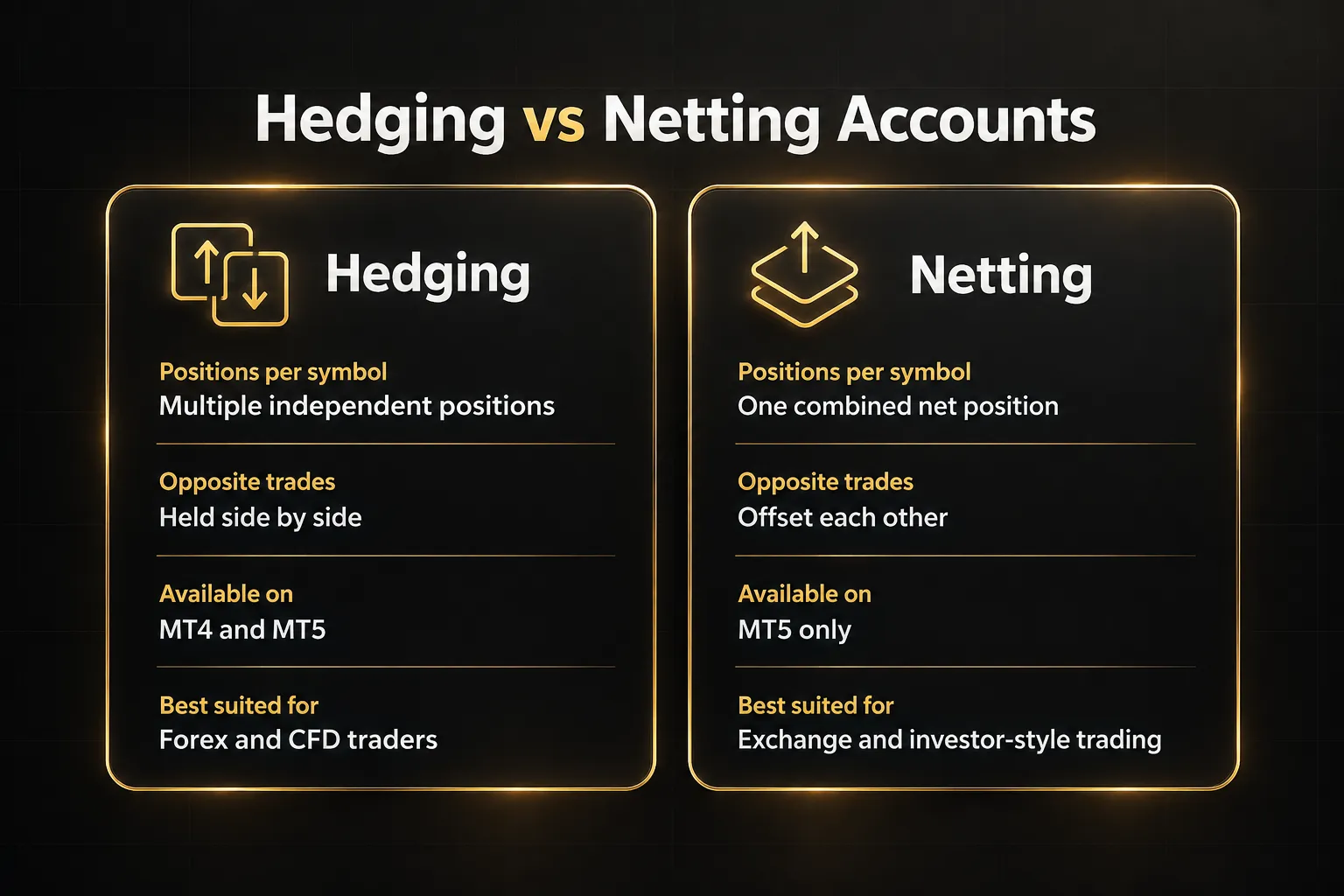
On a hedging account, you can hold multiple positions on the same symbol, including a buy and a sell at the same time. Each position is tracked separately with its own stop loss and take profit.
This is how MT4 has always worked, and MT5 has offered it since 2016.
On a netting account, all trades on a symbol combine into one net position. Buy 1 lot of EUR/USD, then sell 0.5 lots, and you’re left with a single 0.5-lot long.
This mirrors how exchanges and many institutional systems work.
MT4 offers hedging by default with no netting option. That’s fine for most retail forex traders.
But if you trade exchange instruments, or you need a netting account for investor-style reporting or certain prop firm setups, MT4 simply can’t do it.
One regional caveat.
In the US, FIFO rules mean brokers typically block hedging on the same symbol regardless of platform. That’s a regulatory restriction, not a MetaTrader limitation.
EA Compatibility: MQL4 vs MQL5 and Real Migration Cost
Here’s the part that keeps traders on MT4.
MQL4 and MQL5 Expert Advisors are not interchangeable.
An .ex4 file won’t load in MT5, and an .mq4 source file won’t compile in the MT5 editor.
The two languages look similar on the surface. Underneath, they use different compilers and different object models.
The biggest gap is order handling.
MQL4 uses a simple ticket-based model: send an order, get a ticket, modify or close it. MQL5 separates orders, deals, and positions into distinct objects, and built-in indicator functions return handles that require extra steps to read values.
So “porting” an EA means rewriting its trade logic, not just renaming functions.
In practice, migrating an EA is a rebuild, not a copy-paste.
You’ll either spend your own development hours or pay a developer or conversion service. Quotes vary widely with complexity, and a complex grid or multi-symbol EA can take significant work.
There’s also a validation cost people forget. Even a perfect conversion needs to be retested, because MT5’s tick modeling and order logic can produce different backtest results than MT4.
A strategy you trusted for years has to earn that trust again.
If your trading depends on a proven MQL4 EA, MT4’s zero migration cost is a genuine advantage. Don’t switch for features you won’t use.
Strategy Tester & Backtesting Depth
MT5’s strategy tester is far more capable.
It isn’t close.
MT5 supports multi-currency testing, so an EA that trades EUR/USD, GBP/USD, and XAU/USD together can be tested as one portfolio. It offers a real-tick mode that uses actual broker tick history instead of synthetic ticks.
And it runs multi-threaded backtesting across every CPU core, with optional distributed optimization through the MQL5 Cloud Network.
The optimization tools are also deeper.
You get genetic and complete-parameter optimization, forward testing built into the tester, and more detailed result reports. For anyone running parameter sweeps, the speed difference alone saves hours per test.
MT4’s tester is single-symbol and single-threaded.
By default it builds ticks from M1 data, so modeling quality depends heavily on the historical data you load. Serious MT4 testers often buy third-party tick data to compensate.
But MT4’s tester still has loyal users.
Legacy EA developers built and validated strategies on it for over a decade. They know its quirks, trust its results, and have years of forward performance to compare against.
That familiarity is worth something.
Can You Use MT4 Indicators on MT5?
No, not natively.
MT4 indicators are written in MQL4 and won’t run on MT5 without a rewrite to MQL5.
Indicators are usually easier to convert than EAs because they don’t touch order handling. Still, buffer logic, indicator handles, and drawing functions differ enough that each one needs manual work or a paid conversion.
Commercial indicators are even trickier, since you typically only own the compiled file and need the vendor to release an MT5 version.
This is a key reason traders with large indicator libraries stay on MT4.
If you use 15 custom indicators and only three have MT5 versions, switching means rebuilding your whole chart setup.
Many traders sidestep the problem entirely by moving their analysis to TradingView indicators, which work the same regardless of whether they execute on MT4, MT5, or another broker platform.
Winner: MT5 for backtesting depth and hedging/netting flexibility. MT4 for zero migration cost if you already depend on an MQL4 EA or indicator library.
Who Should Choose MT4, MT5, or a Different Tool Entirely
Bottom line: most new traders should choose MT5 in 2026, most traders with a proven MQL4 setup should stay on MT4, and traders struggling with entries should fix their analysis before switching terminals. Here’s how to decide.
Choose MT4 if:
- You run a proven MQL4 EA. If it’s profitable and validated, rebuilding it for MT5 adds cost and risk with no guaranteed improvement.
- Your broker offers better forex conditions on MT4. Tighter spreads or lower commissions on an MT4 account will affect your results more than extra timeframes.
- You trade forex and CFDs only. If you don’t need exchange stocks, futures, or netting, MT4 covers everything you use.
- You depend on a large custom indicator library that has no MT5 versions available.
Choose MT5 if:
- You trade multiple asset classes. Stocks, futures, and forex from one terminal is only possible on MT5, and only with the right broker.
- You want deeper backtesting. Multi-currency testing, real ticks, and multi-threaded optimization make MT5 the serious tester’s choice.
- You need explicit netting for prop firm or investor-style accounts that calculate positions as a single net exposure.
- You’re starting fresh. With no legacy EA investment, there’s no reason to build on the older platform.
- Long-term platform support matters. MetaQuotes has shifted new development and broker onboarding toward MT5. MT4 isn’t formally discontinued, but some brokers and regulators are gradually phasing it out.
Consider PipTrend instead of either terminal if:
Sometimes the MT4 vs MT5 debate is a distraction. If you keep entering late, second-guessing signals, or staring at cluttered charts, a new terminal won’t fix that.
Both platforms execute the same trade the same way.
PipTrend solves the analysis problem instead.
It’s a complete trading system delivered as a TradingView indicator suite, and it works alongside whatever broker or MetaTrader account you already use. You analyze on TradingView, then execute on MT4, MT5, or any other platform.
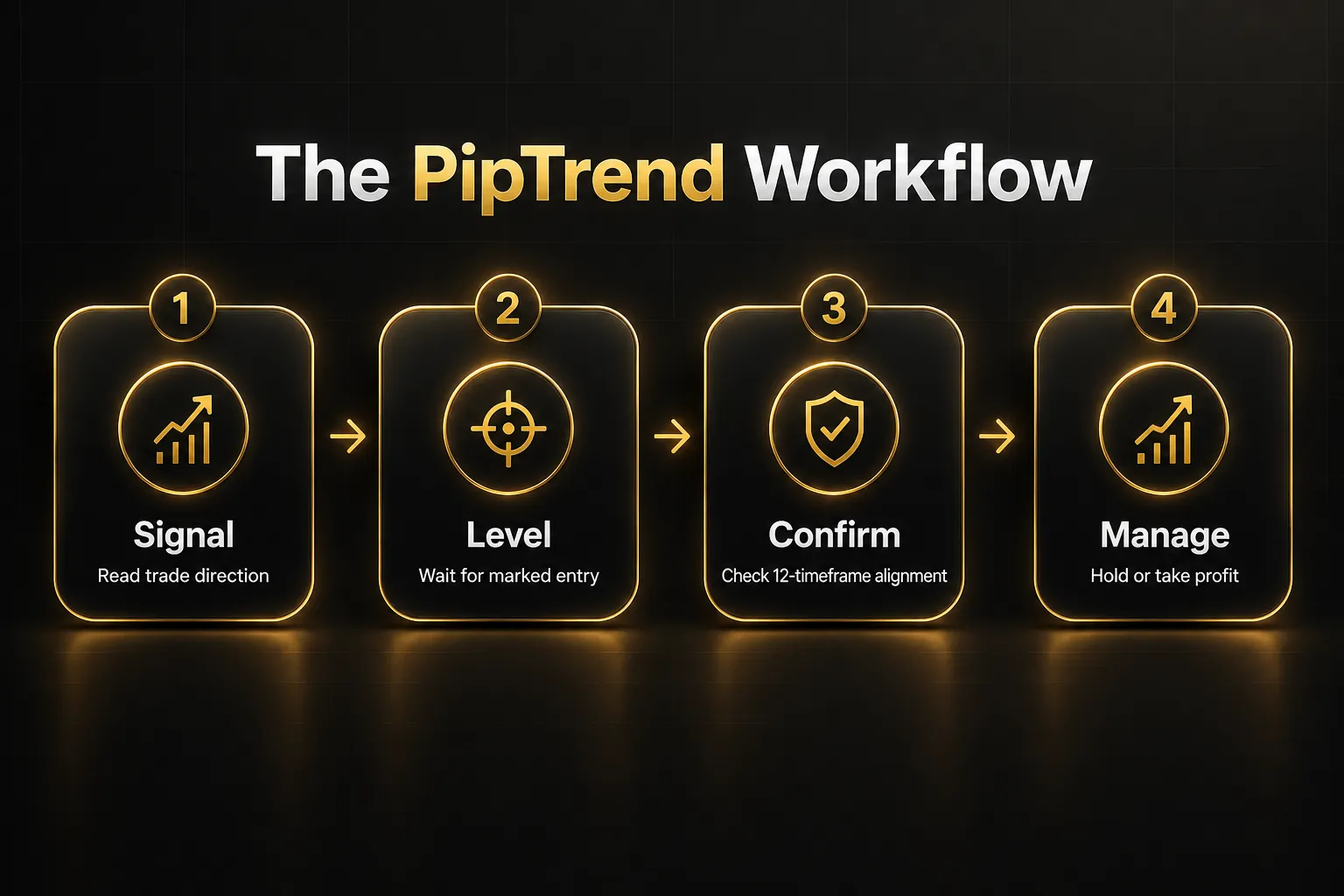
- Direction signals: clear BUY and SELL signals with color-coded candles (green for bullish momentum, red for bearish pressure, gray while a trend forms), plus a whipsaw filter for choppy conditions. Signals confirm on candle close and don’t repaint afterward.
- Precision entry levels: session highs and lows, previous day high and low, VWAP, supply and demand zones, and fair value gaps painted directly on the chart. The signal gives direction only; the entry comes from a marked level, which stops impulsive entries.
- 12-timeframe confirmation table: BUY, SELL, or NEUTRAL status from 1-minute to Monthly, used to confirm alignment before entering and decide when to hold or take profit.
- Trading alerts: push, email, and desktop notifications on any timeframe and instrument.
- Published live results: trade ideas are posted on a public results page with verified cTrader statements, losses and break-evens included.
- Pricing: $59.99/month, $134.99 quarterly ($45/mo), or $479.99 yearly ($40/mo), with a 3-day free trial and 30-day money-back guarantee.
The honest trade-off?
PipTrend is an analysis layer, not an execution tool. It won’t place trades for you inside MetaTrader, and it requires working in TradingView alongside your broker platform.
Prop firm traders and active styles
- Prop firm trading: MT5’s netting-compatible accounts and deeper backtesting suit rule-based challenges, and many firms now default to MT5. Pair it with fixed entry rules to stay inside drawdown limits.
- Forex scalping: execution speed depends on your broker, not the terminal. Scalpers on either platform often use session levels and VWAP from a TradingView signal layer for faster, cleaner decisions.
- Swing trading platform needs: swing traders benefit from MT5’s extra timeframes (H8, H12), or from a multi-timeframe dashboard that shows H8 and Daily alignment at a glance.
FAQ
Which is better MT4 or MT5 for beginners?
MT5 is the better choice for most beginners in 2026.
New brokers increasingly default to it, and modern tutorials are shifting toward MT5, so you won’t need to migrate later. MT4 is still slightly simpler for forex-only beginners following older guides, but that advantage shrinks every year.
Is MT5 better than MT4 for forex?
Not strictly.
For pure forex trading, execution quality depends far more on your broker’s liquidity, spreads, and server location than on the terminal. MT4 still has excellent forex-specific broker support.
MT5 adds more timeframes, a built-in economic calendar, and better backtesting, which matter if you use them.
Can I use MT4 indicators on MT5?
No.
MT4 indicators are written in MQL4, and MT5 only runs MQL5 code. Each indicator needs a manual or paid rewrite, not a direct import.
For commercial indicators, you’ll need the vendor to provide an MT5 version, since you usually don’t own the source code.
Why do traders still use MT4 instead of MT5?
Ecosystem, familiarity, and habit.
MT4 has the largest library of Expert Advisors and custom indicators, many brokers still offer their best forex accounts on it, and traders who built workflows over years don’t want to rebuild them.
It persists because switching costs are real, not because it’s technically superior.
Does MT5 allow hedging?
Yes.
MT5 supports hedging on hedging-type accounts and has done so since 2016. It also offers netting accounts, which MT4 cannot.
Your broker decides which account types are available, so confirm with them before opening an account.
Will MT4 be discontinued?
There’s no announced discontinuation date.
MT4 still receives maintenance, but MetaQuotes has deprioritized it and focuses new development on MT5. Some brokers have already stopped offering new MT4 accounts, so expect gradual phase-outs rather than a sudden shutdown.
Is MT5 good for automated trading?
Yes, MT5 is the stronger platform for automated trading.
MQL5’s expanded object model, multi-currency strategy tester, and multi-threaded optimization make it better for building and testing EAs.
The catch: existing MT4 EAs must be rebuilt in MQL5, which takes real developer effort and fresh validation.
Which platform has better backtesting, MT4 or MT5?
MT5 has clearly better backtesting.
It offers real-tick testing, multi-currency portfolio testing, multi-threaded optimization, and cloud-based processing. MT4’s tester is single-symbol and slower, though legacy developers still trust it for strategies they validated on it years ago.
Final verdict: Pick MT5 if you’re starting fresh, trading multiple assets, or testing automated strategies. Stay on MT4 if a proven MQL4 setup is making you money. And if your real problem is unclear entries rather than the terminal, fix the analysis first with a structured signal layer like PipTrend, then execute on whichever MetaTrader your broker does best.
Sources
Risk Disclaimer: Trading involves risk. Past performance doesn't guarantee future results. Only trade with money you can afford to lose. PipTrend is a tool to assist your trading decisions, not financial advice.