In short: one deeper analysis a week, and two short checks a day.
- Sunday: top-down with PipTrend V2.0, DXY and the week’s macro data, then cyan flags on the pairs I may trade this week.
- Trading days: two checks of about five minutes, on the 1-hour chart with PipTrend Swing and V2.0. A forming setup gets an alert; otherwise TradingView gets closed.
- Related pairs tend to move together: useful for spotting the moving currency, and a risk to size with care.
This is how I work, not advice.
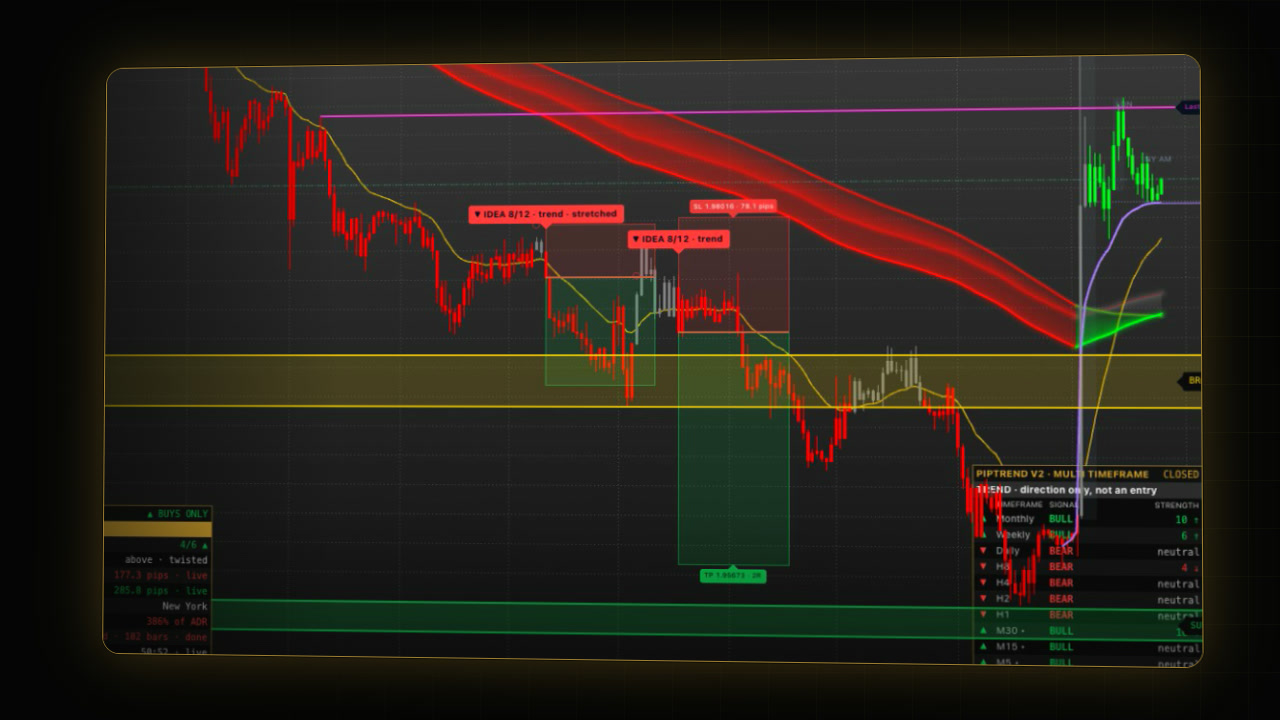 Video coming soon
The routine uses tools from earlier guides: the forex watchlist dashboard, PipTrend V2.0, PipTrend Swing and PipTrend alerts.
Sunday: what happens in the weekly analysis?
- Top-down with PipTrend V2.0. Open a pair on the weekly chart, then the daily, the 4-hour and the 1-hour. The V2.0 multi timeframe panel shows the trend on every timeframe at once, so you can see where they agree.
- The dollar and the macro data. Check the dollar index, DXY, for a quick read on the dollar, and look at the week’s events and the macro data. A macro screener is an extra layer of confluence.
- Flag the week. Flag the pairs you may trade this week in cyan. Red flags are your trades: the open ones, and the ones closed this week.
- Review the week’s trades. Go back through the red-flagged trades closed this week and take the lessons from them. A trading journal collects data on what works for you and what doesn’t.
To flag a pair, right-click it in the watchlist and pick a colour. See Build a forex watchlist dashboard.
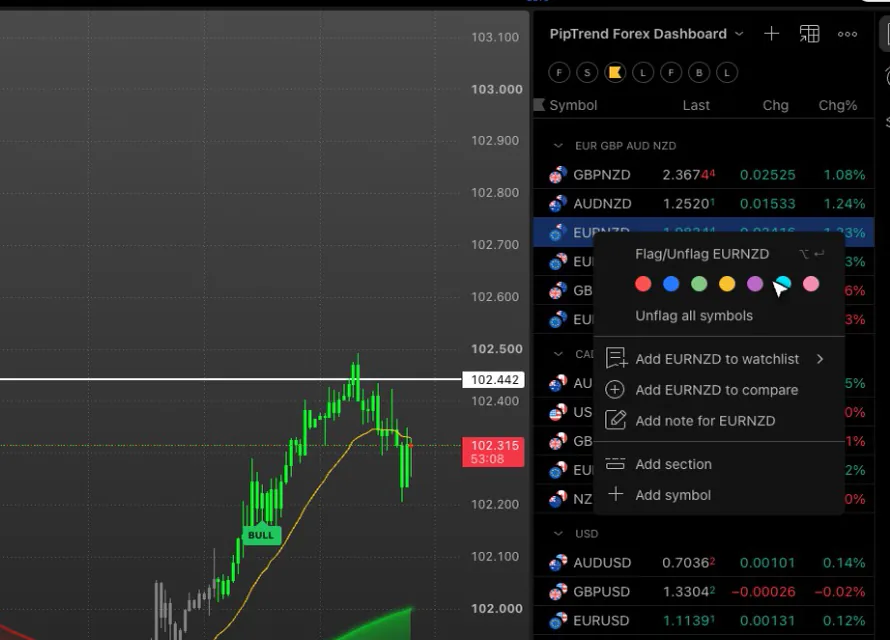
Which forex pairs move together?
The dashboard groups the pairs by currency, which shows which currencies are moving. Related pairs tend to move together:
| Group (orientation) | Example |
|---|---|
| Euro and pound pairs | EURJPY and GBPJPY often move alike |
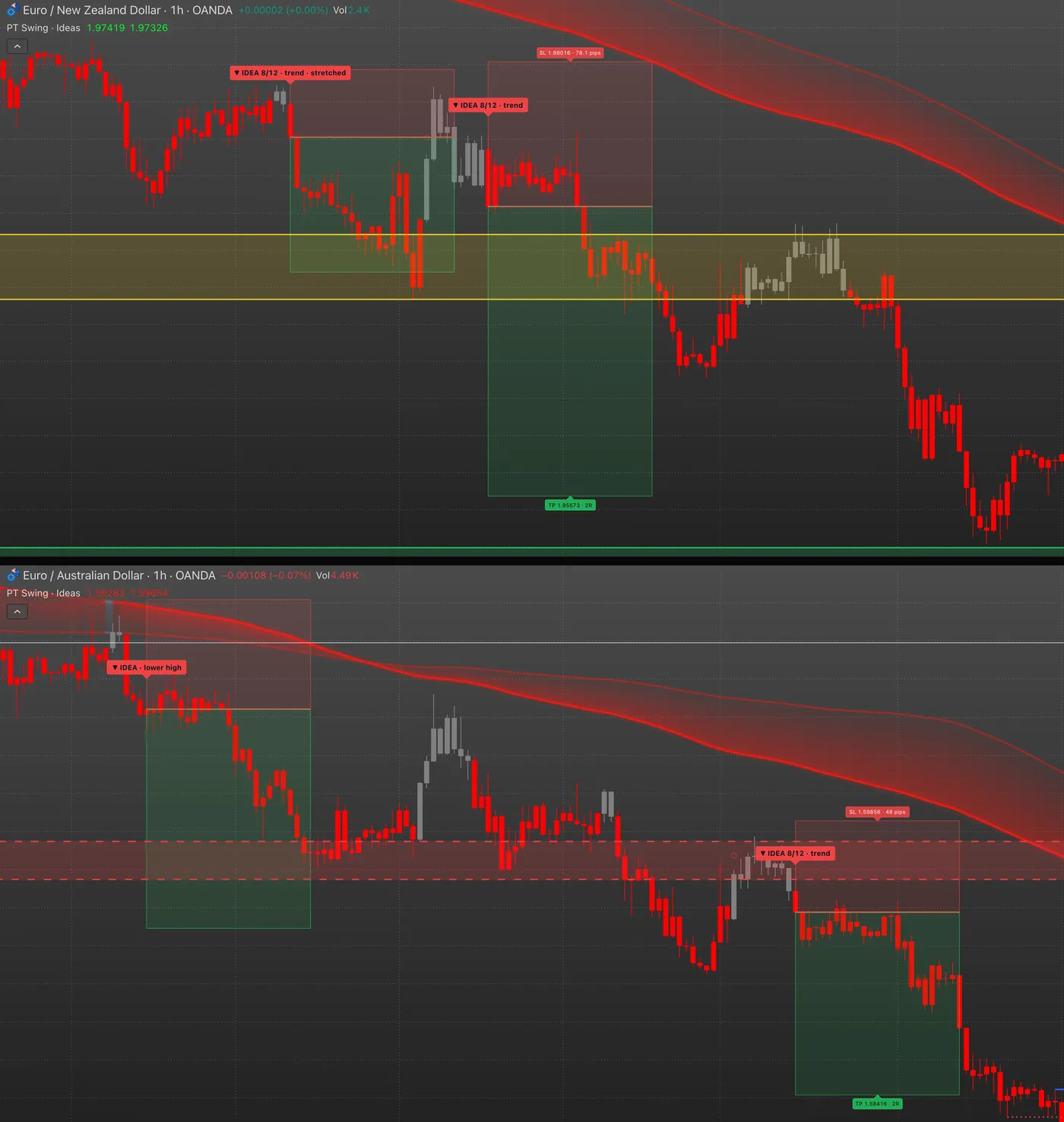
| Aussie and Kiwi pairs | When EURNZD is strongly bearish, EURAUD is most likely bearish too |
| Canadian and US dollar pairs | CADJPY and USDJPY (both bullish on the 1-hour chart in the video) |
| Franc pairs, yen pairs | usually move as a group |
This helps in two ways:
- Which currency is moving: when all the pairs of one currency move the same way, it’s that currency doing the moving. Our free currency strength meter shows this at a glance.
- A missed setup: if you missed a setup on one pair, a very similar one may still form on a related pair.
These relationships can change, so always check the chart instead of assuming.
Related pairs and your risk
Say your prop firm account lets you risk 1 percent per trade and allows trades on related pairs. Taking the same idea on two related pairs, with 1 percent on each, really puts 2 percent on one idea. When you’re right, you make double. When you’re wrong, both trades usually lose together, so you lose double too. Check your firm’s rules, and size it with care.
Trading days: how much time does the routine take?
- When: once before the London open, and once during the London and New York overlap, in the New York morning. Each check takes about five minutes.
- The check: go through the cyan pairs on the 1-hour chart with PipTrend Swing and V2.0 (one of the two set to Hidden under Candle display). Look at the side, the zones, the day map, and whether an idea is forming.
- Open trades: a quick look at the red flags (see below).
- A setup is forming: wait for it, or set an alert, for example Swing: any idea, so you don’t have to watch the chart.
- Nothing forming: close TradingView until the next check. Stepping away helps avoid overtrading, one of the most common ways traders lose money.
Managing open trades
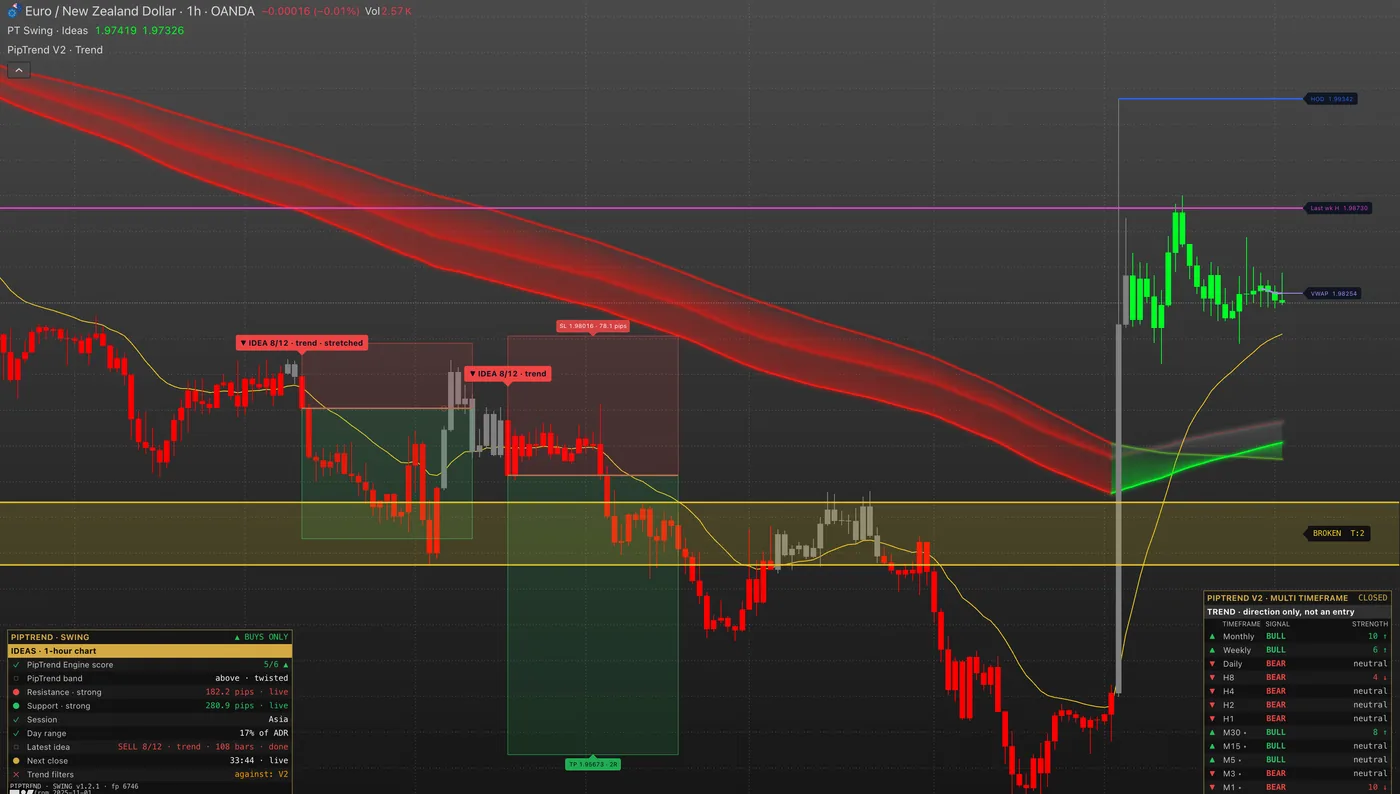
- Most of the time, a trade is held until it hits the target or the stop.
- If price chops around the entry for days and the lower timeframes start pointing against it, it may be closed near break-even.
- If price struggles to reach the target, the profit is taken once the trade has made more than one and a half times the risk.
- When a trade closes, its red flag stays until the Sunday review.
Managing a trade is about losing a little less when you’re wrong, and winning more when you’re right.
Build your own routine
For the best results, review your trades, backtest and forward test, and over time build your own routine and strategy around your lifestyle and trading style. This is one way to trade among many; a routine you build for yourself will fit you better than anyone else’s.
FAQ
How long does this routine take?
About five minutes per check, twice a day on trading days, plus a deeper analysis on Sunday.
Which timeframes are used in the top-down analysis?
Weekly, daily, 4-hour, then 1-hour, with the PipTrend V2.0 multi timeframe panel showing all of them at once. Trade ideas then come from the 1-hour chart, with PipTrend Swing.
Why do cyan and red flags matter?
Cyan marks the pairs that may be traded this week, red marks this week’s trades, open or closed. With two colours, the watchlist works as a dashboard for the week.
Is trading two related pairs at once a good idea?
It doubles the risk on one idea: you can win double, but you can also lose double, because related pairs usually move together. Check your prop firm’s rules and size it with care.
Do I need to watch the charts all day?
No. Two checks of about five minutes on trading days are enough. When a setup is forming, set an alert, for example Swing: any idea, and close TradingView until it fires or the next check comes.
Transcript
Full transcript
This is my swing trading routine on TradingView. It comes in two parts: a deeper analysis once a week, on Sunday, and two short checks on each trading day. It uses the watchlist dashboard and the PipTrend indicators from this series. This is how I work, not advice, so take what fits your own plan.
On Sunday, I go top-down with PipTrend V2.0. I start on the weekly chart, then the daily, the 4-hour, and finally the 1-hour. The multi timeframe panel shows the trend on every timeframe at once, so I can quickly see where they agree.
Then I check the dollar index, DXY, for a quick read on the dollar. I also look at the week’s events and the macro data, with a macro screener as an extra layer of confluence.
Last, I flag the pairs I may trade this week in cyan. Red flags are my trades: the open ones, and the ones closed this week. With just these two colours, the watchlist becomes my dashboard for the week.
Why a dashboard? Because related pairs tend to move together. The euro and pound pairs often move alike. So do the Aussie and Kiwi pairs, and the Canadian and US dollar pairs. And the franc pairs and the yen pairs usually move as a group.
Here’s an example. When EURNZD is strongly bearish, EURAUD is most likely bearish too, because the Aussie and the Kiwi move together. Here, CADJPY and USDJPY are both bullish, because the Canadian and the US dollar move together. It works the same way in either direction.
This helps in two ways. First, you can see which currency is moving today: when all the pairs of one currency move the same way, it’s that currency doing the moving. Our free currency strength meter shows this at a glance too. Second, if you missed a setup on one pair, a very similar one may still form on a related pair. Just remember that these relationships can change, so always check the chart instead of assuming.
Related pairs also matter for your risk. Say you trade a prop firm account that lets you risk 1 percent per trade, and allows trades on related pairs. If you take the same idea on two related pairs, with 1 percent on each, you’re really risking 2 percent on one idea. When you’re right, you make double. But when you’re wrong, both trades usually lose together, so you lose double too. It’s a double-edged sword, so check your firm’s rules, and size it with care.
On trading days, I check the charts twice: once before the London open, and once during the London and New York overlap, in the New York morning. Each check takes about five minutes.
I go through the cyan pairs on the 1-hour chart, with PipTrend Swing and V2.0. I look at the side, the zones, the day map, and whether an idea is forming.
Then a quick look at the red flags, my open positions. Most of the time, I hold a trade until it hits the target or the stop. But if price chops around my entry for days, and the lower timeframes start pointing against me, I may close it near break-even. And if price struggles to reach the target, I’m happy to take the profit once it has made more than one and a half times the risk. Managing a trade is about losing a little less when you’re wrong, and winning more when you’re right. When a trade closes, I keep its red flag until Sunday. In my weekly analysis, I go back through those trades and take the lessons from them. A trading journal helps too: it collects data on what works for you and what doesn’t.
If a setup is forming, I either wait for it, or set an alert, for example Swing: any idea, so I don’t have to watch the chart. If nothing is forming, I close TradingView until the next check. Stepping away from the chart and doing something else helps me avoid overtrading, which is one of the most common ways traders lose money.
That’s the whole routine: one deeper analysis a week, and two short checks a day. It’s a process, not a promise of results, and your own checklist decides every trade.
For the best results, review your trades, backtest and forward test, and over time, build your own routine and strategy that fit your lifestyle and trading style. Mine is just one of many ways to trade. A routine you build for yourself will fit you better than anyone else’s. Every guide in this series is linked below.
Related guides
- PipTrend Swing guide
- Build a forex watchlist dashboard
- PipTrend alerts: every alert condition explained
Risk Disclaimer: Trading involves risk. Past performance doesn't guarantee future results. Only trade with money you can afford to lose. PipTrend is a tool to assist your trading decisions, not financial advice.
Finished this guide?
Was this guide helpful?